NanoSkill
Enviar sua skill

KOL Screener Agent Skill

porjrr996shujin-png7estrelas no GitHubGitHub

Automate KOL screening: clean messy CSV lists from Modash, Heepsy, etc., enrich missing data, calculate health scores, and output a ranked shortlist. Save hours of manual vetting. Start free in seconds.

kolVerificação de segurança aprovada
Prévia do resultado

Demo completa

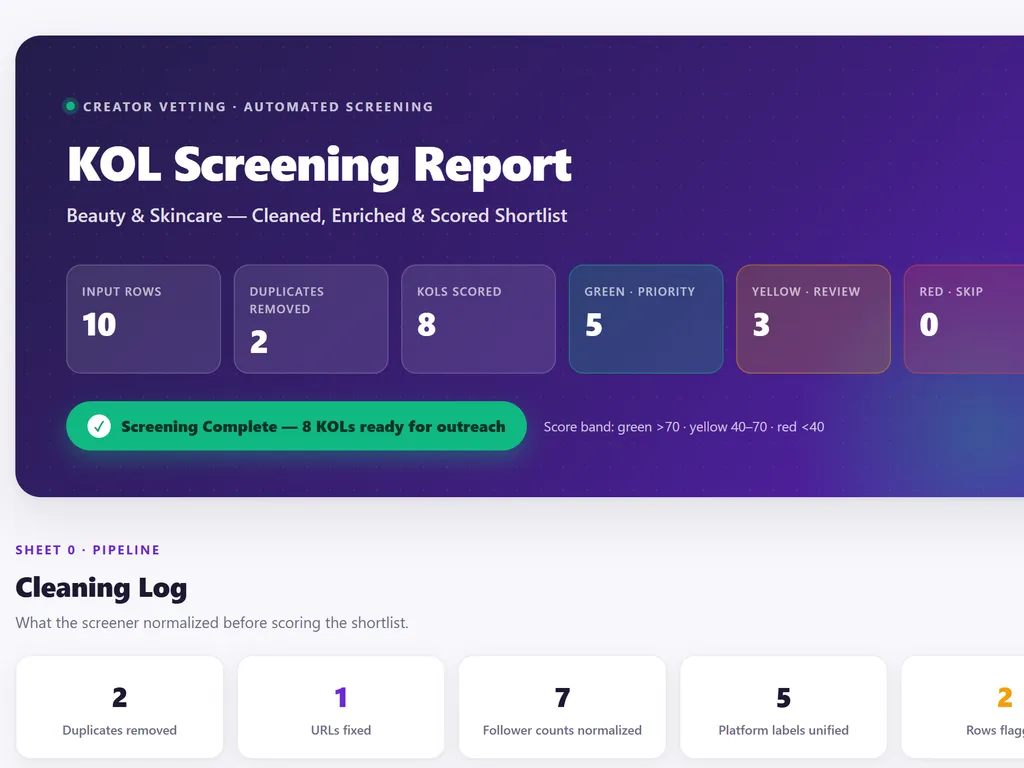
See a visual screening report about 8 KOLs ranked by health score, with duplicates removed, gaps flagged, and priority tiers for outreach.

Primeiros passos

Execute sua primeira tarefa

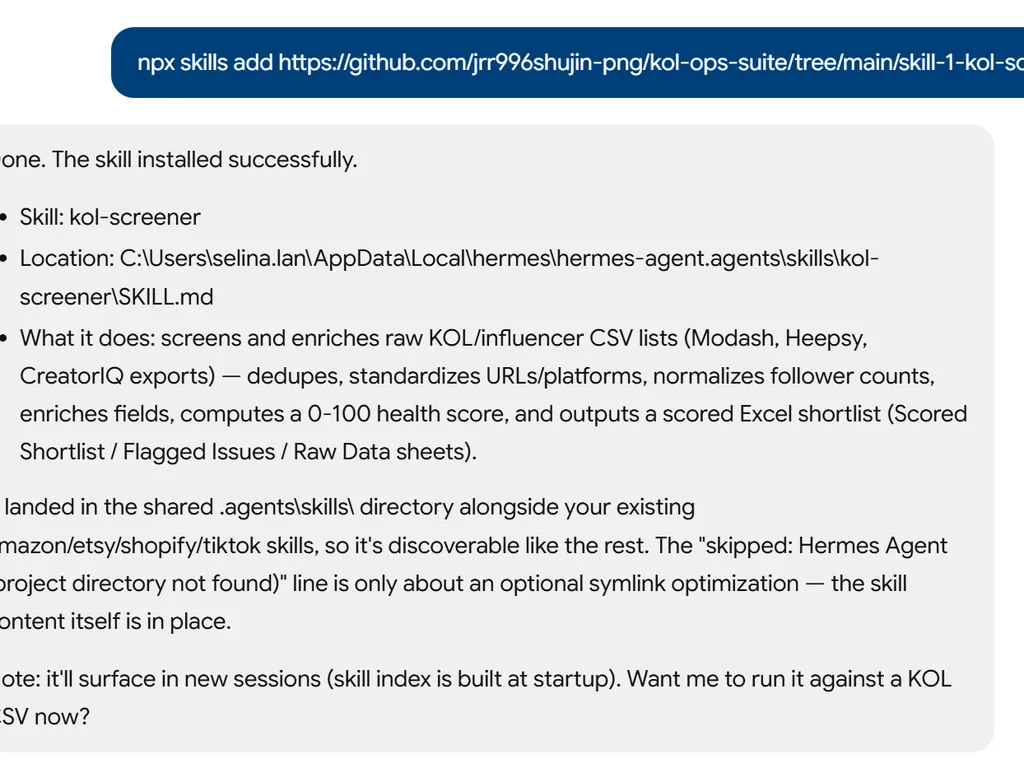
  1. the step of kol screener agent skill
    01

    Install

    Add the KOL Screener Skill to your AI agent.

  2. the step of kol screener agent skill
    02

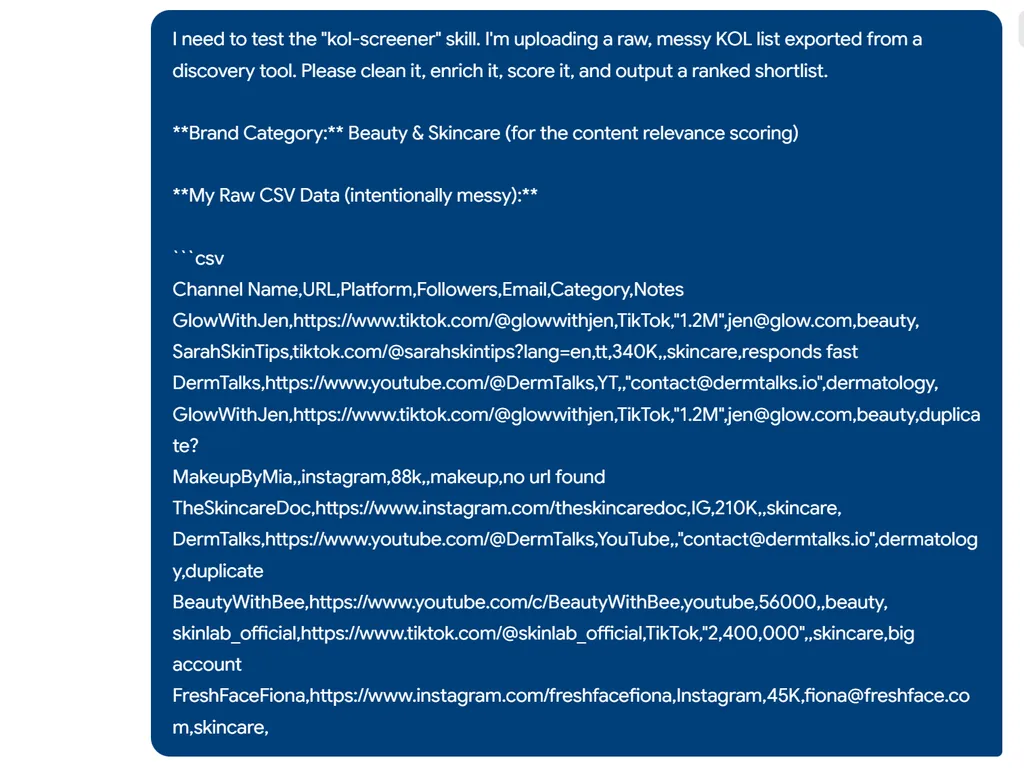
    Upload Your KOL List

    Give it a messy influencer CSV — the skill removes duplicates, normalizes formats, and fills what it can.

  3. the step of kol screener agent skill
    03

    Get Your Ready-to-Contact List

    Receive a scored, ranked shortlist with green/yellow/red tiers and flagged data gaps — skip hours of manual vetting.

Comando de instalação

$ npx skills add https://github.com/jrr996shujin-png/kol-ops-suite/tree/main/skill-1-kol-screener

Sinais de instalação

Atividade de instalação

Sobre

KOL screening is a critical step in influencer marketing that transforms raw, messy CSV exports from tools like Modash or Heepsy into a vetted, scored shortlist. Whether you're a brand marketer launching a campaign or an agency managing multiple creator rosters, this skill eliminates hours of manual data cleaning, enrichment, and scoring. It automatically turns chaotic spreadsheets into a clear, actionable ranking so you can focus on outreach, not data entry.

The KOL Screener skill goes beyond simple deduplication. It enriches your list by scraping public channel metadata—subscriber counts, engagement rates, recent activity, and even contact emails where available—then applies a multi-factor health scoring algorithm. The scoring weights activity, engagement, view consistency, follower authenticity, and category relevance, giving you a trustworthy 0-100 score per influencer. All results are delivered in a formatted Excel workbook with color-coded sheets for immediate decision-making.

Ideal for campaign managers, talent scouts, and agency ops teams, this skill fits straight into your existing workflow. Upload a spreadsheet from any major KOL discovery tool, and in one step you get a ranked shortlist, a list of flagged risks (like suspected fake followers or dead channels), and a preserved copy of your raw data. After screening, the skill can hand off directly to the next phase, such as automated outreach, making your influencer pipeline seamless from discovery to first contact.

Recursos-chave

O que a torna poderosa

  • Automated Health Scoring

    Each KOL receives a 0-100 score based on activity, engagement, view consistency, and follower/view ratio, so you can instantly spot top performers and fraud risks.

  • Field Enrichment from Public Data

    Automatically fills missing data like country, activity metrics, average views, engagement rate, and email by scanning channel pages, reducing manual research.

  • Data Cleaning & Standardization

    Removes duplicates, normalizes follower counts (1.2M → 1,200,000), standardizes platform labels, and flags entries with missing critical info—all with one upload.

  • Formatted Excel Shortlist Report

    Produces a color-coded Excel workbook with three sheets: a scored shortlist sorted by health, a flagged issues list, and the original raw data for reference.

Casos de uso

Quando usar

  • Screen KOL Lists for Media Campaigns

    Marketing teams upload raw influencer exports from Modash, Heepsy, or CreatorIQ and receive a clean, ranked shortlist ready for outreach, cutting vetting time by hours.

  • Audit and Clean Existing Influencer Databases

    Agencies use it to periodically review their influencer rosters, spotting inactive accounts, fake followers, and outdated contact info to keep their database healthy.

  • Build Category-Specific KOL Shortlists

    Campaign managers specify a brand category (e.g., beauty, tech), and the tool scores relevance alongside engagement, helping them surface the best-fit influencers for niche campaigns.

SKILL.md

Skill 1: KOL Screener

Takes a raw, messy CSV export from KOL discovery tools and transforms it into a clean, enriched, scored shortlist ready for outreach.

When to Use

  • User uploads a CSV/Excel of KOL names or channel URLs
  • User says "clean up this influencer list" or "screen these KOLs"
  • User wants to format or standardize a creator database

Input

A CSV or Excel file with some combination of: channel names, URLs, follower counts, emails, categories, etc. Expect messy data — inconsistent formats, missing fields, duplicates.

Process

Step 1: Data Cleaning

  • Remove duplicate entries (match by URL or channel name)
  • Standardize URL formats (ensure full URLs, not partial handles)
  • Normalize follower/subscriber counts (convert "1.2M" → 1200000)
  • Flag rows with critical missing data (no URL = cannot proceed)
  • Detect and standardize platform labels (YT, YouTube, youtube → YouTube)

Step 2: Field Enrichment

For each KOL with a valid channel URL, attempt to gather publicly available data:

FieldSourcePriority
Channel NameFrom URL/pageRequired
PlatformFrom URL patternRequired
Subscriber/Follower CountPublic pageRequired
Country/RegionChannel info or content languageHigh
Content CategoryInferred from recent video titlesHigh
Avg Views (last 30 videos)Public video dataHigh
Avg Engagement Rate(likes+comments)/views × 100%High
Last Upload DateMost recent videoMedium
Total Video CountPublic pageMedium
Email (if public)Channel about pageMedium

If data cannot be retrieved automatically, mark the cell as [MANUAL] in yellow highlight for the user to fill.

Step 3: Health Scoring

Calculate a preliminary health score (0-100) for each KOL:

MetricWeightScoring Logic
Activity20%Last upload within 7 days = 100, 30 days = 70, 90 days = 30, 90+ days = 0
Engagement Rate25%Platform benchmarks: TikTok >5% = 100, YouTube >3% = 100, IG >2% = 100
View Consistency20%Low std deviation in views = high score (stable performer)
Follower/View Ratio20%Views/Followers > 30% = 100, 10-30% = 60, <10% = 20 (fake follower indicator)
Content Relevance15%How closely recent content matches the brand's category (user must specify category)

Step 4: Output

Generate a formatted Excel file with:

  • Sheet 1: Scored Shortlist — All KOLs sorted by health score descending, color-coded (green >70, yellow 40-70, red <40)
  • Sheet 2: Flagged Issues — KOLs with suspected fake followers, inactive channels, or missing critical data
  • Sheet 3: Raw Data — Original import preserved for reference

Output Location

Save to: campaign-workspace/01-screening/screened-shortlist.xlsx

Handoff

After screening, ask user: "Your shortlist is ready with [X] KOLs scored. Want me to proceed to outreach (Skill 2), or do you want to review and filter first?"

FAQ