NanoSkill
提交你的 Skill

品牌指南代理技能

作者anthropics139KGitHub 星标GitHub

将Anthropic的官方品牌色彩和版式应用于任何作品,确保一致的视觉形象和专业展示。在几秒钟内为文档、演示文稿等实现符合品牌规范的样式设计。

品牌设计安全扫描通过
结果预览

完整 Demo

探索由该技能驱动的真实品牌一致性系统。

开始使用

完成第一个任务

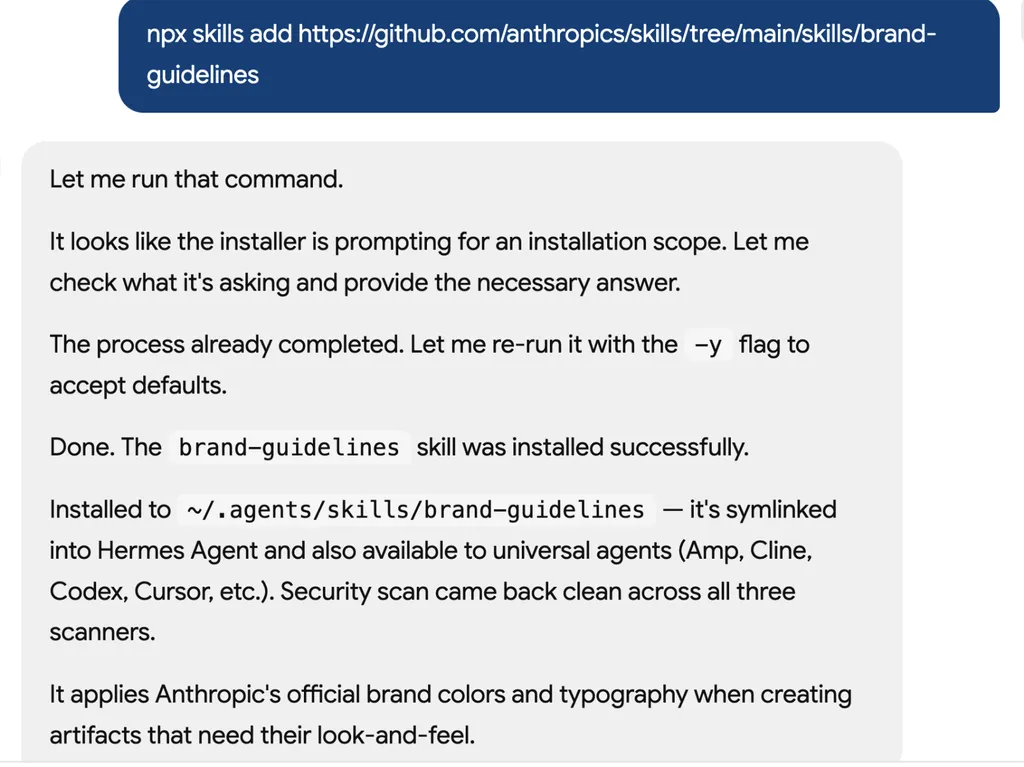
  1. A screenshot of an AI assistant terminal conversation showing the installation of a GitHub-hosted skill package called 'brand-guidelines'. The assistant explains the installation process, including handling an installation scope prompt, rerunning the command with default options, and successfully completing the setup. The status log confirms installation into the local skills directory, symbolic linking for Hermes Agent compatibility, and successful security scans across multiple environments. The final message explains that the skill applies Anthropic’s official brand colors, typography, and visual identity standards when generating branded artifacts and design assets.
    01

    安装

    将品牌指南技能添加到您的AI代理中。

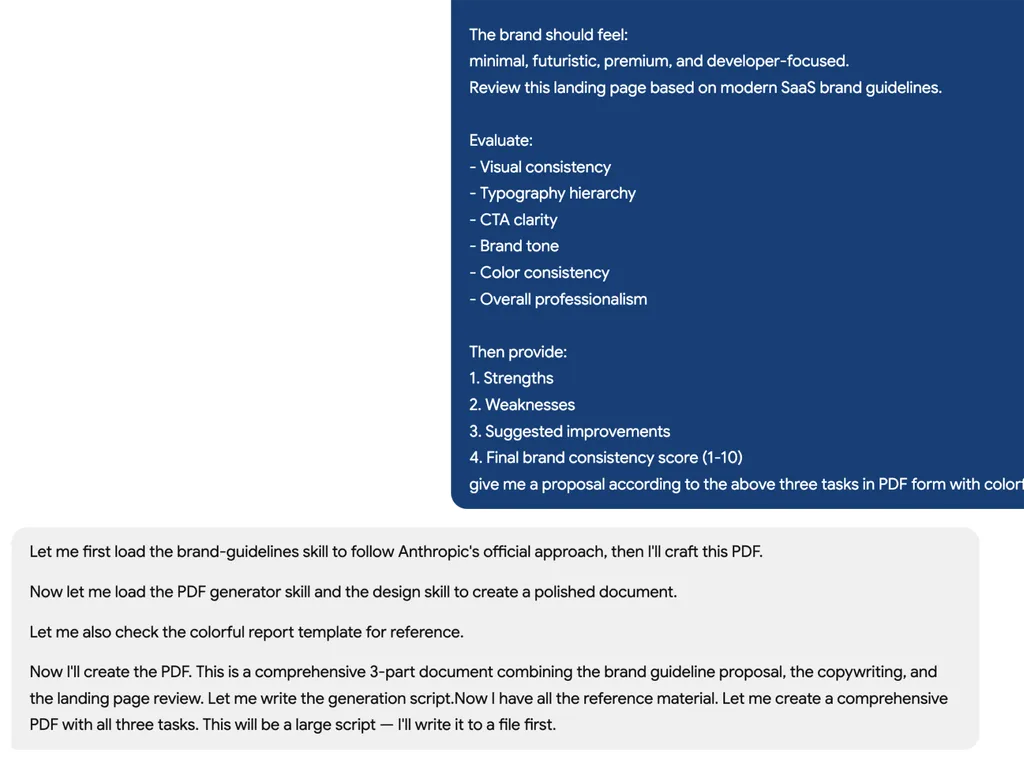
  2. A screenshot of an AI assistant terminal conversation showing the installation of a GitHub-hosted skill package called 'brand-guidelines'. The assistant explains the installation process, including handling an installation scope prompt, rerunning the command with default options, and successfully completing the setup. The status log confirms installation into the local skills directory, symbolic linking for Hermes Agent compatibility, and successful security scans across multiple environments. The final message explains that the skill applies Anthropic’s official brand colors, typography, and visual identity standards when generating branded artifacts and design assets.
    02

    生成指南

    描述您的品牌标识并生成完整的品牌系统。

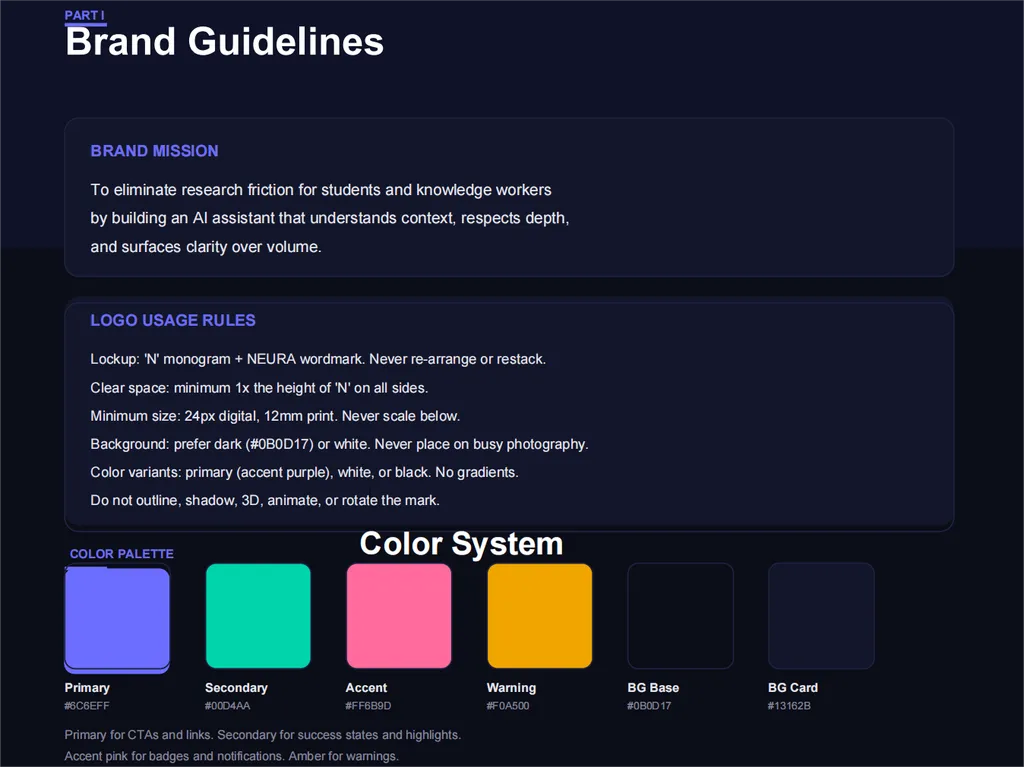
  3. A dark-themed brand guidelines page titled 'Brand Guidelines'. The slide is organized into three primary sections: Brand Mission, Logo Usage Rules, and Color Palette. The Brand Mission section describes an AI assistant designed to reduce research friction for students and knowledge workers by understanding context, respecting depth, and surfacing clarity. The Logo Usage Rules section defines standards for logo application, including clear space requirements, minimum sizing, approved backgrounds, and acceptable color variations. The lower portion presents a Color System featuring labeled color swatches for Primary, Secondary, Accent, Warning, Background Base, and Background Card colors, each accompanied by descriptive usage notes. The design uses a deep navy interface, white typography, rounded content panels, and vibrant color blocks to demonstrate a modern and cohesive visual identity system.
    03

    审查一致性

    获取可操作的反馈,以改善内容和设计中的品牌一致性。

安装指令

$ npx skills add https://github.com/anthropics/skills/tree/main/skills/brand-guidelines

关于

Anthropic品牌指南技能提供了一种轻松的方式,将Anthropic的官方品牌标识应用到您的数字内容中。该技能通过自动集成指定的品牌色彩和版式,确保任何作品,从内部文档到外部演示文稿,都能一致地体现Anthropic的视觉标准。它专为需要跨多种输出保持专业且统一企业形象的任何人设计。

利用智能字体应用,该技能将Poppins字体分配给标题,Lora字体分配给正文,并在主要字体不可用时智能回退到常见系统字体,如Arial和Georgia。除了版式,它还精心应用Anthropic精确的主色和强调色色板,确保每个元素(包括非文本形状)都符合既定的视觉指南。这种自动化方法显著减少了实现品牌规范样式所需的精力。

无论您是在准备关键的演示文稿、起草官方报告还是制作营销材料,该技能都能简化品牌塑造流程。它对于经常制作内容并需要确保每件作品都符合Anthropic企业形象而无需手动调整或具备深厚设计知识的团队和个人尤为有用。

核心功能

它的强大之处

  • 智能字体应用

    自动将 Anthropic 官方的 Poppins 字体应用于标题,将 Lora 字体应用于正文,并智能回退至 Arial/Georgia,以确保通用可读性。

  • 品牌色彩调色板

    利用 Anthropic 特定的主要色彩和强调色(Dark、Light、中灰色、浅灰色、橙色、蓝色、绿色),在所有元素中实现精准的品牌匹配。

  • 一致的文本样式

    确保文本层次和格式保持一致,根据背景应用适当的字体和智能色彩选择,以达到最佳的视觉吸引力。

  • 形状的动态强调色

    将橙色、蓝色和绿色的交替调色板应用于非文本形状,在遵循品牌指南的同时增添视觉吸引力。

  • 自动字体回退

    如果未预装 Poppins 和 Lora,则自动回退至标准系统字体(标题用 Arial,正文用 Georgia),以确保可读性。

使用场景

什么时候适合使用

  • 设置内部文档样式

    将 Anthropic 的品牌指南应用于内部报告、备忘录和演示文稿,以在所有沟通中保持统一的企业形象。

  • 创建品牌营销材料

    确保所有营销资料,从小册子到数字广告,都遵循 Anthropic 的视觉识别体系,使用正确的色彩和排版。

  • 制作品牌演示文稿

    使用 Anthropic 的官方字体和配色方案快速排版演示文稿,确保所有幻灯片具有专业且一致的外观。

SKILL.md

Anthropic品牌样式设计

概览

要访问Anthropic的官方品牌标识和样式资源,请使用此技能。

关键词:品牌设计、企业标识、视觉标识、后处理、样式设计、品牌色彩、版式、Anthropic品牌、视觉格式、视觉设计

品牌指南

色彩

主色:

  • 深色:#141413 - 主要文本和深色背景
  • 浅色:#faf9f5 - 浅色背景和深色上的文本
  • 中灰色:#b0aea5 - 次要元素
  • 浅灰色:#e8e6dc - 微妙背景

强调色:

  • 橙色:#d97757 - 主强调色
  • 蓝色:#6a9bcc - 次要强调色
  • 绿色:#788c5d - 第三强调色

版式

  • 标题:Poppins(带有Arial回退)
  • 正文:Lora(带有Georgia回退)
  • 注意:为获得最佳效果,应在您的环境中预装字体。

功能特点

智能字体应用

  • 将Poppins字体应用于标题(24磅及以上)
  • 将Lora字体应用于正文
  • 如果自定义字体不可用,自动回退到Arial/Georgia
  • 在所有系统中保持可读性

文本样式

  • 标题(24磅及以上):Poppins字体
  • 正文:Lora字体
  • 基于背景的智能色彩选择
  • 保留文本层次结构和格式

形状与强调色

  • 非文本形状使用强调色
  • 循环使用橙色、蓝色和绿色强调色
  • 在保持品牌一致性的同时保持视觉趣味性

技术细节

字体管理

  • 当可用时使用系统安装的Poppins和Lora字体
  • 提供自动回退到Arial(标题)和Georgia(正文)
  • 无需安装字体 - 与现有系统字体配合使用
  • 为获得最佳效果,请在您的环境中预装Poppins和Lora字体

色彩应用

  • 使用RGB色彩值实现精确的品牌匹配
  • 通过python-pptx的RGBColor类应用
  • 在不同系统中保持色彩保真度

常见问题