Best PPT Agent Skills: More Than Just Slide Generation
Find the top PPT agent skills featuring specialized AI capabilities for diverse business, academic, and creative workflows.
We have reached a point where AI can generate a complete slide deck in seconds, yet the "wow factor" often fades the moment you actually have to stand up and present it. While automation has solved the problem of the "blank page", it has created a new one: a growing surplus of slides that look professional at a glance but fail to communicate effectively in practice.
What Most AI Presentation Tools Still Get Wrong
Taking a closer look at current generation of tools, I believe one thing is obvious: most AI presentation tools are still much better at generating slides than building actual presentations. A lot of decks initially look impressive, but once you go through them slide by slide, the problems become obvious:
- repetitive layouts
- weak transitions between sections
- oversized text blocks
- inconsistent visual hierarchy
- charts that look technically correct but presentation-unfriendly
Many tools also optimize more for screenshots than live speaking.
Some decks look polished in previews, but feel exhausting once you actually imagine presenting them in front of an audience.
The biggest gap is still presentation thinking. Good presentations are not just collections of slides. They need pacing, emphasis, transitions, rhythm, and audience readability — areas where many AI PPT tools still struggle.
That's why we need specialized AI "Skills"—modular capabilities that allow AI agents to handle specific presentation tasks with more nuance and flexibility than a standard generator.
How We Chose the Best PPT Agent Skills
To help you move beyond rigid templates, we’ve identified seven top PPT Agent skills that help you out. Here is how we selected best PPT agent skills based on how differently they approached real-world presentation workflows.
Instead of ranking tools purely by visual aesthetics, we evaluated them across several presentation-focused dimensions:
| Evaluation Area | What We Looked For |
|---|---|
| Narrative Flow | Whether slides progress naturally like a real presentation |
| Visual Consistency | Typography, spacing, layouts, and overall cohesion |
| Presentation Readability | Whether slides work well during live speaking |
| Information Hierarchy | Clarity of headlines, metrics, and supporting content |
| Chart & Data Handling | Ability to visualize information cleanly |
| Editing Workflow | PPT editing, adaptability, and post-generation usability |
| Presentation Style | Executive, editorial, storytelling, keynote, classroom, etc. |
We also intentionally tested different presentation scenarios — including business reports, thesis defenses, editorial storytelling, and classroom presentations — to better understand each skill’s strengths and limitations.
7 Top PPT Agent Skills We Chose (2026 Trending)
1) document-pptx
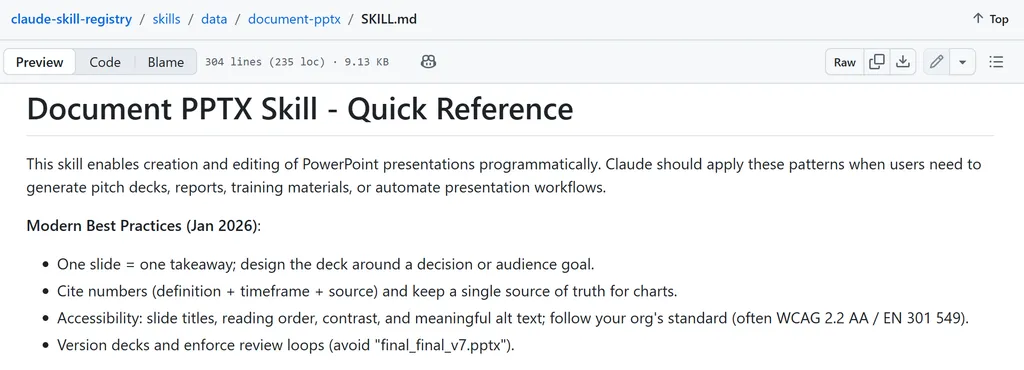
Best for: Turn long reports, research documents, or strategy notes into structured executive presentations quickly.
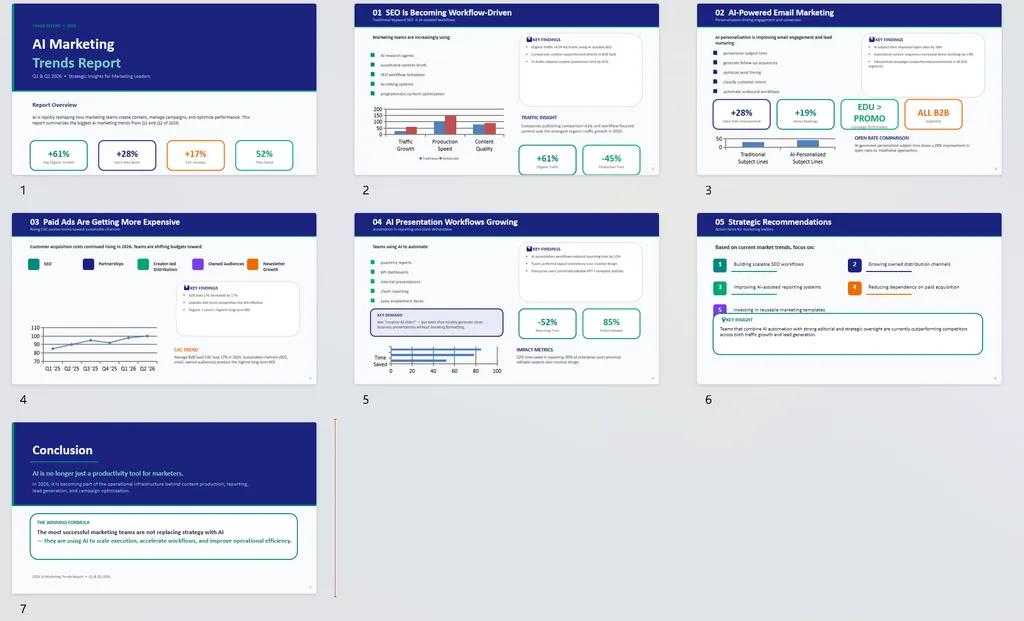
For testing, we gave the skill a long-form AI marketing trends report covering SEO, email marketing, paid ads, and AI presentation workflows, then asked it to turn the document into an executive presentation deck.
What Worked Well
Instead of simply copying report content onto slides, it created a more natural presentation structure with clear sections, key findings, recommendations, and conclusions. The overall deck felt much closer to a real presentation than a converted document.
It also showed solid slide-level thinking. The skill broke content into digestible sections, highlighted important metrics and maintained clean visual hierarchy throughout the deck.
Another surprise was chart generation. The skill automatically created simple charts and data visuals that helped make the presentation feel more dynamic instead of relying entirely on bullet points.
Limitations
The visual design still felt somewhat generic, and some charts relied on fairly simple layouts and stat-card styling. While the deck looked polished overall, it didn’t quite reach the level of highly customized consulting or agency presentations.
2) Skywork PPT (API-key required)
Best for: End-to-end presentation workflows including slide generation, style adaptation, editing, and PPT management.
Test Scenario (prompt)
Create a 10-slide presentation for a high school environmental science class about ocean plastic pollution.
The presentation should:
- feel visually engaging and easy to present live
- include key statistics and simple charts
- use clean modern layouts
- keep text concise and presentation-friendly
- include a short conclusion and action steps
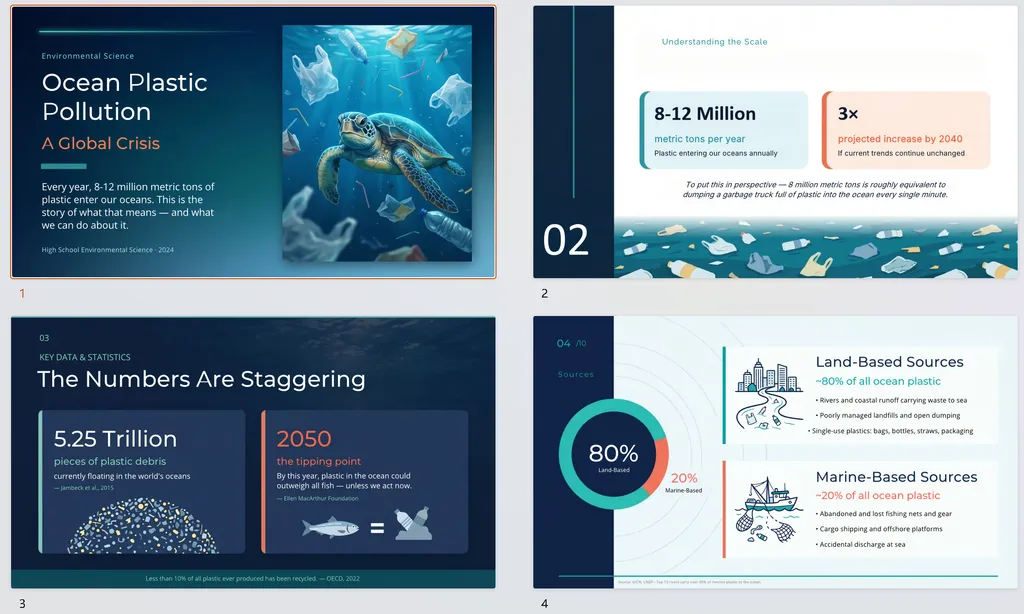
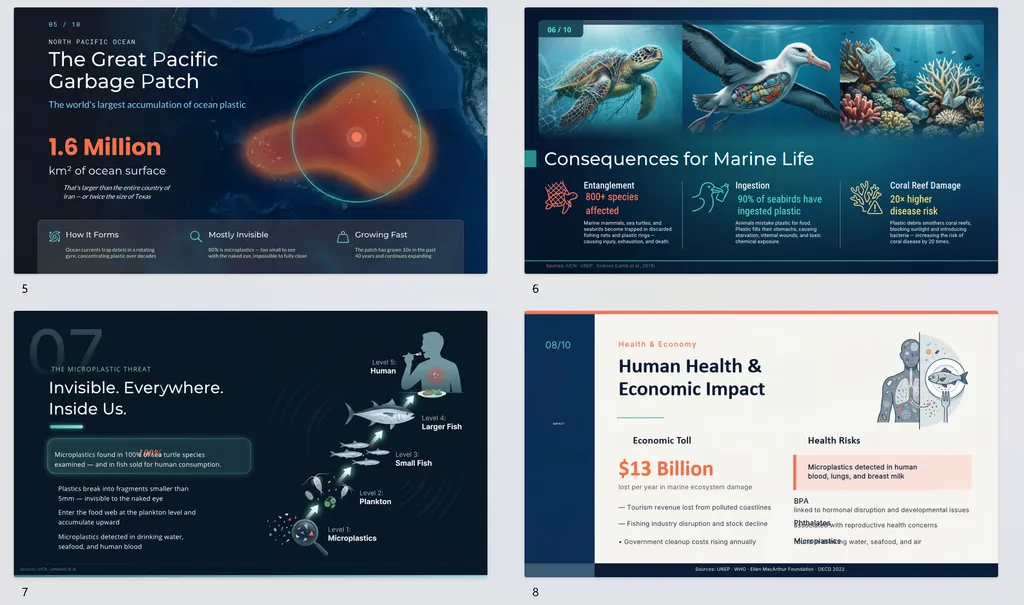
Here is the outcome:
What Stands Out
The biggest strength was pacing and presentation flow. The deck moved naturally from problem scale → causes → consequences → solutions → action steps, which made the presentation feel structured and easy to follow during a live presentation.
The visual consistency was also extremely solid. Typography, spacing, styling, metric highlights, and slide composition all stayed consistent most of the time.
Another strength was audience readability. The slides were clearly designed for projection and speaking rather than dense document reading. Important numbers were emphasized properly, while text density stayed controlled throughout the deck. Also, the skill handled section transitions well, creating a smoother narrative progression than most AI-generated presentations.
While the graphics were relatively simple, the use of comparisons, stat cards, percentages, and highlighted metrics helped break up the content and made the deck feel much more dynamic and presentation-friendly.
Beyond slide generation, it also supports:
- template/style imitation
- slide-level editing
- merging or extracting slides
- broader PPT management workflows
That makes it feel more like a complete presentation system than a basic AI slide generator.
Limitations
The overall presentation quality was quite good, but certain features require API configuration and multi-step workflows, which may feel slightly complex for users who just want fast slide generation.
3) PPT Design
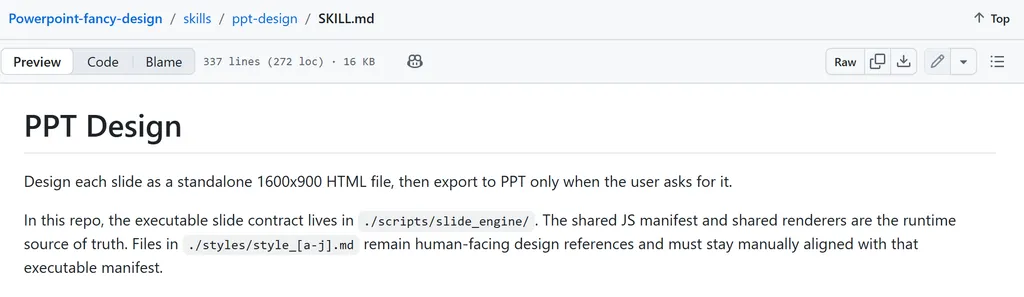
Best for: Visually polished presentations designed for live speaking, thesis defenses, and keynote-style talks.
We uploaded a university thesis and asked it to turn the thesis into a defense presentation.
What It Does
Unlike those skills that focus mainly on generating slides quickly, this skill is much more design-system and presentation-quality focused.
Some standout strengths included:
- stronger slide pacing and presentation rhythm
- cleaner spacing and visual hierarchy
- larger, presentation-friendly typography
- more polished editorial-style layouts
- better audience readability during live presentations
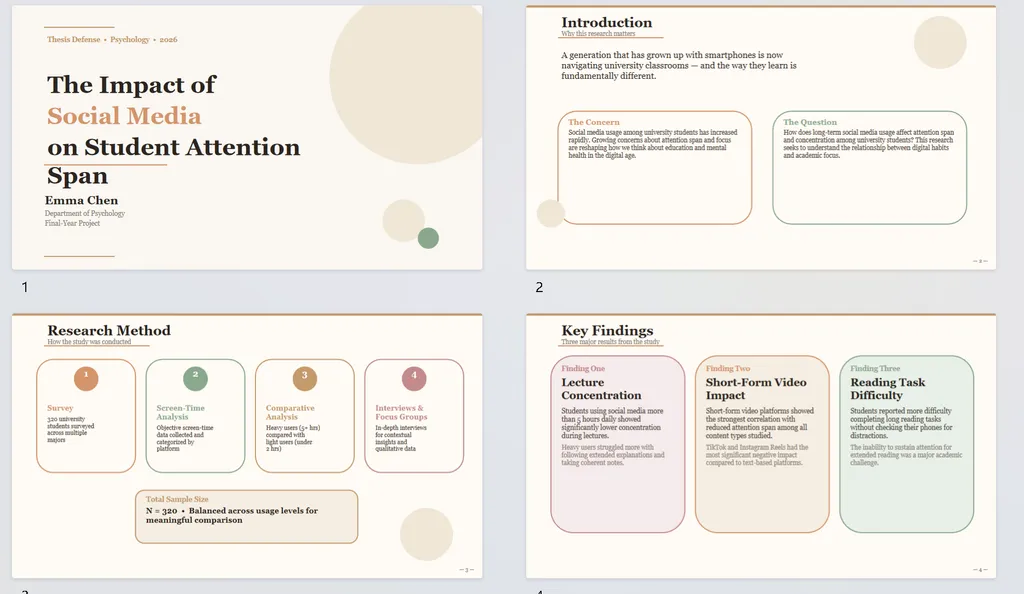
Another difference is that this skill is built more like a presentation design engine than a basic slide "guider". It includes layout-safe zones, typography rules, slide pacing logic, and multiple layout prototypes to avoid repetitive slides.
Sections like Introduction, Key Findings, and Conclusion flowed naturally, and the slides avoided the “Word document pasted into PowerPoint” feeling that many AI PPT tools still struggle with.
Limitations
The skill sometimes prioritized aesthetics over information density, so a few slides felt slightly sparse. Chart design was also fairly simple and leaned more toward visual support than deep data storytelling.
4) Guizang PPT
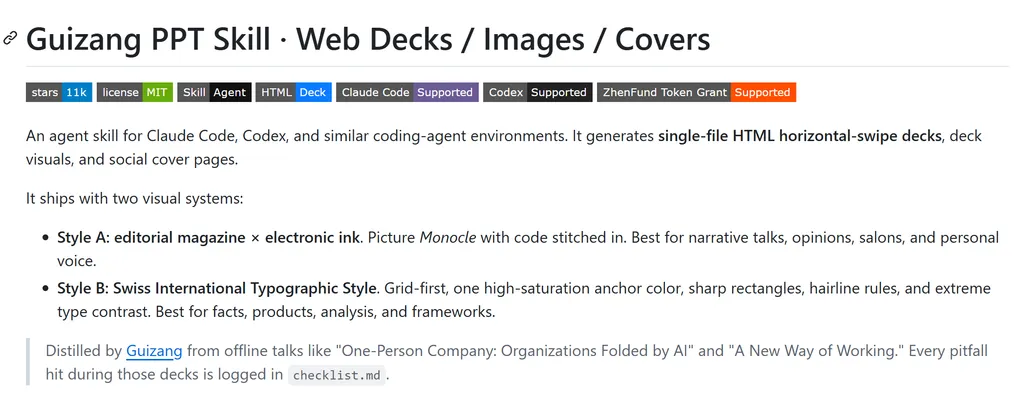
Visit Guizang HTML PPT Agent Skill: https://nanoskill.ai/skills/ppt-agent-skill
Best for: Editorial-style storytelling presentations with immersive visual flow and magazine-inspired layouts.
We asked our AI agent to create a Swiss-style presentation based on an Ahrefs article using this skill, limited to around 7 slides, and including 2–3 images.
What It Does
The strongest strength of Guizang PPT Skill is its horizontal swipe, magazine-style presentation format. It generates a single HTML-based continuous experience, not traditional slide decks, which makes content flow like a digital editorial or interactive magazine.
A second strength is strong editorial design system control. The output shows clear constraints in:
- typography hierarchy (serif vs sans-serif system)
- grid-based layout structure
- controlled spacing logic
- strong visual rhythm between hero and non-hero sections
This makes the deck feel closer to Monocle-style editorial publishing than a PPT tool.
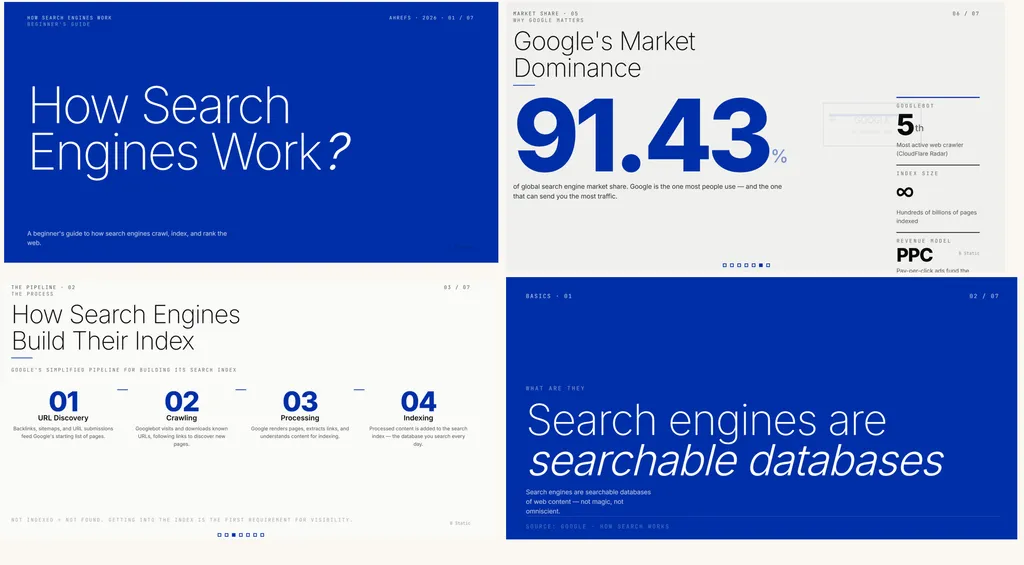
Meanwhile, it supports varied layout types — such as hero sections, image grids, quotes, and comparison blocks — while enforcing strict stylistic design constraints that keep the presentation visually cohesive and highly structured.
Limitations
- Weak for data-heavy decks: Not suitable for tables or analytical reporting.
- High design rigidity: Reduced flexibility due to strict layout system.
- Limited editing workflow: HTML-based output reduces post-editing flexibility.
5) Powerpoint / PPTX
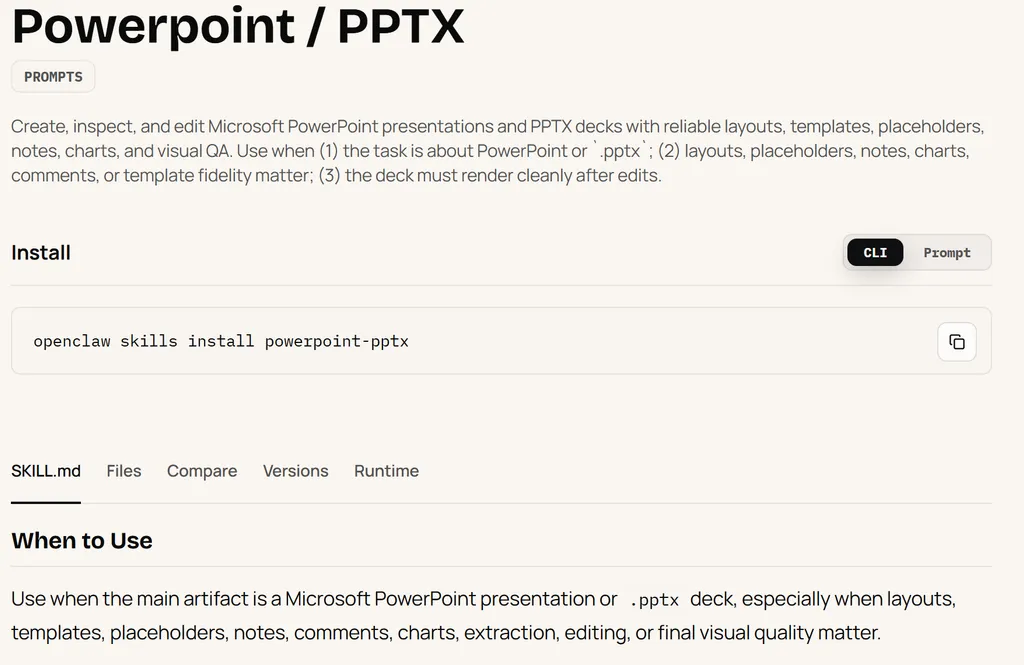
Best for: Fast PowerPoint generation and practical PPT editing workflows.
Pros
This skill feels much more utility-focused than presentation-design-focused. It prioritizes generating editable PPT files quickly while keeping layouts stable, readable, and easy to modify afterward.
It handles common PowerPoint tasks well, including structured slide generation, table handling, KPI sections, and formatting consistency. The workflow feels practical for everyday business use rather than highly stylized presentation design.
Cons
The visual style feels fairly basic compared with more design-oriented PPT skills. It focuses more on usability and automation than storytelling or advanced visual presentation quality.
Best Use Cases
Internal business presentations, KPI dashboards, recurring reports, operational updates, and fast editable PPT generation.This skill works best as a practical enterprise presentation editor rather than a creative slide-design tool.
6) Youmind ppt
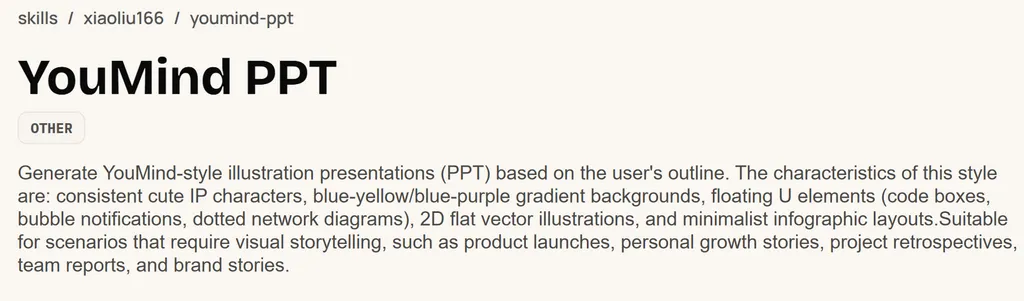
Best for: Storytelling presentations with strong emotional narrative and behavioral framing.
We tested this kill with the following prompt:
Create a presentation on how short-form video platforms affect human attention and behavior.
What Worked Well
The strongest strength is character-driven storytelling.
The entire deck is built around a unified IP character, which turns the presentation into a continuous narrative rather than discrete slides. Key concepts are embedded into a behavioral story structure, not just explained.
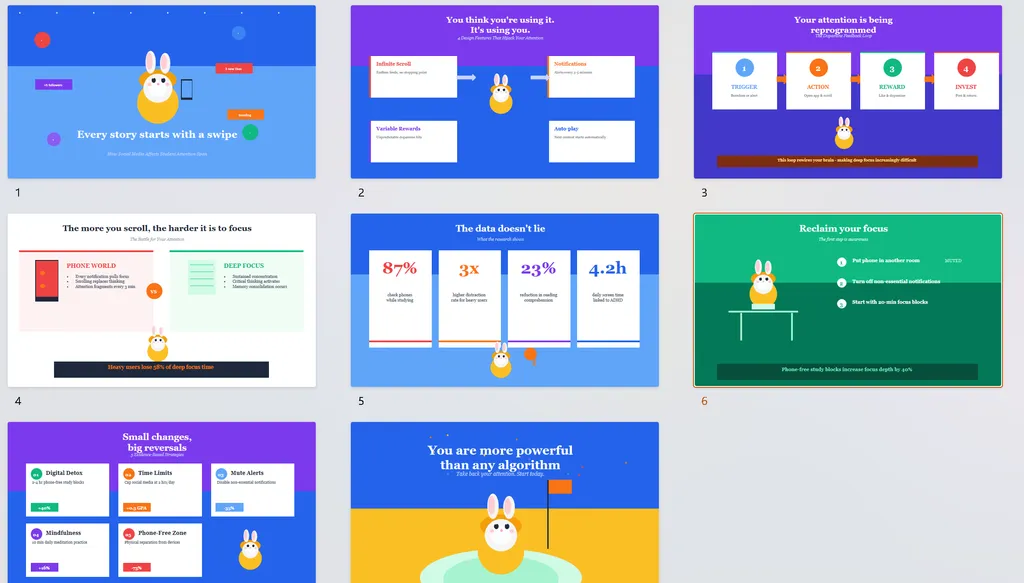
Another strength is emotional progression.
The flow follows a clear arc:
hook → tension → evidence → resolution → empowerment
This makes the output feel more like a narrative experience than a traditional presentation.
It also performs well in visual consistency:
- unified IP usage
- consistent layout system
- strong spacing and hierarchy
- modular card-based design
Limitations
- Low information density: Focus is on storytelling, not deep analysis or data-heavy reasoning.
- Structural rigidity: IP-driven format limits flexibility across different presentation types.
- Weak fit for business use cases: Not ideal for consulting, finance, or technical presentations.
7) Ian Handdrawn PPT
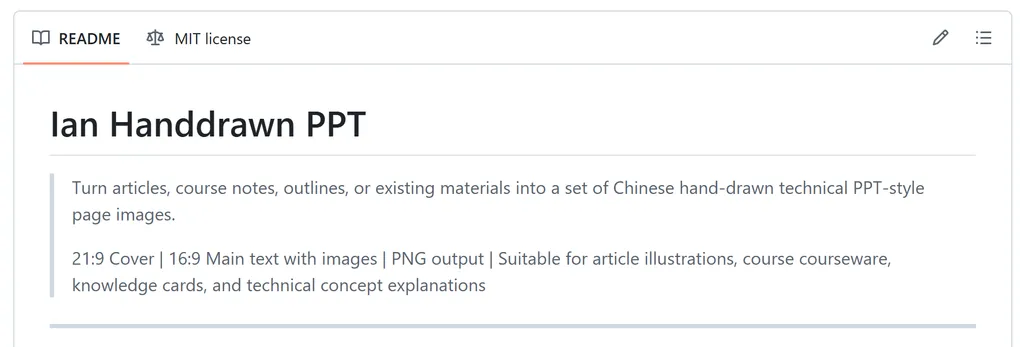
Best for: Hand-drawn presentations that make complex ideas feel more approachable, memorable, and visually engaging.
What Worked Well
The biggest strength is its hand-drawn visual style.
Instead of traditional slide layouts, the presentation uses sketches, diagrams, arrows, and annotations to explain concepts. This makes the content feel more approachable and engaging than a typical business deck.
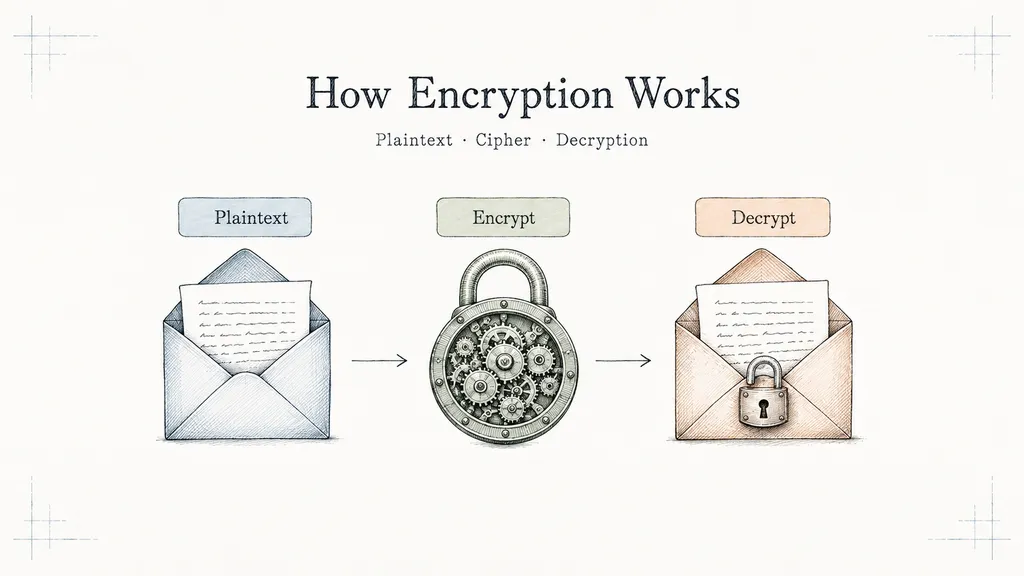
Another strength is concept visualization.
Rather than relying heavily on bullet points, the skill turns ideas into visual relationships and step-by-step explanations, making complex topics easier to understand.
The overall presentation also feels more human and educational, making it well suited for workshops, training sessions, and explainer-style content.
Limitations
- It performs better in a Chinese context, so it has certain linguistic limitations.
- It requires the assistance of other AI models, like ChatGPT Image 2.0.
- The hand-drawn style may not fit every brand or use case.
How to Get Better Results From PPT Agents
The quality of AI-generated presentations still depends heavily on the prompt, source material, and presentation goal.
Some practical ways to improve results include:
- Give the AI a Clear Presentation Context
Instead of saying:
“Create a presentation about ...”
Try:
“Create a xx-slide ... presentation about ... for ... Keep slides concise and presentation-friendly.”
The audience, speaking environment, and presentation goal significantly affect output quality.
- Separate Information Slides From Storytelling Slides
Most AI PPT tools perform better when data-heavy sections stay structured while emotional or narrative sections stay visually lighter. Trying to overload every slide usually reduces readability.
- Use Different Skills for Different Presentation Goals
Not every PPT agent is designed for the same task.
For example:
- executive decks need structure and hierarchy
- keynote talks need pacing and visual storytelling
- thesis defenses prioritize readability
- editorial presentations emphasize visual rhythm
Choosing the right presentation style matters more than simply choosing the “most powerful” agent skills.
- Expect Some Manual Editing
Even the best PPT agent skills still benefit from some manual refinement. In most cases, AI-generated decks need small adjustments like trimming overcrowded slides, refining pacing for live speaking, or strengthening the overall narrative flow.
Right now, the most effective workflow is usually a combination of AI-assisted generation and human presentation editing rather than fully automated slide creation.
Which PPT Agent Skill Should You Choose?
The best PPT agent skill depends heavily on the type of presentation you’re creating.
Here’s the simplest breakdown:
| Skill | Best For |
|---|---|
| document-pptx | Executive summaries and strategy decks |
| Skywork PPT | Full PPT workflows and editable presentations |
| PPT Design | Thesis defenses and live presentations |
| Guizang PPT | Editorial storytelling and keynote-style decks |
| PowerPoint / PPTX | Business reporting and structured KPI presentations |
| YouMind PPT | Emotional storytelling and narrative presentations |
| Ian Handdrawn PPT | Engaging hand-drawn style & Make complex ideas more approachable |
Ultimately, an AI agent is only as powerful as the intent behind it. While specialization allows AI to handle the layout, the pacing, and the visual hierarchy, the soul of the presentation still belongs to you.
We are moving away from the "one-size-fits-all" slide deck and toward a world of tailor-made digital storytelling. By choosing the right PPT Agent Skill, you can start focusing on your ideas. It’s time to stop just making slides and start building experiences that move people.