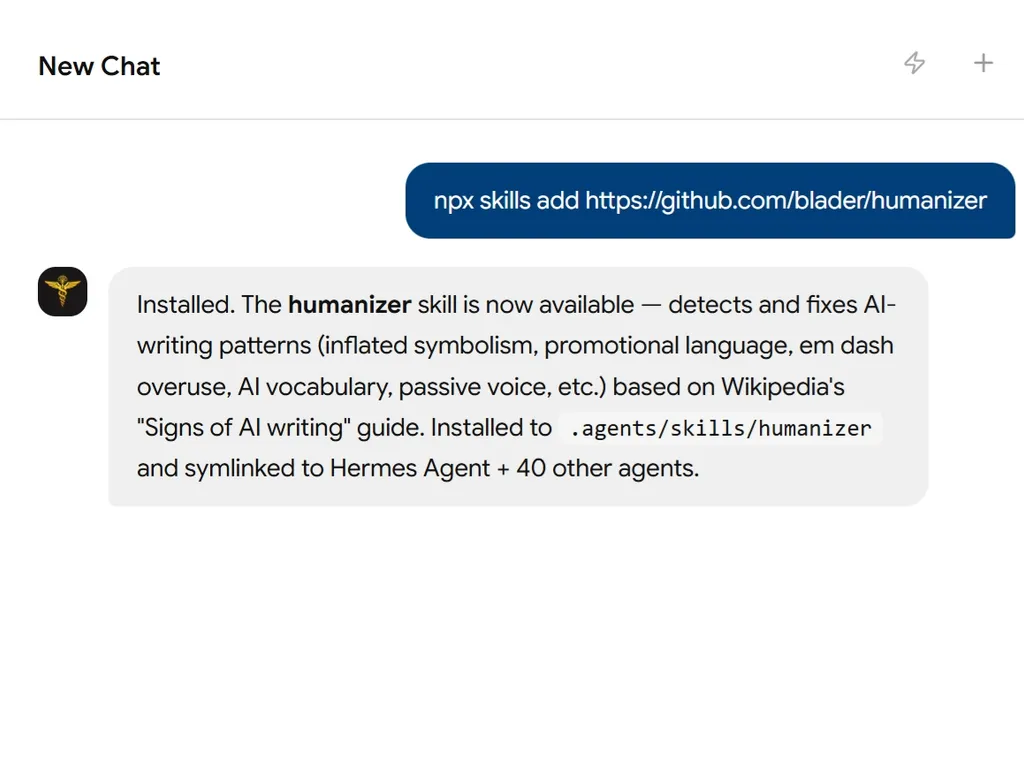
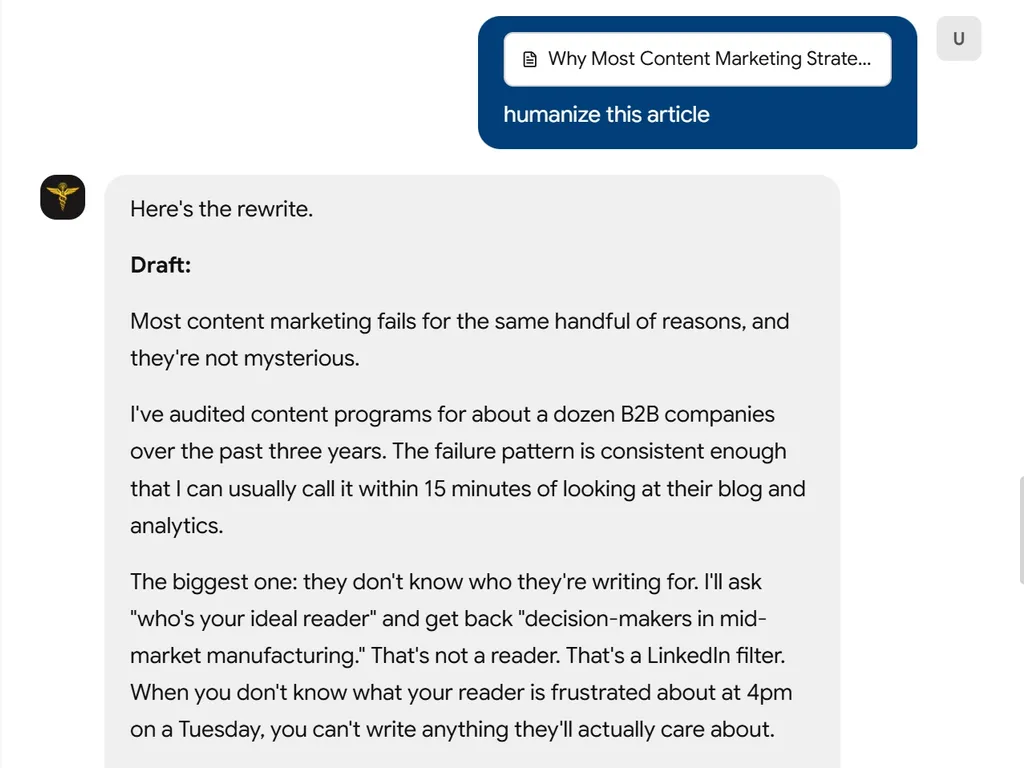
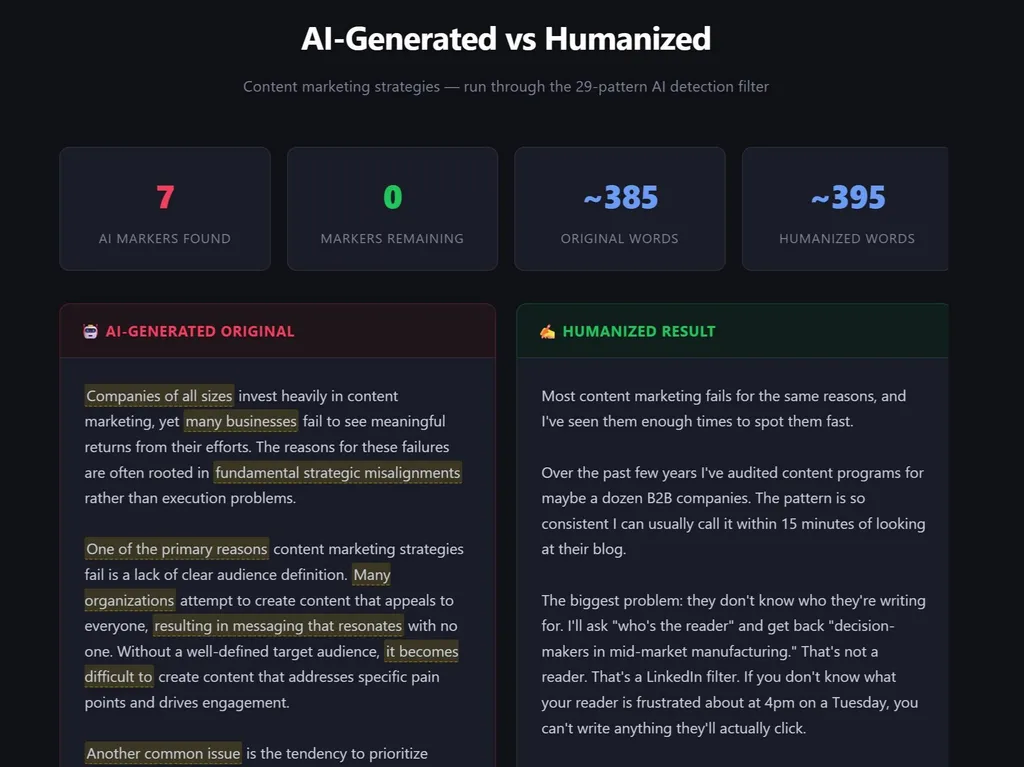
Humanizer
A skill for Claude Code and OpenCode that removes signs of AI-generated writing from text, making it sound more natural and human.
Installation
Claude Code
Clone directly into Claude Code's skills directory:
mkdir -p ~/.claude/skills
git clone https://github.com/blader/humanizer.git ~/.claude/skills/humanizer
Or copy the skill file manually if you already have this repo cloned:
mkdir -p ~/.claude/skills/humanizer
cp SKILL.md ~/.claude/skills/humanizer/
OpenCode
Clone directly into OpenCode's skills directory:
mkdir -p ~/.config/opencode/skills
git clone https://github.com/blader/humanizer.git ~/.config/opencode/skills/humanizer
Or copy the skill file manually if you already have this repo cloned:
mkdir -p ~/.config/opencode/skills/humanizer
cp SKILL.md ~/.config/opencode/skills/humanizer/
Note: OpenCode also scans
~/.claude/skills/for compatibility, so if you use both tools, a single clone into~/.claude/skills/humanizer/is enough.
Usage
Claude Code
/humanizer

[paste your text here]
OpenCode
/humanizer

[paste your text here]
Or ask the model to humanize text directly in either tool:
Please humanize this text: [your text]
Voice Calibration
To match your personal writing style, provide a sample of your own writing:
/humanizer

Here's a sample of my writing for voice matching:
[paste 2-3 paragraphs of your own writing]

Now humanize this text:
[paste AI text to humanize]
The skill will analyze your sentence rhythm, word choices, and quirks, then apply them to the rewrite instead of producing generic "clean" output.
Overview
Based on Wikipedia's "Signs of AI writing" guide, maintained by WikiProject AI Cleanup. This comprehensive guide comes from observations of thousands of instances of AI-generated text.
The skill also includes a final "obviously AI generated" audit pass and a second rewrite, to catch lingering AI-isms in the first draft.
Key Insight from Wikipedia
"LLMs use statistical algorithms to guess what should come next. The result tends toward the most statistically likely result that applies to the widest variety of cases."
30 Patterns Detected (with Before/After Examples)
Content Patterns
| # | Pattern | Before | After |
|---|---|---|---|
| 1 | Significance inflation | "marking a pivotal moment in the evolution of..." | "was established in 1989 to collect regional statistics" |
| 2 | Notability name-dropping | "cited in NYT, BBC, FT, and The Hindu" | "In a 2024 NYT interview, she argued..." |
| 3 | Superficial -ing analyses | "symbolizing... reflecting... showcasing..." | Remove or expand with actual sources |
| 4 | Promotional language | "nestled within the breathtaking region" | "is a town in the Gonder region" |
| 5 | Vague attributions | "Experts believe it plays a crucial role" | "according to a 2019 survey by..." |
| 6 | Formulaic challenges | "Despite challenges... continues to thrive" | Specific facts about actual challenges |
Language Patterns
| # | Pattern | Before | After |
|---|---|---|---|
| 7 | AI vocabulary | "Actually... additionally... testament... landscape... showcasing" | "also... remain common" |
| 8 | Copula avoidance | "serves as... features... boasts" | "is... has" |
| 9 | Negative parallelisms / tailing negations | "It's not just X, it's Y", "..., no guessing" | State the point directly |
| 10 | Rule of three | "innovation, inspiration, and insights" | Use natural number of items |
| 11 | Synonym cycling | "protagonist... main character... central figure... hero" | "protagonist" (repeat when clearest) |
| 12 | False ranges | "from the Big Bang to dark matter" | List topics directly |
| 13 | Passive voice / subjectless fragments | "No configuration file needed" | Name the actor when it helps clarity |
Style Patterns
| # | Pattern | Before | After |
|---|---|---|---|
| 14 | Em/en dashes | "institutions—not the people—yet this continues—" | Cut them: periods, commas, colons, or parentheses |
| 15 | Boldface overuse | "OKRs, KPIs, BMC" | "OKRs, KPIs, BMC" |
| 16 | Inline-header lists | "Performance: Performance improved" | Convert to prose |
| 17 | Title Case Headings | "Strategic Negotiations And Partnerships" | "Strategic negotiations and partnerships" |
| 18 | Emojis | "🚀 Launch Phase: 💡 Key Insight:" | Remove emojis |
| 19 | Curly quotes | said “the project” | said “the project” |
| 26 | Hyphenated word pairs | “cross-functional, data-driven, client-facing” | Drop hyphens on common word pairs |
| 27 | Persuasive authority tropes | "At its core, what matters is..." | State the point directly |
| 28 | Signposting announcements | "Let's dive in", "Here's what you need to know" | Start with the content |
| 29 | Fragmented headers | "## Performance" + "Speed matters." | Let the heading do the work |
| 30 | Diff-anchored writing | "This function was added to replace..." | Describe what it does, not what changed |
Communication Patterns
| # | Pattern | Before | After |
|---|---|---|---|
| 20 | Chatbot artifacts | "I hope this helps! Let me know if..." | Remove entirely |
| 21 | Cutoff disclaimers | "While details are limited in available sources..." | Find sources or remove |
| 22 | Sycophantic tone | "Great question! You're absolutely right!" | Respond directly |
Filler and Hedging
| # | Pattern | Before | After |
|---|---|---|---|
| 23 | Filler phrases | "In order to", "Due to the fact that" | "To", "Because" |
| 24 | Excessive hedging | "could potentially possibly" | "may" |
| 25 | Generic conclusions | "The future looks bright" | Specific plans or facts |
Full Example
Before (AI-sounding):
Great question! Here is an essay on this topic. I hope this helps!
AI-assisted coding serves as an enduring testament to the transformative potential of large language models, marking a pivotal moment in the evolution of software development. In today's rapidly evolving technological landscape, these groundbreaking tools—nestled at the intersection of research and practice—are reshaping how engineers ideate, iterate, and deliver, underscoring their vital role in modern workflows.
At its core, the value proposition is clear: streamlining processes, enhancing collaboration, and fostering alignment. It's not just about autocomplete; it's about unlocking creativity at scale, ensuring that organizations can remain agile while delivering seamless, intuitive, and powerful experiences to users. The tool serves as a catalyst. The assistant functions as a partner. The system stands as a foundation for innovation.
Industry observers have noted that adoption has accelerated from hobbyist experiments to enterprise-wide rollouts, from solo developers to cross-functional teams. The technology has been featured in The New York Times, Wired, and The Verge. Additionally, the ability to generate documentation, tests, and refactors showcases how AI can contribute to better outcomes, highlighting the intricate interplay between automation and human judgment.
- 💡 Speed: Code generation is significantly faster, reducing friction and empowering developers.
- 🚀 Quality: Output quality has been enhanced through improved training, contributing to higher standards.
- ✅ Adoption: Usage continues to grow, reflecting broader industry trends.
While specific details are limited based on available information, it could potentially be argued that these tools might have some positive effect. Despite challenges typical of emerging technologies—including hallucinations, bias, and accountability—the ecosystem continues to thrive. In order to fully realize this potential, teams must align with best practices.
In conclusion, the future looks bright. Exciting times lie ahead as we continue this journey toward excellence. Let me know if you’d like me to expand on any section!
After (Humanized):
AI coding assistants can speed up the boring parts of the job. They're great at boilerplate: config files and the little glue code you don't want to write. They can also help you sketch a test, but you still have to read it.
The dangerous part is how confident the suggestions look. I've accepted code that compiled and passed lint, then discovered later it missed the point because I stopped paying attention.
If you treat it like autocomplete and review every line, it's useful. If you use it to avoid thinking, it will help you ship bugs faster.
The only real backstop is tests. Without them, you're mostly judging vibes.
References
- Wikipedia: Signs of AI writing - Primary source
- WikiProject AI Cleanup - Maintaining organization
Version History
- 2.7.0 - Added pattern #30 (diff-anchored writing); made em/en dashes a hard cut rather than "overuse"; expanded #21 to cover speculative gap-filling ("maintains a low profile"). 30 patterns total.
- 2.6.0 - Cleanup pass: consolidated the duplicated workflow sections, gated the personality guidance to content where voice is wanted, removed the model-fingerprinting subsection, and condensed the worked example. No change to the 29 patterns.
- 2.5.1 - Added a passive-voice / subjectless-fragment rule, raising the total to 29 patterns
- 2.5.0 - Added patterns for persuasive framing, signposting, and fragmented headers; expanded negative parallelisms to cover tailing negations; tightened wording around em dash overuse; fixed frontmatter wording to use "filler phrases"
- 2.4.0 - Added voice calibration: match the user's personal writing style from samples
- 2.3.0 - Added pattern #25: hyphenated word pair overuse
- 2.2.0 - Added a final "obviously AI generated" audit + second-pass rewrite prompts
- 2.1.1 - Fixed pattern #18 example (curly quotes vs straight quotes)
- 2.1.0 - Added before/after examples for all 24 patterns
- 2.0.0 - Complete rewrite based on raw Wikipedia article content
- 1.0.0 - Initial release
License
MIT