NanoSkill
submit your skill

Amazon Seasonal Planning Skill

bynexscope-ai339GitHub starsGitHub

Plan Amazon seasonal sales for Prime Day, Black Friday, and Q4 with this AI skill. Get targeted inventory and promotion recommendations to boost revenue. Start free in seconds.

amazonSecurity scan passed
Result preview

Full Demo

Explore a real Amazon Seasonal Planning report powered by this Skill.

Get started

Run Your First Task

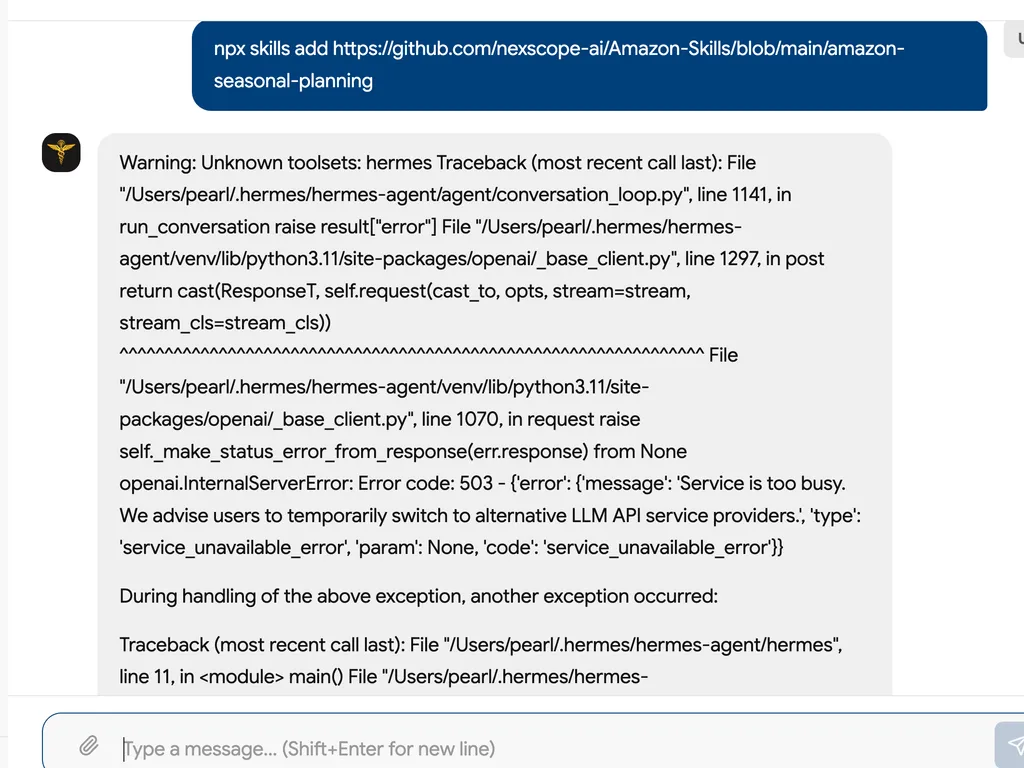
  1. The Amazon Seasonal Planning Skill is being installed via GitHub using a simple command.
    01

    Install

    Add the Amazon Seasonal Planning Skill to your AI agent.

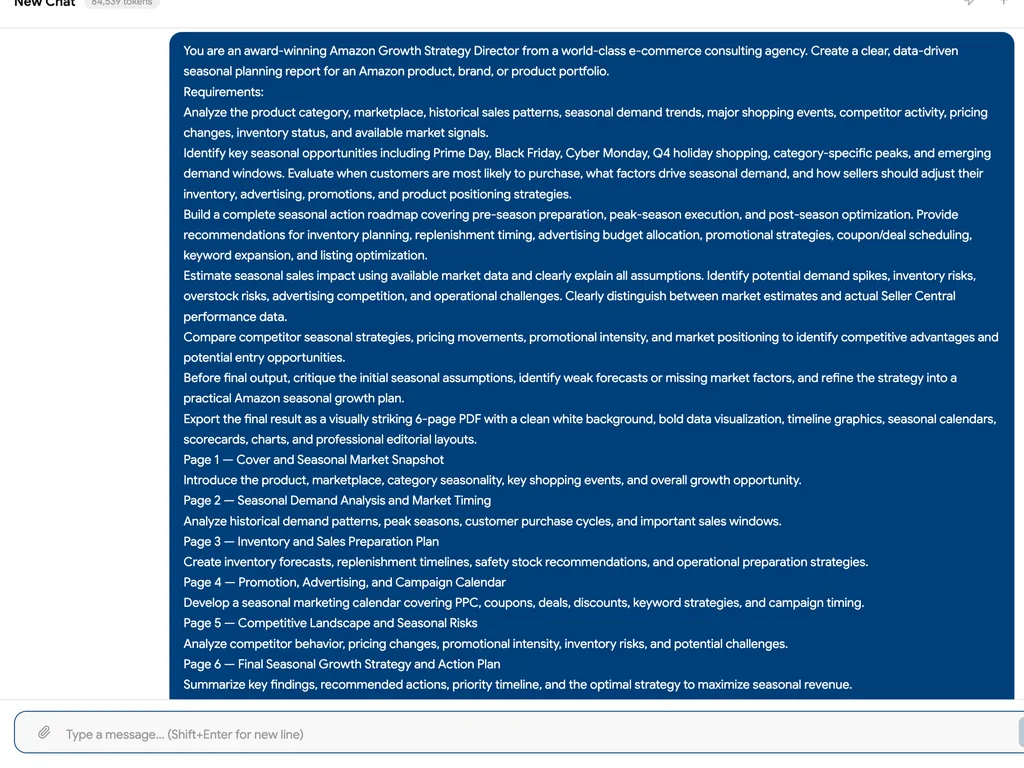
  2. A comprehensive Amazon seasonal planning prompt for creating a data-driven six-page seasonal growth strategy report.
    02

    Generate Seasonal Plan

    Describe your Amazon product, marketplace, category, and business goals to generate a complete seasonal sales roadmap.

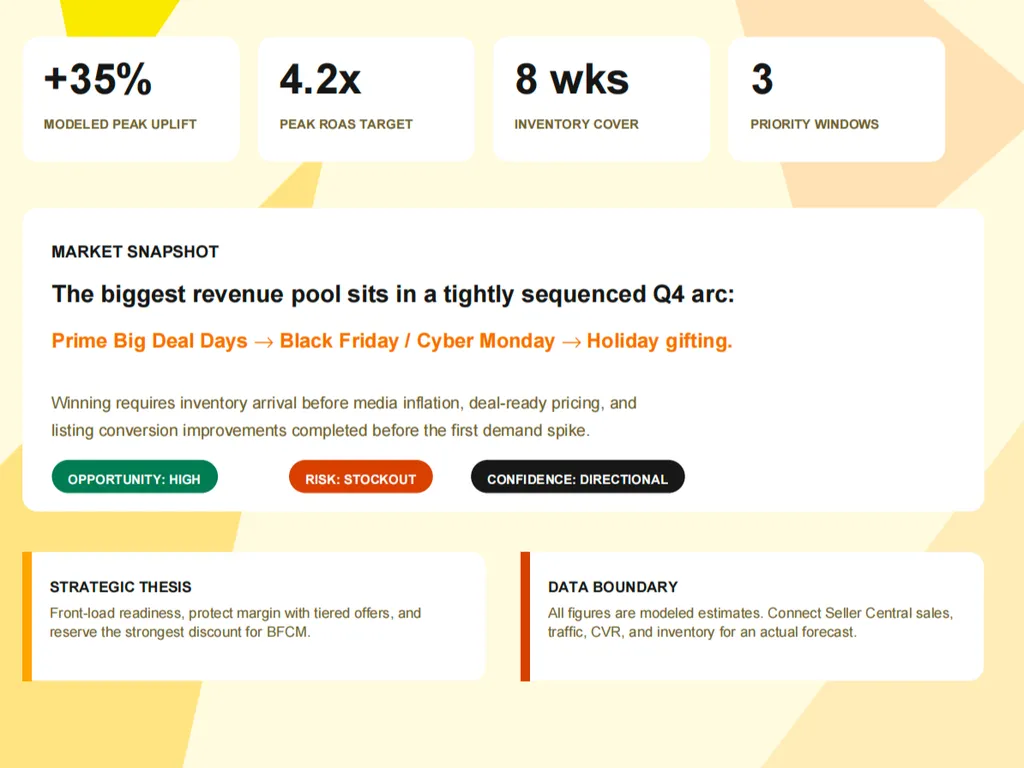
  3. A seasonal market snapshot highlighting Q4 revenue opportunities, inventory readiness, ROAS targets, and stockout risks.
    03

    Optimize Peak Performance

    Get actionable recommendations for inventory preparation, advertising schedules, promotions, and seasonal growth opportunities.

Install command

$ npx skills add https://github.com/nexscope-ai/Amazon-Skills/blob/main/amazon-seasonal-planning

About

Amazon seasonal planning is critical for sellers who want to maximize revenue during peak shopping events like Prime Day, Black Friday, and Q4. This AI-powered skill helps you build a comprehensive seasonal calendar, optimize inventory, and schedule promotions—turning planning into a competitive advantage.

Unlike generic tools, this skill provides data-driven, actionable recommendations tailored to Amazon's unique ecosystem. It covers all major marketplaces and delivers prioritized to-do lists with specific benchmarks, so you're never guessing about the next move.

Whether you're a solo seller preparing for your first Prime Day or a large brand managing complex Q4 campaigns, this skill adapts to your needs. Simply ask for help with seasonal planning, answer a few targeted questions, and receive a structured output that you can execute immediately.

Key features

What makes it powerful

  • Seasonal Sales Calendar

    Build a detailed Amazon seasonal planning calendar covering all major events like Prime Day, Black Friday, and Q4 to never miss a peak sales opportunity.

  • Inventory Optimization

    Get precise inventory recommendations based on seasonal demand patterns to avoid stockouts and overstock, saving costs and maximizing sales.

  • Promotion Scheduling

    Schedule promotions aligned with Amazon's seasonal peaks to boost product visibility and conversion rates when shoppers are most active.

  • Actionable Recommendations

    Receive specific, prioritized action items backed by data and benchmarks, not generic advice, to execute your seasonal strategy effectively.

Use cases

When to reach for it

  • Plan Prime Day Inventory

    Amazon sellers can forecast demand and stock levels for Prime Day to prevent lost sales from stockouts while minimizing storage fees.

  • Schedule Black Friday Promotions

    E-commerce managers schedule and optimize Lightning Deals and coupons for Black Friday to drive maximum traffic and revenue.

  • Prepare Q4 Advertising Campaigns

    Marketers plan Amazon PPC campaigns around seasonal peaks with timing recommendations for holiday shopping rushes.

SKILL.md


name: amazon-seasonal-planning description: "Seasonal sales calendar — Prime Day, Black Friday, Q4 prep, inventory planning, promotion scheduling" metadata: nexscope: category: amazon

Amazon Seasonal Planning

Seasonal sales calendar — Prime Day, Black Friday, Q4 prep, inventory planning, promotion scheduling

Supported platforms: Amazon (US, UK, DE, CA, JP, AU, and all marketplaces).

Built by Nexscope — your AI assistant for smarter e-commerce decisions.

Install

npx skills add nexscope/amazon-seasonal-planning

Usage

Help me with amazon seasonal planning for my e-commerce business.

Capabilities

  • Seasonal sales calendar
  • Prime Day
  • Black Friday
  • Q4 prep
  • inventory planning
  • promotion scheduling

How This Skill Works

Step 1: Collect information from the user's message — product, platform, current situation, and goals.

Step 2: Ask one follow-up with all remaining questions using multiple-choice format. Allow shorthand answers (e.g., "1b 2c 3a").

Step 3: Research and analyze using the frameworks and methodology below.

Step 4: Deliver structured, actionable output with specific recommendations, not vague advice.

Output Format

  • Start with a summary of findings
  • Include specific data points and benchmarks where available
  • Provide prioritized action items
  • Mark estimates with ⚠️ when based on incomplete data
  • End with concrete next steps

Other Skills

More e-commerce skills: nexscope-ai/eCommerce-Skills

Amazon-specific skills: nexscope-ai/Amazon-Skills

Built by Nexscope — your AI assistant for smarter e-commerce decisions.

FAQ