NanoSkill
submit your skill

Amazon Storefront Designer

bynexscope-ai339GitHub starsGitHub

Design high-converting Amazon storefronts with AI-driven page layouts, brand storytelling, and shoppable images. Boost traffic and conversions — start free in seconds.

amazonSecurity scan passed
Result preview

Full Demo

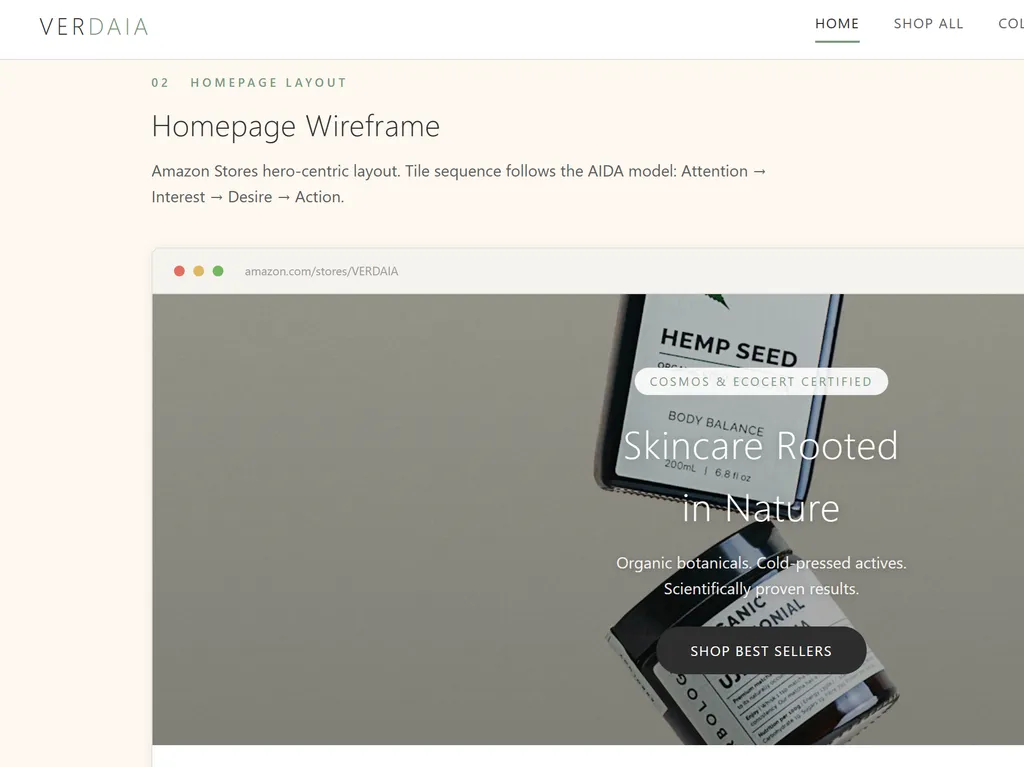
See an Amazon Storefront design for a sustainable skincare brand with a homepage layout, featured collections, promotional banners, and brand storytelling generated by this Agent Skill.

Get started

Run Your First Task

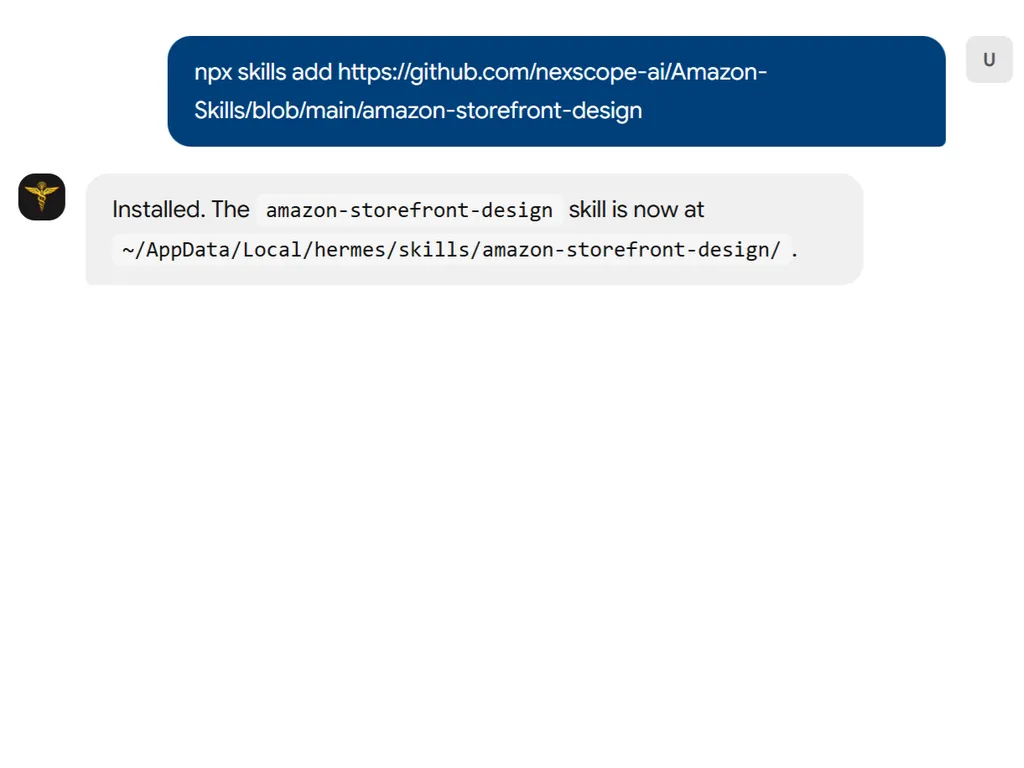
  1. a simple demonstration of the first step in using Amazon Storefront Designer agent skill
    01

    Install

    Add the skill to your agent.

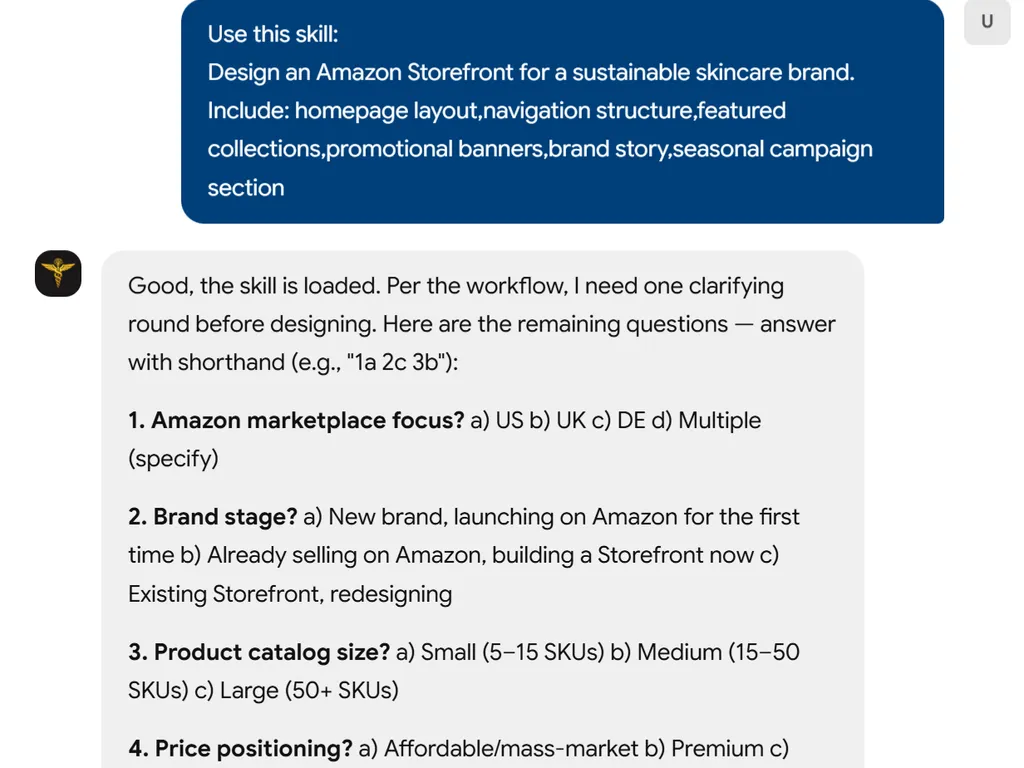
  2. a simple demonstration of the second step in using Amazon Storefront Designer agent skill
    02

    Share Your Store Details

    Give detailed information about your brand including brand stage, Amazon marketplace focus, product categories, price positioning etc.

  3. a simple demonstration of the third step in using Amazon Storefront Designer agent skill
    03

    Review Result

    Get a customized Amazon Storefront design and layout.

Install command

$ npx skills add https://github.com/nexscope-ai/Amazon-Skills/blob/main/amazon-storefront-design

About

Design a high-converting Amazon storefront effortlessly with AI-powered guidance. Whether you're launching a new brand or revamping an existing store, this skill helps you build engaging page layouts, craft compelling brand stories, and embed shoppable images that turn browsers into buyers. Get tailored, data-backed recommendations without needing design expertise.

The skill goes beyond templates by integrating traffic-driving strategies and conversion optimization directly into your storefront design. From mobile-responsive layouts to SEO-friendly product pages, you'll receive actionable steps that align with Amazon's best practices and current marketplace trends.

Ideal for Amazon sellers, brand owners, and marketing teams, the tool streamlines the design process by asking key questions and delivering structured outputs. Use it to quickly adapt your store for international marketplaces, create interactive product showcases, or test new layouts without guesswork—all within minutes.

Key features

What makes it powerful

  • AI-Powered Store Builder

    Generate complete Amazon storefronts with optimized page layouts tailored to your product catalog and brand identity.

  • Brand Story Integration

    Craft compelling brand narratives that resonate with shoppers, increasing trust and conversion rates.

  • Shoppable Images

    Create interactive product images that allow customers to explore and buy directly from visual content.

  • Traffic & Conversion Optimization

    Drive more visitors to your storefront and turn them into buyers with data-driven strategies and layout tweaks.

  • Multi-Marketplace Support

    Design storefronts for Amazon US, UK, DE, CA, JP, AU, and all global marketplaces from a single tool.

Use cases

When to reach for it

  • Launch a Brand-New Amazon Storefront

    Start from scratch with AI-generated layouts and content tailored to your product line and target audience.

  • Redesign an Underperforming Store

    Audit your current storefront and apply conversion-focused changes to boost sales and engagement.

  • Create Shoppable Image Galleries

    Turn static product images into interactive shopping experiences that drive direct purchases.

  • Expand to International Marketplaces

    Quickly adapt your storefront design for Amazon’s global sites, ensuring local relevance and compliance.

SKILL.md

Amazon Storefront Design

Amazon Store builder — page layouts, brand story, shoppable images, traffic driving, conversion optimization

Supported platforms: Amazon (US, UK, DE, CA, JP, AU, and all marketplaces).

Built by Nexscope — your AI assistant for smarter e-commerce decisions.

Install

npx skills add nexscope/amazon-storefront-design

Usage

Help me with amazon storefront design for my e-commerce business.

Capabilities

  • Amazon Store builder
  • page layouts
  • brand story
  • shoppable images
  • traffic driving
  • conversion optimization

How This Skill Works

Step 1: Collect information from the user's message — product, platform, current situation, and goals.

Step 2: Ask one follow-up with all remaining questions using multiple-choice format. Allow shorthand answers (e.g., "1b 2c 3a").

Step 3: Research and analyze using the frameworks and methodology below.

Step 4: Deliver structured, actionable output with specific recommendations, not vague advice.

Output Format

  • Start with a summary of findings
  • Include specific data points and benchmarks where available
  • Provide prioritized action items
  • Mark estimates with ⚠️ when based on incomplete data
  • End with concrete next steps

FAQ