NanoSkill
submit your skill

Brand Guidelines Agent Skill

byanthropics139KGitHub starsGitHub

Apply Anthropic's official brand colors and typography to any artifact, ensuring consistent visual identity and professional presentation. Achieve on-brand styling for documents, presentations, and more in seconds.

brandingSecurity scan passed
Result preview

Full Demo

Explore a real brand consistency system powered by this Skill.

Get started

Run Your First Task

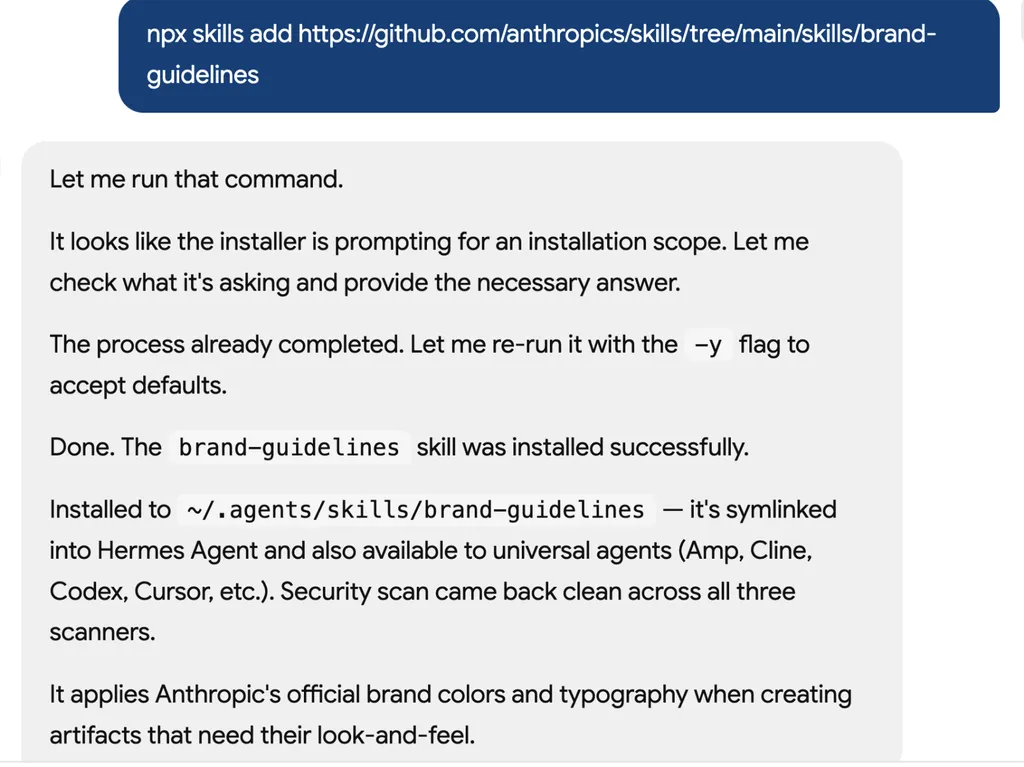
  1. <img src="brand-guidelines-1" alt="A screenshot of an AI assistant terminal conversation showing the installation of a GitHub-hosted skill package called 'brand-guidelines'. The assistant explains the installation process, including handling an installation scope prompt, rerunning the command with default options, and successfully completing the setup. The status log confirms installation into the local skills directory, symbolic linking for Hermes Agent compatibility, and successful security scans across multiple environments. The final message explains that the skill applies Anthropic’s official brand colors, typography, and visual identity standards when generating branded artifacts and design assets.">
    01

    Install

    Add the Brand Guidelines Skill to your AI agent.

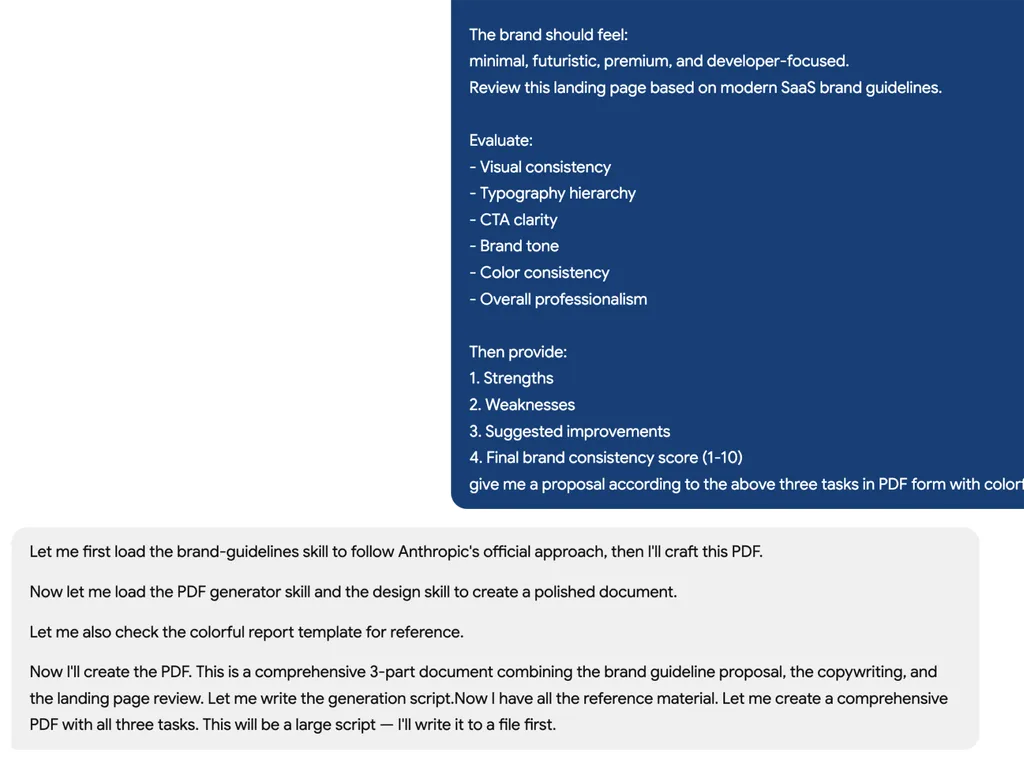
  2. <img src="brand-guidelines-2" alt="A screenshot of an AI assistant terminal conversation showing the installation of a GitHub-hosted skill package called 'brand-guidelines'. The assistant explains the installation process, including handling an installation scope prompt, rerunning the command with default options, and successfully completing the setup. The status log confirms installation into the local skills directory, symbolic linking for Hermes Agent compatibility, and successful security scans across multiple environments. The final message explains that the skill applies Anthropic’s official brand colors, typography, and visual identity standards when generating branded artifacts and design assets.">
    02

    Generate Guidelines

    Describe your brand identity and generate a complete brand system.

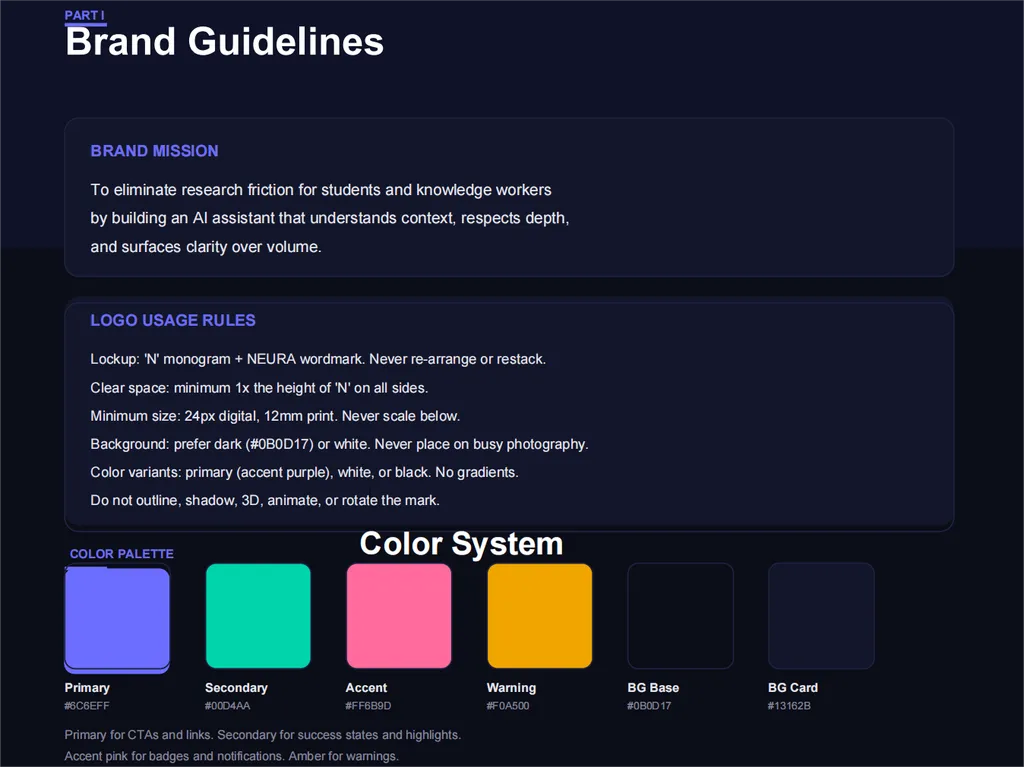
  3. <img src="brand-guidelines-3" alt="A dark-themed brand guidelines page titled 'Brand Guidelines'. The slide is organized into three primary sections: Brand Mission, Logo Usage Rules, and Color Palette. The Brand Mission section describes an AI assistant designed to reduce research friction for students and knowledge workers by understanding context, respecting depth, and surfacing clarity. The Logo Usage Rules section defines standards for logo application, including clear space requirements, minimum sizing, approved backgrounds, and acceptable color variations. The lower portion presents a Color System featuring labeled color swatches for Primary, Secondary, Accent, Warning, Background Base, and Background Card colors, each accompanied by descriptive usage notes. The design uses a deep navy interface, white typography, rounded content panels, and vibrant color blocks to demonstrate a modern and cohesive visual identity system.">
    03

    Review Consistency

    Get actionable feedback to improve brand consistency across content and design.

Install command

$ npx skills add https://github.com/anthropics/skills/tree/main/skills/brand-guidelines

About

The Anthropic Brand Guidelines skill provides an effortless way to apply Anthropic's official brand identity to your digital content. This skill ensures that any artifact, from internal documents to external presentations, consistently reflects Anthropic's visual standards by automatically integrating the specified brand colors and typography. It's designed for anyone needing to maintain a professional and unified corporate image across various outputs.

Leveraging smart font application, the skill assigns Poppins to headings and Lora to body text, with intelligent fallbacks to common system fonts like Arial and Georgia if the primary fonts are unavailable. Beyond typography, it meticulously applies Anthropic's precise main and accent color palettes, ensuring every element, including non-text shapes, adheres to the established visual guidelines. This automated approach significantly reduces the effort required to achieve on-brand styling.

Whether you're preparing a critical presentation, drafting an official report, or creating marketing materials, this skill streamlines the branding process. It's particularly useful for teams and individuals who frequently produce content and need to ensure every piece aligns with Anthropic's corporate identity without manual adjustments or extensive design knowledge.

Key features

What makes it powerful

  • Smart Font Application

    Automatically applies Anthropic's official Poppins font to headings and Lora font to body text, with intelligent fallbacks to Arial/Georgia for universal readability.

  • On-Brand Color Palette

    Utilizes Anthropic's specific main and accent colors (Dark, Light, Mid Gray, Light Gray, Orange, Blue, Green) for precise brand matching across all elements.

  • Consistent Text Styling

    Ensures text hierarchy and formatting are maintained, applying appropriate fonts and smart color selection based on background for optimal visual appeal.

  • Dynamic Accent Colors for Shapes

    Applies a rotating palette of orange, blue, and green accent colors to non-text shapes, adding visual interest while adhering to brand guidelines.

  • Automatic Font Fallback

    Guarantees readability by automatically falling back to standard system fonts (Arial for headings, Georgia for body) if Poppins and Lora are not pre-installed.

Use cases

When to reach for it

  • Styling Internal Documents

    Apply Anthropic's brand guidelines to internal reports, memos, and presentations to maintain a consistent corporate identity across all communications.

  • Creating Branded Marketing Materials

    Ensure all marketing collateral, from brochures to digital ads, adheres to Anthropic's visual identity with correct colors and typography.

  • Developing On-Brand Presentations

    Quickly format presentations with Anthropic's official fonts and color schemes, ensuring a professional and consistent look for all slides.

SKILL.md

Anthropic Brand Styling

Overview

To access Anthropic's official brand identity and style resources, use this skill.

Keywords: branding, corporate identity, visual identity, post-processing, styling, brand colors, typography, Anthropic brand, visual formatting, visual design

Brand Guidelines

Colors

Main Colors:

  • Dark: #141413 - Primary text and dark backgrounds
  • Light: #faf9f5 - Light backgrounds and text on dark
  • Mid Gray: #b0aea5 - Secondary elements
  • Light Gray: #e8e6dc - Subtle backgrounds

Accent Colors:

  • Orange: #d97757 - Primary accent
  • Blue: #6a9bcc - Secondary accent
  • Green: #788c5d - Tertiary accent

Typography

  • Headings: Poppins (with Arial fallback)
  • Body Text: Lora (with Georgia fallback)
  • Note: Fonts should be pre-installed in your environment for best results

Features

Smart Font Application

  • Applies Poppins font to headings (24pt and larger)
  • Applies Lora font to body text
  • Automatically falls back to Arial/Georgia if custom fonts unavailable
  • Preserves readability across all systems

Text Styling

  • Headings (24pt+): Poppins font
  • Body text: Lora font
  • Smart color selection based on background
  • Preserves text hierarchy and formatting

Shape and Accent Colors

  • Non-text shapes use accent colors
  • Cycles through orange, blue, and green accents
  • Maintains visual interest while staying on-brand

Technical Details

Font Management

  • Uses system-installed Poppins and Lora fonts when available
  • Provides automatic fallback to Arial (headings) and Georgia (body)
  • No font installation required - works with existing system fonts
  • For best results, pre-install Poppins and Lora fonts in your environment

Color Application

  • Uses RGB color values for precise brand matching
  • Applied via python-pptx's RGBColor class
  • Maintains color fidelity across different systems

FAQ