Chart Visualization Skills
Turning data into a visual language for better thinking.
Overview
In the era of data-driven decision-making, efficient and accurate data visualization and analysis are paramount. AntV offers a professional suite of visualization solutions, providing a robust toolkit and a comprehensive set of skills for the entire workflow—from chart design and interactive exploration to in-depth data analysis. It empowers users to swiftly transform complex datasets into intuitive visual charts, significantly lowering the barrier to creation through intelligent design specifications and a rich library of components. Whether for daily reporting, dynamic dashboards, or sophisticated interactive analysis, AntV delivers reliable support. By integrating AI capabilities, these tools further streamline and automate the generation and optimization of visualizations. This allows analysts to focus more on uncovering insights and driving business decisions, truly making data visible and understandable.
[!WARNING] This project only merges AI-generated code.
How to contribute:
- Submit an issue describing the problem clearly
- Assign it to @copilot with your requirements
Usage
Add this marketplace to Claude Code:
/plugin marketplace add antvis/chart-visualization-skills
Or you can directly install the skills for your multiple agents:
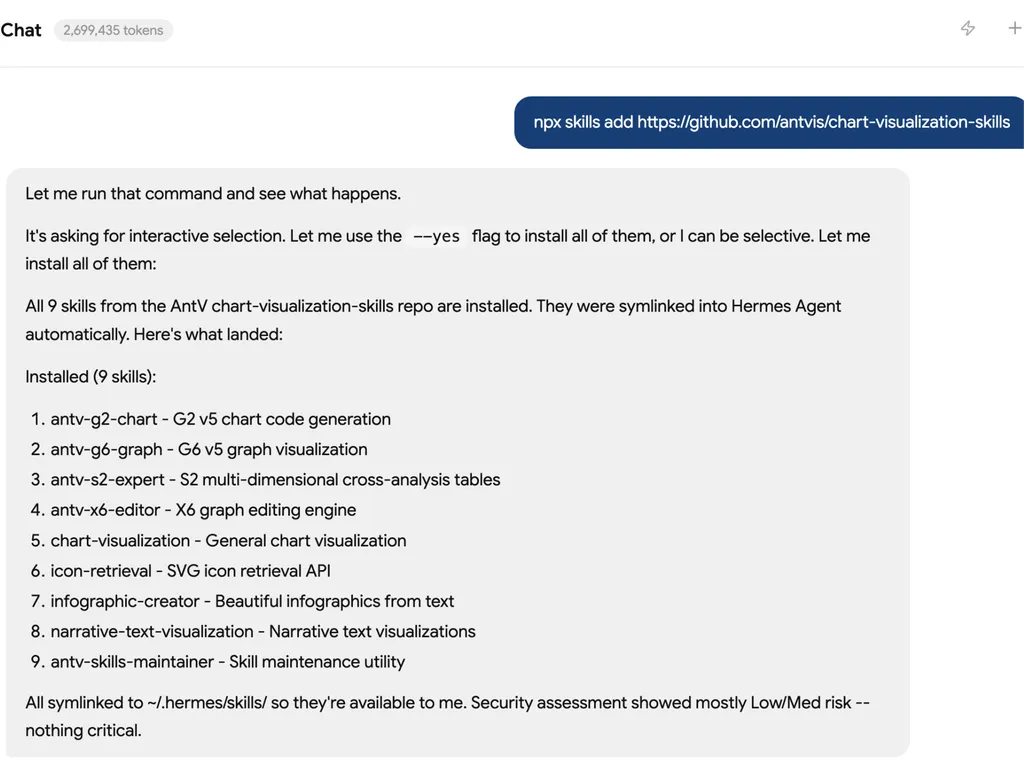
npx skills add antvis/chart-visualization-skills
Available Skills
- 📊 chart-visualization: A comprehensive chart generation skill powered by AntV that provides 26+ chart types for intelligent data visualization.
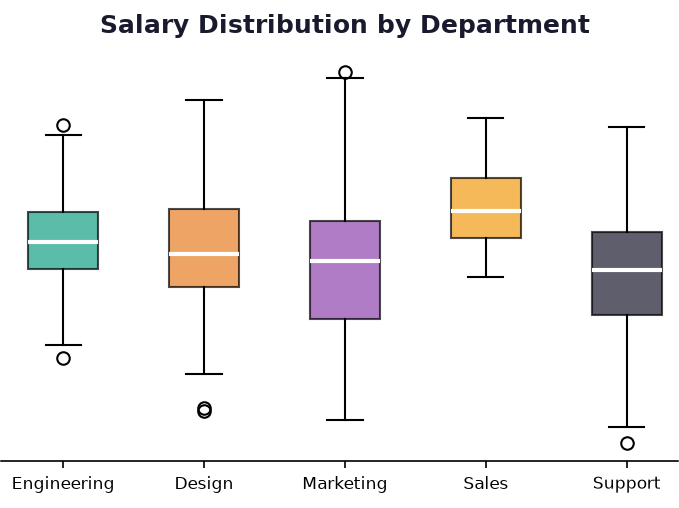
Chart Visualization intelligently selects the most appropriate chart type from 26+ available options, extracts parameters based on detailed specifications, and generates high-quality chart images. It covers time series, comparisons, part-to-whole, relationships, geographic, hierarchical, statistical, and specialized visualizations.
- 🎨 infographic-creator: Create beautiful infographics based on given text content. Use when users request to create infographics.
Infographic Creator uses AntV Infographic to transform data, information, and knowledge into a perceptible visual language. It combines visual design with data visualization, providing 50+ templates including lists, sequences, hierarchies, comparisons, relations, and charts. It compresses complex information with intuitive symbols to help audiences quickly understand and remember key points.
- 🖼️ icon-retrieval: Search and retrieve icon SVG strings from icon library. Returns up to 5 matching icons by default (customizable).
Icon Search helps users find appropriate icons for various use cases including infographics, web development, design, and more. Search by keywords to discover available icons and retrieve their SVG strings directly. Each search returns up to 5 matching icons by default (customizable via topK parameter) with their URLs and complete SVG content.
- 📝 narrative-text-visualization: Generate structured narrative text visualizations from data using T8 Syntax.
Narrative Text Visualization (T8) transforms unstructured data into semantically rich narrative reports using T8 Syntax - a declarative Markdown-like language for creating data narratives with entity annotations. It's LLM-friendly and framework-agnostic, working seamlessly with HTML, React, and Vue. Perfect for creating data analysis reports, summaries, and insights documents with entities like metrics, values, trends, and dimensions properly labeled. Features include built-in mini charts, standardized styling, and professional formatting. Supports authentic data sources and provides lightweight, technology-agnostic rendering.
- 📋 antv-s2-expert: S2 multi-dimensional cross-analysis table development assistant. Use when users need help with S2 pivot tables, table sheets, or any @antv/s2 related development.
AntV S2 Expert helps users develop with the S2 multi-dimensional cross-analysis table engine. It provides comprehensive guidance on @antv/s2 core engine, @antv/s2-react and @antv/s2-vue framework bindings, @antv/s2-react-components advanced analysis components, and @antv/s2-ssr server-side rendering. Covers pivot tables, table sheets, custom cells, theming, events, interactions, sorting, totals, tooltips, frozen rows/columns, icons, pagination, and more.
- 🕸️ antv-g6-graph: G6 v5 graph visualization code generator. Use when users need to generate G6 graphs — network graphs, tree graphs, flow charts, mind maps, and any relational or graph-structured data visualization with the G6 library.
AntV G6 Graph generates accurate, runnable G6 v5 code following best practices. It covers core graph initialization, data structures (nodes, edges, combos), 10+ layout algorithms (force, dagre, circular, grid, mindmap, fishbone, etc.), all built-in node/edge/combo types, state management, 15+ behaviors (drag-canvas, zoom-canvas, click-select, lasso, etc.), 10+ plugins (minimap, tooltip, toolbar, legend, timebar, etc.), custom element development, transforms, and animation. Built-in guard rails prevent common v4→v5 migration pitfalls such as using deprecated G6.Graph() constructors, graph.data() APIs, or Mode-based behavior configuration.
- 📈 antv-g2-chart: G2 v5 chart code generator. Use when users need to generate G2 charts — bar charts, line charts, pie charts, scatter plots, area charts, heatmaps, and any statistical data visualization with the G2 library.
AntV G2 Chart generates accurate, runnable G2 v5 code following Spec Mode best practices. It covers 30+ chart types (interval, line, area, point, rect, cell, treemap, sankey, chord, wordCloud, gauge, and more), data transforms (stackY, dodgeX, binX, fold, etc.), coordinate systems (cartesian, polar, theta, radial), scales, interactions (brush, slider, legend filter), components (axis, legend, tooltip, annotation), and multi-view compositions. Built-in guard rails prevent common v4→v5 migration pitfalls such as using deprecated chain APIs, invalid palette names, or referencing d3 in user code.
Evaluation Results
Harness Engineering approach has been rigorously tested against 174 chart generation test cases, demonstrating significant improvements over baseline methods:
| Model | G2 | G6 |
|---|---|---|
| qwen3-coder-480b-a35b-instruct | ✨ 98.2% <sup><sub>+17.7%</sub></sup> | 94.8% <sup><sub>+15.6%</sub></sup> |
| Kimi-K2.5 | 97.7% <sup><sub>+17.2%</sub></sup> | 96.9% <sup><sub>+17.7%</sub></sup> |
| GLM-5.1 | 93.6% <sup><sub>+13.1%</sub></sup> | 92.8% <sup><sub>+13.6%</sub></sup> |
| DeepSeek-V3.2 | 90.8% <sup><sub>+10.3%</sub></sup> | ✨ 97.9% <sup><sub>+18.7%</sub></sup> |
| Context7 <sub>Baseline</sub> | 80.5% | 79.2% |
The results show that Harness Engineering enables LLMs to achieve near-production-ready accuracy (up to 98.2%), significantly outperforming the Context7 baseline approach.
[!TIP] More skills are coming soon.
Library Usage
It can be used as a library in your Node.js projects with CLI and API.
CLI Usage
We also provide a CLI tool named antv for easy usage in your terminal, Install globally:
npm install -g @antv/chart-visualization-skills
Retrieve or list skills by query:
# Retrieve skills by query (metadata only)
antv retrieve "bar chart" --library g2 --topk 10

# Retrieve skills with full markdown content (core constraints auto-prepended)
antv retrieve "bar chart" --library g2 --content

# Retrieve skills and output as JSON
antv retrieve "bar chart" --library g2 --output json

# Get a skill by its exact ID
antv get g2-mark-interval-basic --library g2

# List all available skills
antv list --library g2 --category core

# List skills and output as JSON
antv list --output json

# Show skill info (core constraints from SKILL.md)
antv info --library g2

# Show skill info as JSON
antv info --library g2 --output json
Usage for the command:
Usage: antv [options] [command]

CLI tool for AntV chart visualization skills retrieval

Options:
  -V, --version               output the version number
  -h, --help                  display help for command

Commands:
  retrieve [options] <query>  Search for skills matching a query
  get [options] <id>          Get a skill by its exact ID
  list [options]              List all available skills
  info [options]              Show skill info from SKILL.md
  help [command]              display help for command

Options for retrieve:
  --library <lib>             Filter by library (e.g. g2, g6)
  --topk <n>                  Number of results to return (default: 7)
  --content                   Include markdown content body in results; core constraints (SKILL.md Section 1-2) are always prepended as the first result
  --output <format>           Output format: json | text (default: "text")
Note:
--contentalways prepends the library's core constraints (Section 1 & 2 of SKILL.md, up to the<!-- CONSTRAINTS:END -->marker) as the first result, ensuring the model receives essential rules alongside the reference documents.
API Usage
import { retrieve } from '@antv/chart-visualization-skills';

// Metadata only (no content)
const skills = retrieve('bar chart', { library: 'g2', topK: 5 });

// With full markdown content (core constraints auto-prepended as first result)
const skills = retrieve('bar chart', { library: 'g2', topK: 5, content: true });

// With content but without core constraints
const skills = retrieve('bar chart', { library: 'g2', topK: 5, content: true, includeInfo: false });
retrieve(query: string, options?: RetrieveOptions): Skill[]

interface RetrieveOptions {
  library?: string;   // Library filter, e.g. 'g2' or 'g6'
  topK?: number;      // Number of results (default: 7)
  content?: boolean;  // Include markdown content body (default: false)
  includeInfo?: boolean; // Prepend SKILL.md core constraints (default: same as content)
}
| Option | Type | Default | Description |
|---|---|---|---|
library | string | all | Library filter (g2 or g6) |
topK | number | 7 | Number of results |
content | boolean | false | Include markdown content body |
includeInfo | boolean | same as content | Prepend SKILL.md core constraints (Section 1-2) as first result |
Notes:
- Default retrieval returns lightweight result objects without the
contentfield.content: truereturns markdown content body (frontmatter metadata is excluded).- When
includeInfois true (the default whencontent: true), the core constraints block — SKILL.md up to<!-- CONSTRAINTS:END -->— is injected as the first element (id prefixed with__info__), ensuring the model always sees the essential rules.
import { info } from '@antv/chart-visualization-skills';

const skillInfo = info('g2');
// => { name: 'antv-g2-chart', description: '...', content: '...', constraintsContent: '...' }
info(library?: string): SkillInfo | undefined

interface SkillInfo {
  name: string;
  description: string;
  content: string;            // Full SKILL.md body (after frontmatter)
  constraintsContent: string; // SKILL.md body up to <!-- CONSTRAINTS:END --> marker; injected by retrieve when includeInfo: true
}
| Parameter | Type | Default | Description |
|---|---|---|---|
library | string | 'g2' | Library to get info for (g2 or g6) |
License
MIT License - see the LICENSE file for details.