NanoSkill
submit your skill

Customer Journey Mapping Skill

byphuryn26KGitHub starsGitHub

Customer journey mapping from awareness to advocacy, with touchpoints, emotions, pain points, and improvements. Start free in seconds.

researchSecurity scan passed
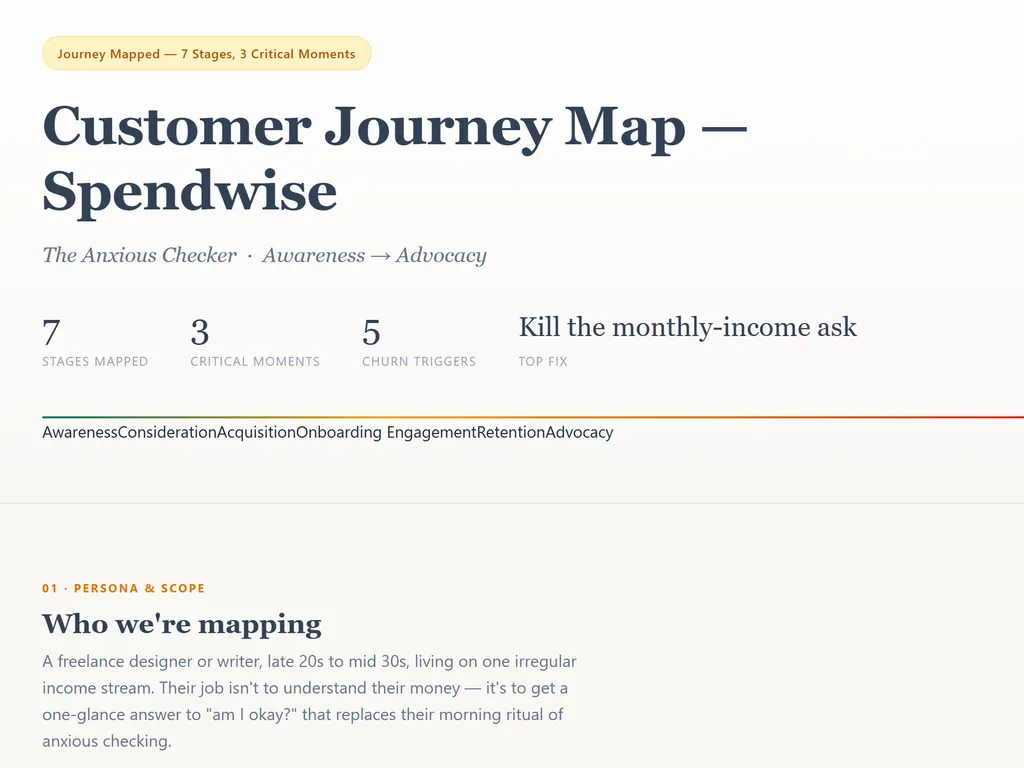
Result preview

Full Demo

See seven stages with emotion scores, three decision forks, and where the product causes anxiety.

Get started

Run Your First Task

  1. the step of customer journey mapping skill
    01

    Install

    Add the Customer Journey Map Skill to your AI agent.

  2. the step of customer journey mapping skill
    02

    Name a Specific Persona

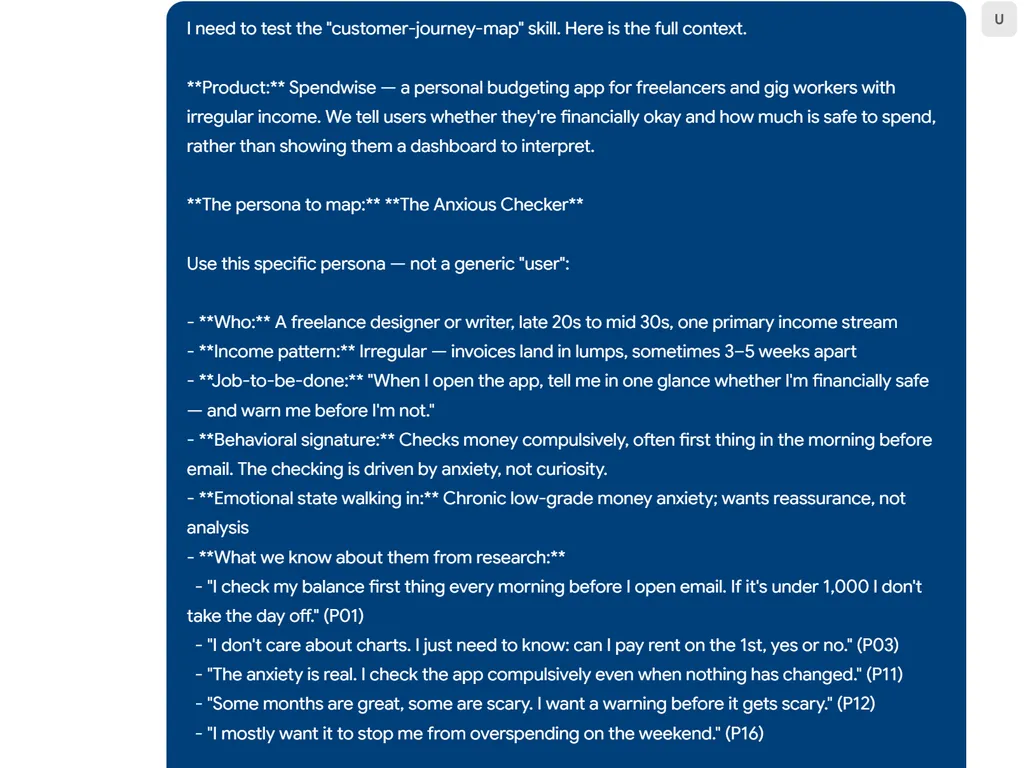
    Give it your product and one persona with JTBD — not a generic user.

  3. the step of customer journey mapping skill
    03

    Get Your Journey Map

    Receive seven stages, an emotion curve, critical moments, and ranked fixes.

Install command

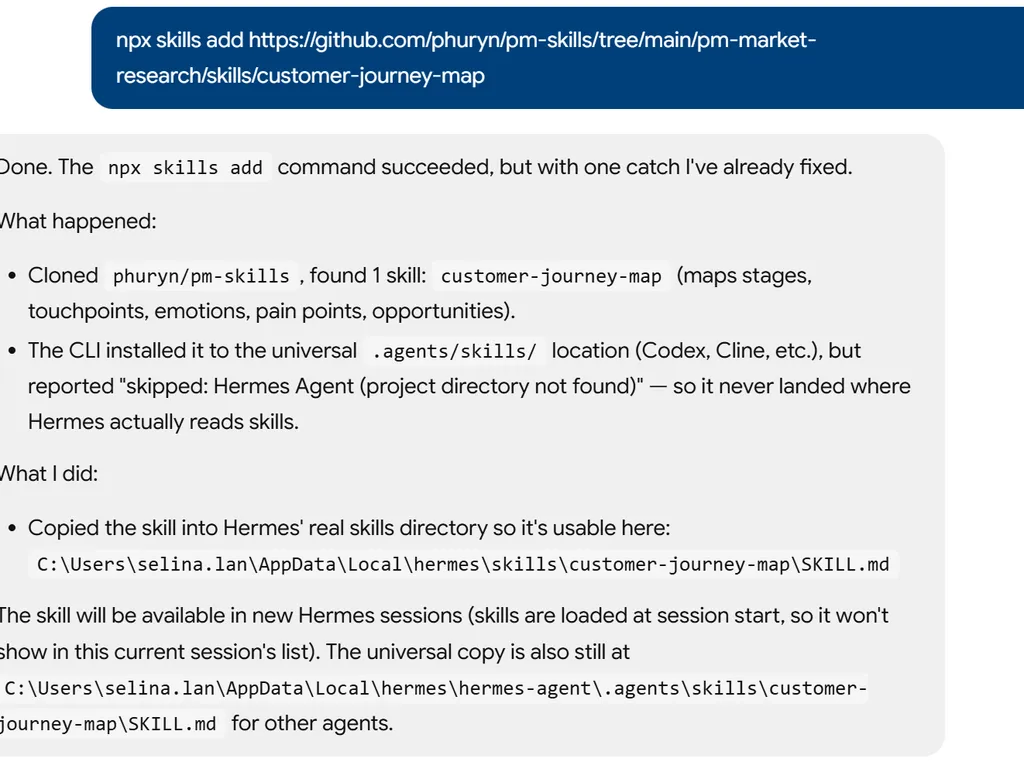
$ npx skills add https://github.com/phuryn/pm-skills/tree/main/pm-market-research/skills/customer-journey-map

Installation signals

Installation activity

About

Customer journey mapping helps product managers, UX researchers, and founders visualize the end-to-end experience from awareness to advocacy. This skill turns interview transcripts, survey data, analytics, and support tickets into a structured journey map with touchpoints, emotions, pain points, and improvement opportunities, so teams can spot friction and prioritize fixes.

Unlike a generic user flow, the skill builds around a jobs-to-be-done persona and documents each stage from consideration to retention. It captures critical moments such as aha moments and churn triggers, then ranks pain points by impact on conversion and retention, separating quick wins from deeper strategic investments.

Use it when you need to improve onboarding, reduce churn, or align stakeholders on the customer experience. Marketing teams can find conversion barriers in acquisition, product managers can fix activation drop-offs, and UX researchers can prepare workshop inputs for Miro or FigJam.

Key features

What makes it powerful

  • End-to-end stage mapping

    Covers awareness, consideration, acquisition, onboarding, engagement, retention, and advocacy for a complete customer journey mapping view.

  • Emotion and friction analysis

    Records user emotions, pain points, and critical moments such as aha moments and churn triggers to reveal where drop-off happens.

  • Persona-driven perspective

    Uses a jobs-to-be-done persona instead of a generic user so the map reflects real motivations and decisions.

  • Prioritized improvement recommendations

    Ranks pain points by conversion and retention impact, separating quick wins from higher-investment strategic changes.

  • Flexible source ingestion

    Reads interview transcripts, surveys, analytics, support tickets, or researches a product URL with web search before building the map.

Use cases

When to reach for it

  • Map onboarding friction

    Product managers use customer journey mapping to spot where new users stall between signup and first value.

  • Improve conversion by stage

    Marketing teams identify which touchpoints and user questions influence consideration and acquisition.

  • Prioritize retention fixes

    Customer success teams focus on churn triggers and moments of truth that keep users from returning.

  • Prepare visual workshop inputs

    UX researchers turn the structured journey analysis into Miro or FigJam journey map workshops.

SKILL.md

Customer Journey Map

Map the end-to-end customer experience from awareness through advocacy, identifying emotions, pain points, and improvement opportunities at each stage.

Context

You are creating a customer journey map for $ARGUMENTS.

If the user provides files (interview transcripts, survey data, analytics, support tickets, or existing journey maps), read them first. Use web search to understand the product if a URL is provided.

Instructions

  1. Define the persona: Who is traveling this journey? Use a specific persona with JTBD, not a generic user.

  2. Map the journey stages (adapt to the product):

    StageDescription
    AwarenessHow do they first learn about the product?
    ConsiderationWhat do they evaluate? What alternatives do they compare?
    AcquisitionHow do they sign up or purchase?
    OnboardingFirst experience with the product — time to value
    EngagementRegular usage — building habits
    RetentionWhat keeps them coming back? What might cause churn?
    AdvocacyWhen and why do they recommend the product to others?
  3. For each stage, document:

    • Touchpoints: Where the user interacts with the product, brand, or team (website, email, in-app, support, social media)
    • User actions: What they do at this stage
    • Thoughts & questions: What's on their mind ("Is this worth my time?" "How do I...?")
    • Emotions: How they feel (excited, confused, frustrated, delighted) — rate on a scale or use emoji indicators
    • Pain points: Friction, confusion, drop-off risks
    • Opportunities: How to improve the experience at this point
  4. Identify critical moments:

    • Aha moment: When the user first experiences core value
    • Moments of truth: Decision points where they commit or abandon
    • Churn triggers: Where users most commonly drop off
  5. Create the journey map table:

    StageTouchpointUser ActionEmotionPain PointOpportunity
  6. Recommend prioritized improvements:

    • Which pain points have the highest impact on conversion or retention?
    • What quick wins can improve the experience immediately?
    • What requires deeper investment but has the biggest payoff?

Think step by step. Save as a markdown document. For visual journey maps, suggest the user create one in Miro or FigJam using this analysis as the foundation.


Further Reading

  • User Journey Mapping 101
  • Funnel Analysis 101: How to Track and Optimize Your User Journey
  • Market Research: Advanced Techniques
  • User Interviews: The Ultimate Guide to Research Interviews

FAQ