NanoSkill
submit your skill

Google Shopping Optimization Skill

bynexscope-ai319GitHub starsGitHub

Optimize Google Shopping feeds, bids, and campaigns to boost ROAS with AI-driven recommendations. Start free in seconds.

shoppingSecurity scan passed
Result preview

Full Demo

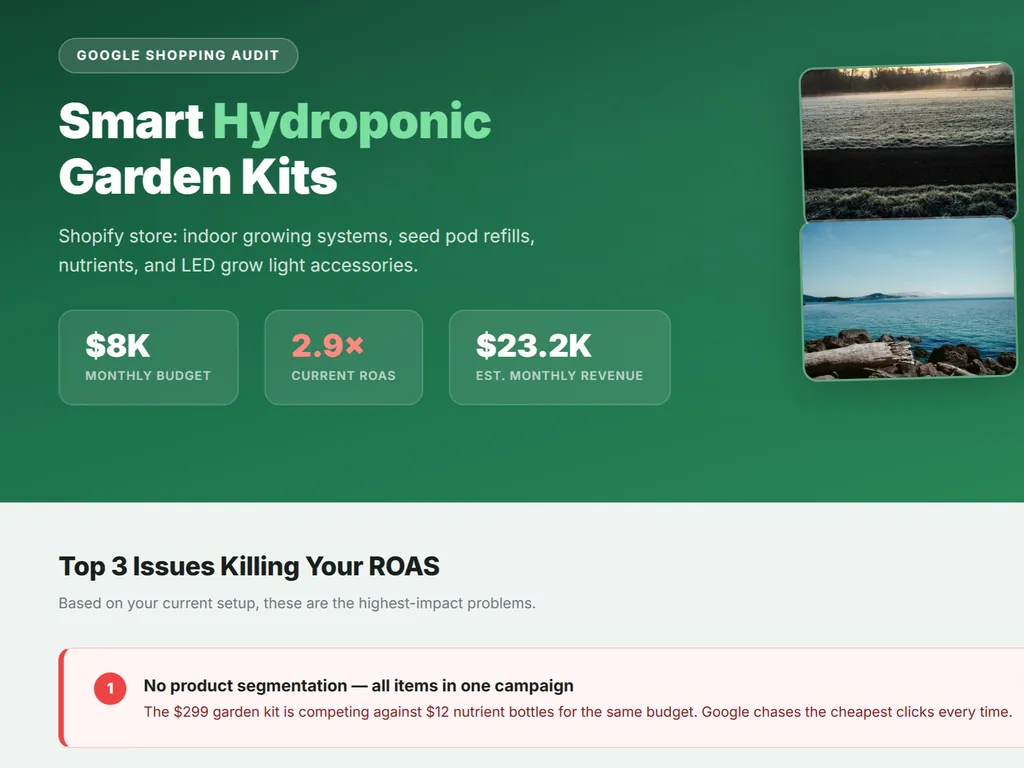
See a Google Shopping optimization report with feed improvements, bidding recommendations, and ROAS optimization strategies generated by this Agent Skill.

Get started

Run Your First Task

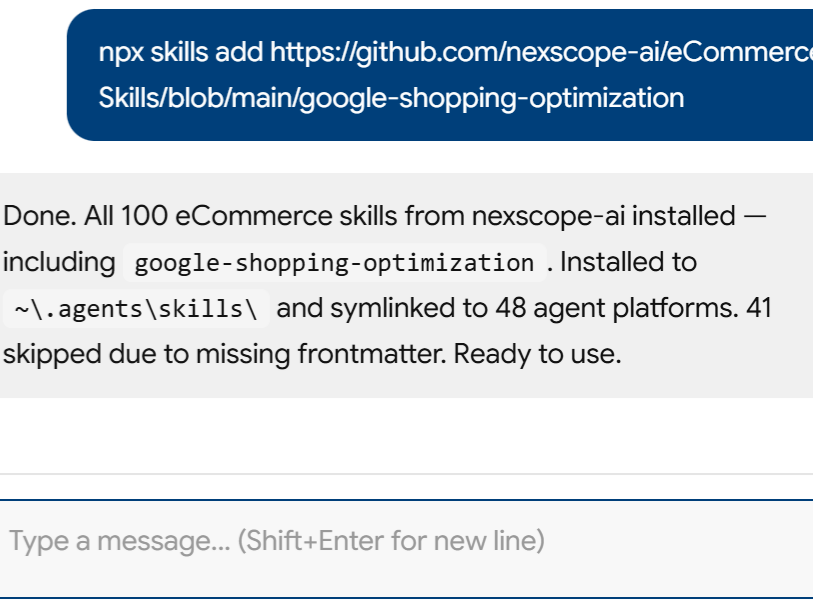
  1. a simple demonstration of the first step in using Google Shopping Optimization Skill
    01

    Install

    Add the skill to your agent.

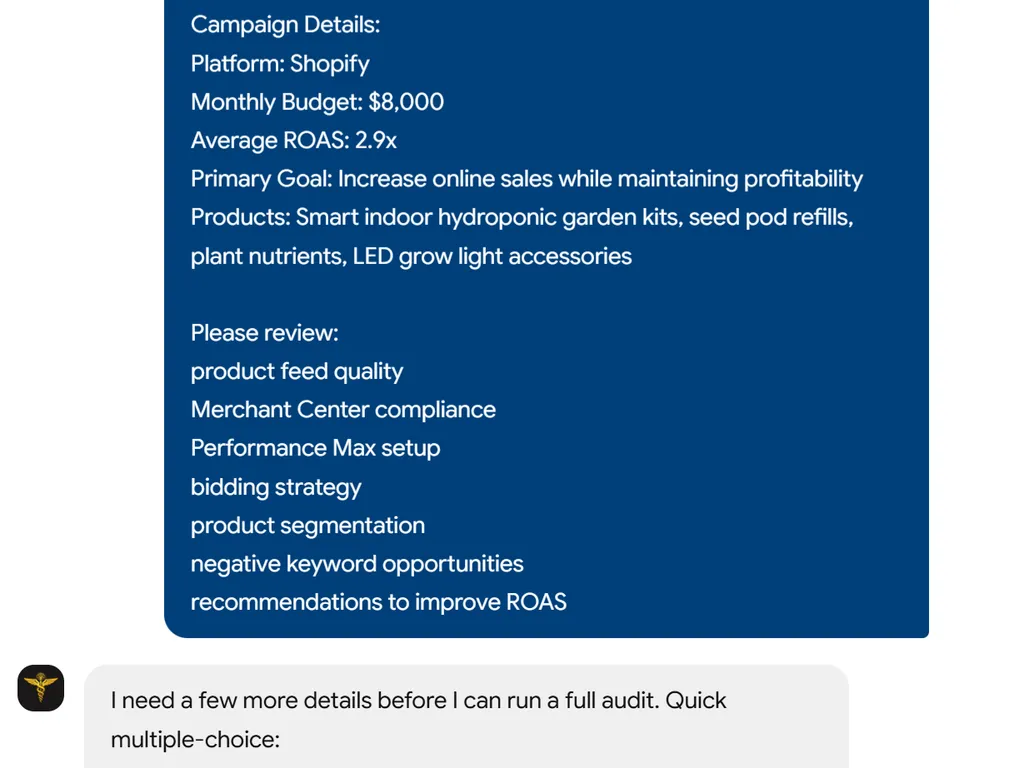
  2. a simple demonstration of the second step in using Google Shopping Optimization Skill
    02

    Submit a Campaign

    Provide your Google Shopping campaign or product feed.

  3. a simple demonstration of the third step in using Google Shopping Optimization Skill
    03

    Review Result

    Get recommendations to improve campaign performance and ROAS.

Install command

$ npx skills add https://github.com/nexscope-ai/eCommerce-Skills/blob/main/google-shopping-optimization

Installation signals

Installation activity

About

Google Shopping optimization enables ecommerce sellers to turn product feeds into high-ROAS advertising campaigns. This AI-powered skill audits your existing Google Shopping setup, fixes feed errors, and recommends bid strategies to drive more sales from the same ad spend.

Unlike generic tools, this skill tailors recommendations to your platform—whether Shopify, Amazon, or WooCommerce—and provides actionable steps for feed optimization, Performance Max configuration, and negative keyword management. It combines Merchant Center compliance checks with advanced bidding logic to quickly lift campaign performance.

Store owners using this skill have moved from 3x to 5x ROAS with precise product segmentation and smart bidding. The step-by-step guidance works for beginners and experienced advertisers alike, and you can start optimizing in seconds.

Key features

What makes it powerful

  • Product Feed Optimization

    Enhance titles, descriptions, images, and attributes to improve visibility in Google Shopping results and boost click-through rates.

  • ROAS Optimization

    Maximize return on ad spend by segmenting product groups and adjusting bids for underperforming and top-performing products.

  • Bidding Strategy

    Select and automate the optimal bidding strategy—from manual CPC to Target ROAS—to align with your campaign goals and budget.

  • Campaign Structure

    Configure Standard Shopping vs Performance Max campaigns and set up priority structures to funnel traffic to high-margin products.

  • Negative Keyword Management

    Eliminate wasted spend by excluding irrelevant search terms from your Shopping campaigns.

Use cases

When to reach for it

  • Optimize Shopify feeds for Google Shopping

    Improve product data quality and bidding to raise ROAS from 3x to 5x on a $5,000 budget.

  • Set up Performance Max for Amazon sellers

    Configure Google Shopping Performance Max campaigns to promote Amazon products and drive qualified traffic.

  • Fix Merchant Center suspensions

    Resolve feed errors and policy violations to get all products approved and visible in Google Shopping.

  • Manage bids across ecommerce platforms

    Automate bidding for WooCommerce and Walmart products on Google Shopping to maintain target ROAS.

SKILL.md

Google Shopping Optimization 🛒

Optimize Google Shopping campaigns and product feeds for maximum visibility and ROAS. Feed optimization, bidding strategy, campaign structure, and Performance Max integration.

Supported platforms: Amazon, Shopify, WooCommerce, Walmart, TikTok Shop, Etsy, eBay, BigCommerce.

Built by Nexscope — your AI assistant for smarter e-commerce decisions.

Install

npx skills add nexscope-ai/eCommerce-Skills --skill google-shopping-optimization -g

Usage

Optimize my Google Shopping feed. I have 200 products on Shopify. Current ROAS is 3x, I want to hit 5x. Monthly budget: $5,000.

Capabilities

  • Product feed optimization (titles, descriptions, images, attributes)
  • Google Merchant Center compliance and error resolution
  • Campaign structure (Standard Shopping vs Performance Max)
  • Bidding strategy selection and optimization
  • Product segmentation and priority campaign structure
  • ROAS optimization by product group
  • Negative keyword management for Shopping campaigns

How This Skill Works

Step 1: Collect information from the user's message — product, platform, current situation, and goals.

Step 2: Ask one follow-up with all remaining questions using multiple-choice format. Allow shorthand answers (e.g., "1b 2c 3a").

Step 3: Research and analyze using the frameworks and methodology below.

Step 4: Deliver structured, actionable output with specific recommendations, not vague advice.

Output Format

  • Start with a summary of findings
  • Include specific data points and benchmarks where available
  • Provide prioritized action items
  • Mark estimates with ⚠️ when based on incomplete data
  • End with concrete next steps

Other Skills

More e-commerce skills: nexscope-ai/eCommerce-Skills

Amazon-specific skills: nexscope-ai/Amazon-Skills

Built by Nexscope — your AI assistant for smarter e-commerce decisions.

FAQ