name: skill-3-brief-generator description: Generates personalized campaign briefs for selected KOLs based on brand knowledge base and KOL evaluation data. Triggered after Skill 1.5 scoring when user is ready to prepare briefs for selected KOL partners. Builds a persistent brand knowledge base that accumulates across campaigns.
Skill 3 — Brief Generator
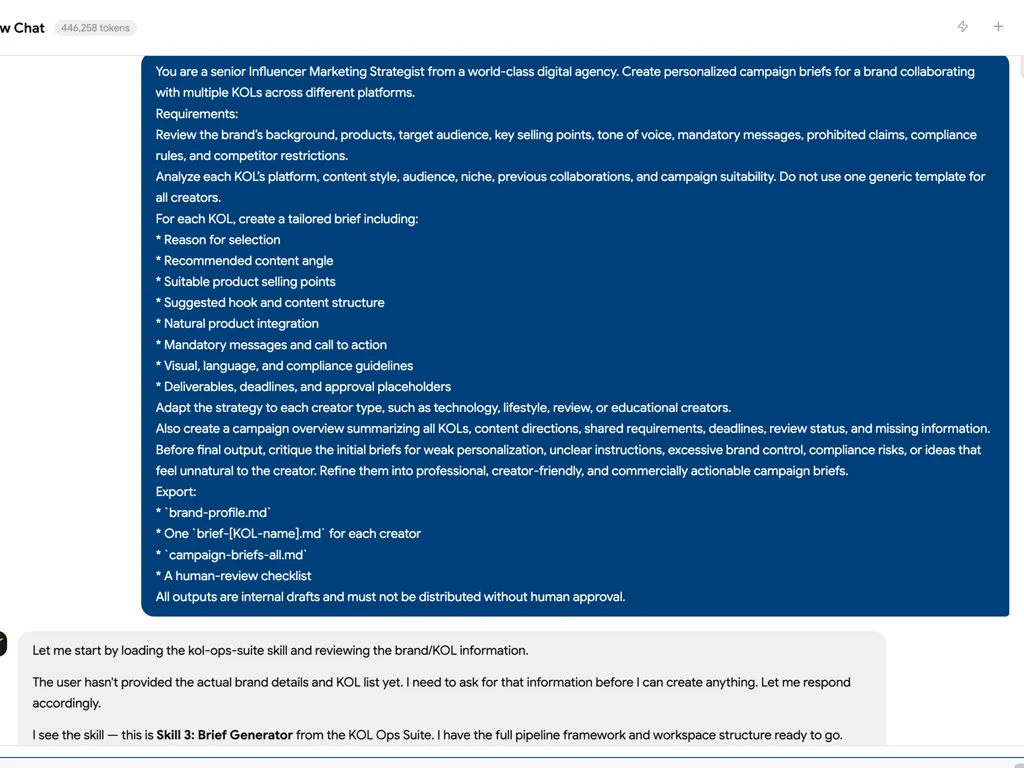
Produces personalized campaign briefs for each selected KOL. Draws from a persistent brand knowledge base (set up once, reused every campaign) and KOL-specific data from the Skill 1.5 scorecard.
Rule: All briefs are drafts for human review. Never treat a generated brief as final or ready to send.
Activation
Triggered by:
- "Generate briefs for selected KOLs"
- "Create campaign briefs"
- "Prepare content guidelines for our KOLs"
- After Skill 1.5 outputs YES/STRONG YES recommendations
Step 1: Brand Knowledge Base Check
Before generating any brief, check if campaign-workspace/00-brand/brand-profile.md exists.
If it does NOT exist → Run Brand Setup (Step 1A) If it exists → Confirm: "Should I use the existing brand profile, or update it first?"
Step 1A: Brand Setup (First Campaign Only)
Collect the following via conversation. Ask all at once, not one-by-one:
To generate accurate briefs, I need to build your brand profile.
Please provide:

1. Brand Name & product/service being promoted
2. Core selling points (3–5 key benefits to emphasize)
3. Target audience (demographics, pain points, lifestyle)
4. Brand tone & personality (e.g., professional/playful/scientific/empowering)
5. Hard red lines — things KOLs must NEVER say or do
6. Mandatory mentions — anything that MUST appear in every video
   (e.g., discount code, specific product name, CTA phrase)
7. Brand visual guidelines — any do/don't for on-screen product presentation
8. Competitor sensitivity — competitor names to avoid mentioning
Save output to: campaign-workspace/00-brand/brand-profile.md
Step 2: Load Inputs
Load the following for each selected KOL:
From campaign-workspace/03-evaluation/kol-scorecard.xlsx:
- KOL name, channel URL, platform
- Content niche and tone
- Audience geography and demographics (if available)
- Brand mentions found (EasyKOL data)
- Recommendation and notes
From campaign-workspace/00-brand/content-templates.md (if exists):
- Best-performing content structures from previous campaigns
- Historically effective CTAs
- Product angles that resonated
Step 3: Personalization Strategy
For each KOL, identify:
-
Content angle — Based on their niche, what framing fits naturally?
- Tech KOL → feature-forward, spec comparison
- Lifestyle KOL → day-in-the-life integration
- Review KOL → honest assessment structure
- Educational KOL → problem/solution framing
-
Audience bridge — How does this KOL's audience connect to our product? Use geography/demographic data if available. If unavailable, note this.
-
Tone calibration — Match brief language to KOL's content style. A casual creator gets a casual brief; a professional gets a formal one.
-
Differentiation — If brand mentions show this KOL has worked with competitors, note this in the brief and ask them to emphasize differentiators.
Step 4: Brief Structure
Generate one brief-[KOL-name].md file per KOL:
# Campaign Brief: [KOL Name] × [Brand Name]
**Date:** [Date]
**Platform:** [YouTube / TikTok / Instagram]
**Campaign:** [Campaign Name]

---

## About This Collaboration
[2–3 sentences personalizing why we chose this KOL — reference their niche and audience]

---

## Product Overview
[Brand name + 2–3 sentences on the product being promoted]

**Core selling points to emphasize:**
- [Selling point 1]
- [Selling point 2]
- [Selling point 3]

---

## Content Direction

**Suggested angle for your channel:**
[1 paragraph — specific to this KOL's style and audience]

**Content type suggestion:**
[e.g., Integration / Dedicated review / Lifestyle vlog / Tutorial]

**Suggested structure:**
1. Hook: [Suggested opening approach]
2. Product introduction: [Natural integration moment]
3. Key messages: [2–3 talking points]
4. CTA: [Specific call to action with discount code if applicable]

---

## Mandatory Requirements ✅
*These elements MUST appear in the video:*
- [ ] [Mandatory mention 1]
- [ ] [Mandatory mention 2]
- [ ] Discount code: [CODE] — must be verbally stated and shown on screen
- [ ] [Any other brand requirement]

---

## Hard Red Lines 🚫
*These are non-negotiable — violation will require reshooting:*
- Do NOT mention or compare to: [Competitor names]
- Do NOT claim: [Any unverifiable claims]
- Do NOT show: [Any visual red lines]
- [Other brand-specific restrictions]

---

## Tone & Presentation
- Brand tone: [Professional / Casual / Playful — as applicable]
- Product handling: [How to show the product on screen]
- Language: [Language requirements if applicable]

---

## Deliverables & Timeline
| Item | Deadline |
|------|----------|
| Script/outline submission | [MANUAL — to be filled] |
| Content review window | [MANUAL — to be filled] |
| Publish date | [MANUAL — to be filled] |
| Performance report | 14 days post-publish |

---

## Notes from Our Team
[Any personalized note — e.g., "We loved your recent video on X, we think our product fits perfectly in that format"]

---
*Draft generated by Nova KOL Ops Suite — Skill 3 Brief Generator*
*Review required before sending to KOL*
Step 5: Master Brief Summary
After all individual briefs are generated, create campaign-briefs-all.md as a consolidated overview:
# Campaign Briefs Summary — [Campaign Name]
**Generated:** [Date]
**KOLs with briefs:** [List]

## Per-KOL Summary
| KOL | Angle | Key Mandatory Items | Status |
|-----|-------|-------------------|--------|
| ...  | ...   | ...               | Draft  |

## Shared Mandatory Elements (all KOLs)
[List anything that applies to all briefs]

## Human Review Checklist
- [ ] All discount codes confirmed
- [ ] Deadlines filled in
- [ ] Legal/compliance review done
- [ ] Each brief personalized (not generic)
Output Location
campaign-workspace/
└── 00-brand/
│   └── brand-profile.md         ← Created/updated here (persistent)
│   └── content-templates.md     ← Updated after each campaign
└── 03-briefs/
    ├── campaign-briefs-all.md   ← Master summary
    ├── brief-[kol-name-1].md
    ├── brief-[kol-name-2].md
    └── brief-[kol-name-N].md
Content Template Learning
After each campaign concludes (Skill 6 feeds back), update content-templates.md with:
- Content angles that generated high engagement
- CTAs that performed best
- Video structures that KOLs and audiences responded to
- Brief elements KOLs found clear vs confusing
This file grows more useful every campaign.
Handoff
✅ Brief Generator complete.

Briefs created for [X] KOLs → campaign-workspace/03-briefs/

⚠️ Human review required before sending:
  - Fill in [ ] deadline fields
  - Verify discount codes
  - Confirm tone matches each KOL's style

Next: After briefs are approved and KOLs submit content → trigger Skill 4 (Content QC)