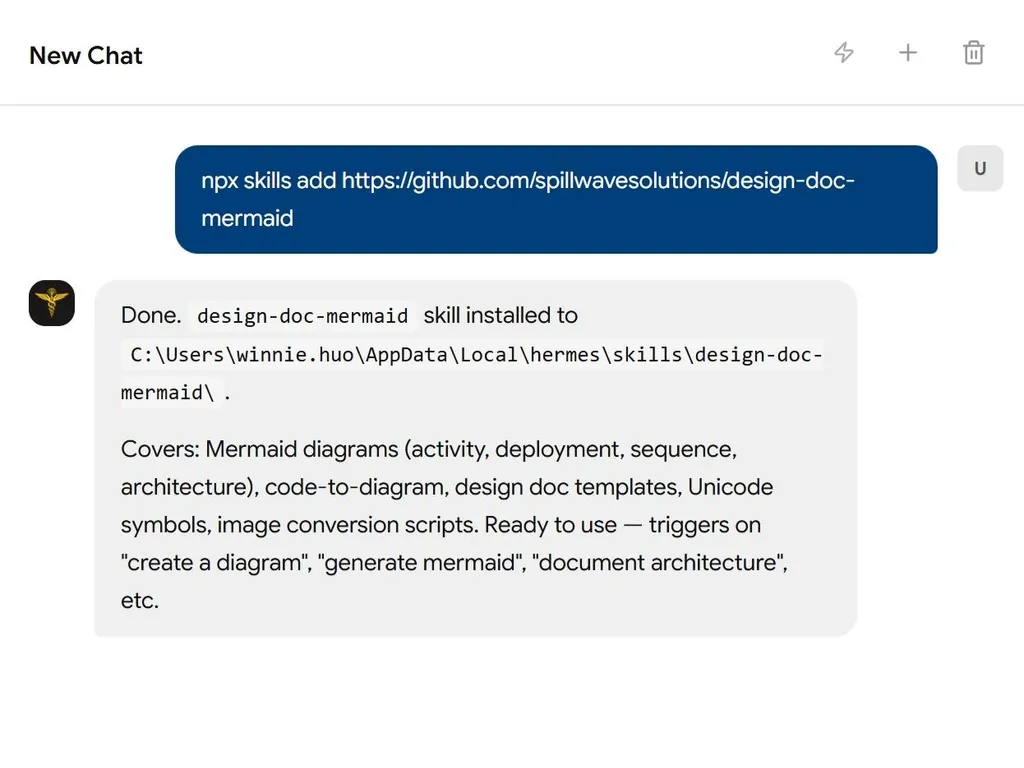
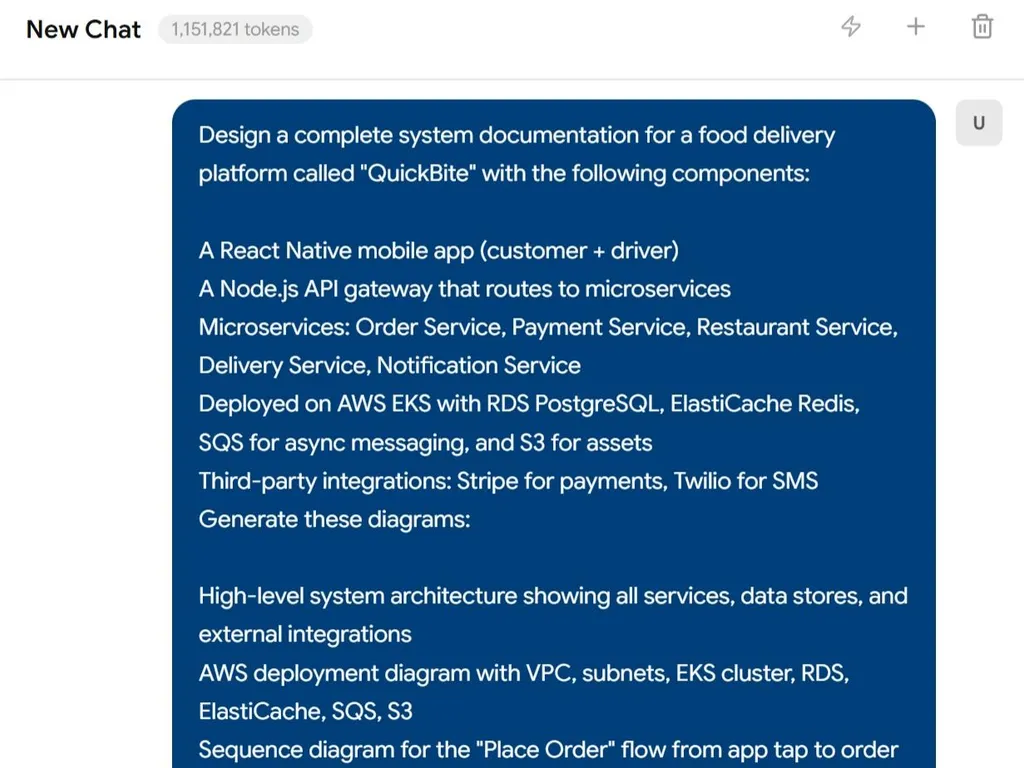
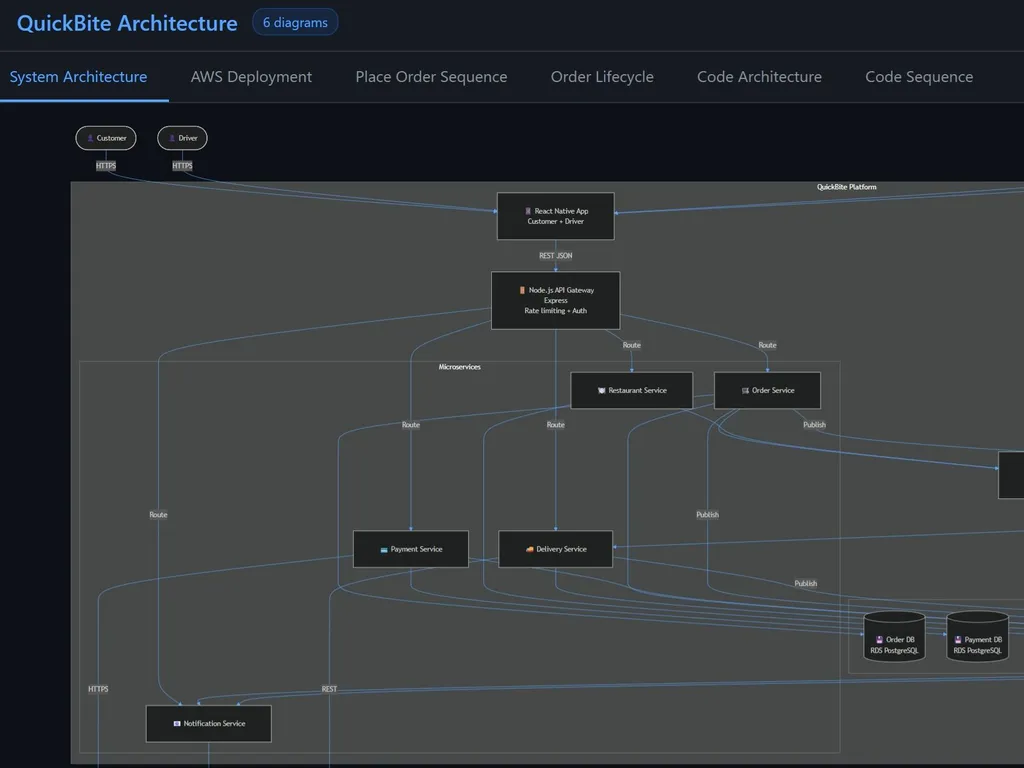
Mermaid Architect - Comprehensive Diagram & Documentation Skill
Version 2.0 - Hierarchical architecture with intelligent orchestration
A powerful Claude Code skill for creating Mermaid diagrams and design documents using on-demand guide loading, code-to-diagram generation, and Python utilities.
Installation
One-Click Install via Skilz Marketplace
Install this skill instantly from the Skilz Marketplace:
skilz install SpillwaveSolutions_design-doc-mermaid/design-doc-mermaid
Manual Installation
Clone directly into your Claude Code skills directory:
# Navigate to your skills directory
cd ~/.claude/skills

# Clone the repository
git clone https://github.com/SpillwaveSolutions/design-doc-mermaid.git
Verify Installation
After installation, verify the skill is available:
# List installed skills
ls ~/.claude/skills/design-doc-mermaid

# Or ask Claude Code
# "List my installed skills"
What This Skill Does
Intelligent Diagram Generation:
- Activity diagrams (workflows, processes, business logic)
- Deployment diagrams (cloud infrastructure, K8s, serverless)
- Architecture diagrams (system components, microservices)
- Sequence diagrams (API flows, service interactions)
- Complete design documents with embedded diagrams
Code-to-Diagram Conversion:
- Extract architecture from Spring Boot applications
- Generate deployment diagrams from configuration files
- Create sequence diagrams from method calls
- Document ETL pipelines and data flows
Diagram Management:
- Extract Mermaid diagrams from Markdown files
- Validate diagram syntax with mermaid-cli
- Convert diagrams to PNG/SVG images
- Batch process entire directories
Quick Start
Create an Activity Diagram
User: "Create an activity diagram for user registration with email verification"
The skill will:
- Load
references/guides/diagrams/activity-diagrams.md - Use the registration pattern template
- Add Unicode symbols (🔐 for security, 📧 for email, ✅ for success)
- Apply high-contrast styling
- Output complete Mermaid diagram
Generate from Code
User: "Here's my Spring Boot application.yml - generate a deployment diagram"
The skill will:
- Analyze configuration (datasource, cache, security)
- Load
references/guides/diagrams/deployment-diagrams.md - Load
examples/spring-boot/README.md - Map config to cloud resources
- Generate deployment diagram with resource specs
Create Design Document
User: "Create an API design document for the contacts API"
The skill will:
- Load
assets/api-design-template.md - Load relevant diagram guides (sequence, ER, architecture)
- Generate complete document with embedded diagrams
- Save to
docs/design/api-contacts-v1-2025-01-13.md
Structure
Hierarchical Organization
mermaid-architect/
├── SKILL.md                          # Main orchestrator with decision tree
├── README.md                         # This file
├── CLAUDE.md                         # Claude Code instructions
│
├── references/                       # Reference materials
│   ├── mermaid-diagram-guide.md     # Legacy general guide
│   └── guides/                       # Specialized guides (load on-demand)
│       ├── diagrams/
│       │   ├── activity-diagrams.md      # ✅ Complete
│       │   ├── deployment-diagrams.md    # ✅ Complete
│       │   ├── architecture-diagrams.md  # ✅ Complete
│       │   └── sequence-diagrams.md      # ✅ Complete
│       ├── code-to-diagram/
│       │   └── README.md                 # ✅ Complete (master guide)
│       ├── unicode-symbols/
│       │   └── guide.md                  # ✅ Complete (100+ symbols)
│       └── troubleshooting.md        # ✅ Complete (28 common errors)
│
├── scripts/                          # Python utilities
│   ├── extract_mermaid.py           # ✅ Extract & validate diagrams
│   └── mermaid_to_image.py          # ✅ Convert to PNG/SVG
│
├── examples/                         # Language-specific patterns
│   ├── spring-boot/                 # ✅ Complete
│   ├── fastapi/                     # ✅ Complete
│   ├── react/                       # ✅ Complete
│   ├── python-etl/                  # ✅ Complete
│   ├── node-webapp/                 # ✅ Complete
│   └── java-webapp/                 # ✅ Complete
│
└── assets/                           # Design document templates
    ├── architecture-design-template.md
    ├── api-design-template.md
    ├── feature-design-template.md
    ├── database-design-template.md
    └── system-design-template.md
Key Features
1. Unicode Semantic Symbols
Every diagram uses meaningful Unicode symbols:
graph TB
    User[👤 Client] --> Gateway[🌐 API Gateway]
    Gateway --> Auth[🔐 Auth Service]
    Gateway --> API[⚙️ API Service]
    API --> DB[(💾 Database)]
    API --> Cache[(⚡ Redis)]
    API --> Queue[📬 Message Queue]
    Queue --> Worker[⚙️ Background Worker]
Symbol Categories:
- Infrastructure: ☁️ 🌐 🔌 📡 🗄️
- Compute: ⚙️ ⚡ 🔄 🚀 💨
- Data: 💾 📦 📊 📈 🗃️
- Messaging: 📨 📬 📤 📥 🐰
- Security: 🔐 🔑 🛡️ 🚪 👤
- Monitoring: 📝 📊 🚨 ⚠️ ✅ ❌
2. High-Contrast Styling
All diagrams use accessible, high-contrast colors - see SKILL.md for full details.
3. Python Utilities
Extract Diagrams
# List all diagrams in a file
python scripts/extract_mermaid.py document.md --list-only

# Extract to separate .mmd files
python scripts/extract_mermaid.py document.md --output-dir diagrams/

# Validate all diagrams
python scripts/extract_mermaid.py document.md --validate

# Replace diagrams with image references (for Confluence)
python scripts/extract_mermaid.py document.md --replace-with-images \
  --image-format png --output-markdown output.md
Convert to Images
# Single file
python scripts/mermaid_to_image.py diagram.mmd output.png

# Custom theme and size
python scripts/mermaid_to_image.py diagram.mmd output.svg \
  --theme dark --background white --width 1200

# Batch convert directory
python scripts/mermaid_to_image.py diagrams/ output/ \
  --format png --recursive

# From stdin
echo "graph TD; A-->B" | python scripts/mermaid_to_image.py - output.png
Requirements
For Diagram Generation
- Claude Code skill system (automatic)
- Guides and templates (included in this skill)
For Validation & Image Conversion
# Install mermaid-cli globally
npm install -g @mermaid-js/mermaid-cli

# Verify installation
mmdc --version
For Python Scripts
- Python 3.7+
- No additional packages required (uses stdlib only)
Learning Path
New to Mermaid Diagrams?
- Start with Activity Diagrams - Read
references/guides/diagrams/activity-diagrams.md - Learn Unicode Symbols - Read
references/guides/unicode-symbols/guide.md - Try an Example - Use patterns from
examples/spring-boot/ - Validate Your Work - Run
python scripts/extract_mermaid.py --validate
Need to Document Existing Code?
- Identify Framework - Spring Boot, FastAPI, React, etc.
- Load Example Guide - Read
examples/{your-framework}/README.md - Match Patterns - Find similar code patterns in examples
- Generate Diagrams - Use templates from guides
- Validate - Use validation scripts
Creating Design Documents?
- Choose Template Type - Architecture, API, Feature, Database, or System
- Load Template - Read from
assets/{type}-design-template.md - Fill Sections - Replace placeholders with actual content
- Add Diagrams - Load diagram guides as needed for each section
- Use Symbols - Enhance with Unicode symbols throughout
- Save - Place in
docs/design/with timestamp
How the Hierarchical System Works
Traditional Approach (Inefficient)
- Load entire skill documentation (~50KB)
- AI processes all templates and examples
- High token usage
- Slow response time
Hierarchical Approach (Efficient)
- User makes request → AI analyzes intent
- Decision tree activates → Determines needed guides
- Load only what's needed → Reads specific guide (~2-5KB)
- Generate output → Uses targeted templates
- Token efficient → 10x less context needed
Example Flow
User: "Create deployment diagram for my Docker Compose setup"
Decision Tree:
1. Analyze: "deployment diagram" + "Docker Compose"
2. Determine: deployment-diagrams.md needed
3. Load: references/guides/diagrams/deployment-diagrams.md (2KB)
4. Find pattern: Docker Compose template exists
5. Generate: Using template + Unicode symbols
6. Output: Complete diagram in <30 seconds
Tokens Used: ~2,000 (vs ~10,000 with traditional approach)
Completion Status
✅ Complete:
- Hierarchical decision tree orchestrator
- Activity diagram guide with templates
- Deployment diagram guide (AWS, GCP, K8s, serverless, Docker)
- Unicode symbols guide (100+ symbols)
- Extract Mermaid script with validation
- Mermaid to image conversion script
- Spring Boot code-to-diagram examples
- Design document templates (5 types)
- High-contrast styling system
🚧 In Progress:
- FastAPI examples
- React component architecture examples
- Python ETL pipeline examples
📋 Planned:
- Architecture diagrams guide
- Sequence diagrams guide
- Code-to-diagram master guide
- Node.js/Express examples
- Java web app examples
Contributing
To add a new diagram type guide:
- Create guide in
references/guides/diagrams/{type}-diagrams.md - Include:
- When to use
- Basic syntax
- Common patterns (3-5 templates)
- Unicode symbol examples
- Best practices
- Update
SKILL.mddecision tree - Add examples with code mappings
To add a new language example:
- Create directory in
examples/{framework}/ - Add
README.mdwith:- Framework overview
- Architecture diagram from structure
- Deployment diagram from config
- Sequence diagram from code
- Activity diagram from logic
- Update
SKILL.mdcode-to-diagram table
License
Part of Claude Code Skills - MIT License
Related Skills
- confluence - Upload diagrams to Confluence
- plantuml - Alternative diagram format
Links
- GitHub Repository
- Skilz Marketplace Listing
- Mermaid Official Documentation
Version: 2.0.0 Updated: 2025-01-13 Maintained by: SpillwaveSolutions