NanoSkill
submit your skill

Shopify Inventory Management Skill

bynexscope-ai319GitHub starsGitHub

Get data-driven inventory management for your Shopify store: multi-location transfers, demand forecasting, low stock alerts, and ABC analysis. Start free in seconds.

inventorySecurity scan passed
Result preview

Full Demo

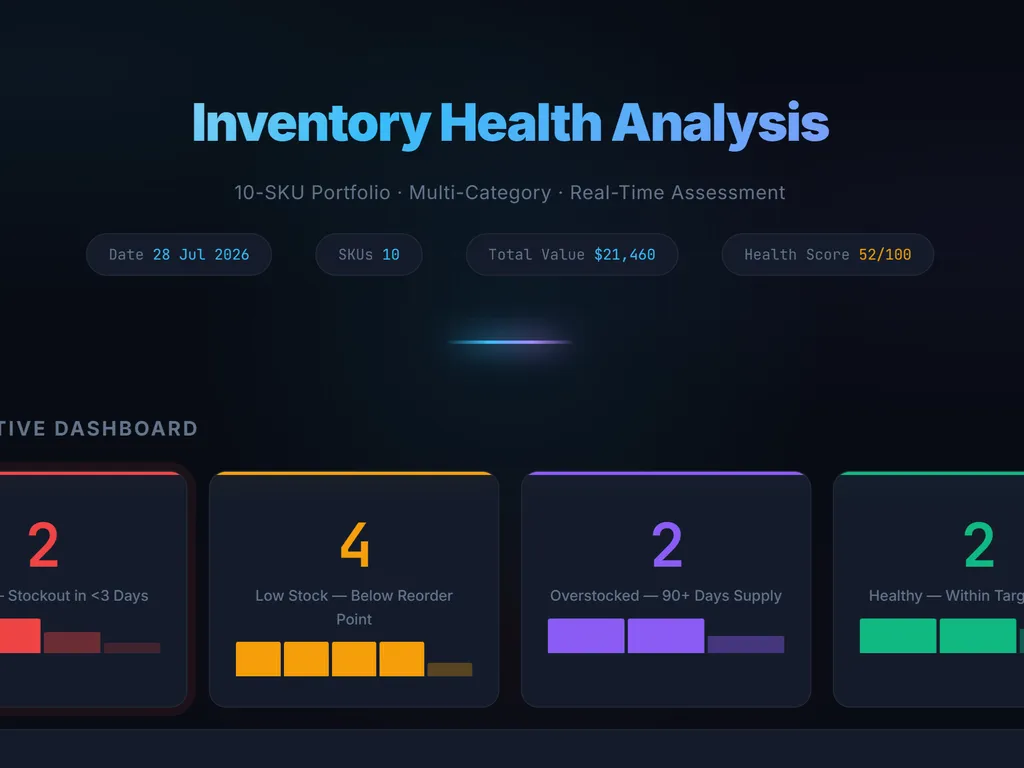
See an inventory optimization report with low-stock alerts, restocking recommendations, and inventory insights generated by this Agent Skill.

Get started

Run Your First Task

  1. a simple demonstration of the first step in using Shopify Inventory Management Skill
    01

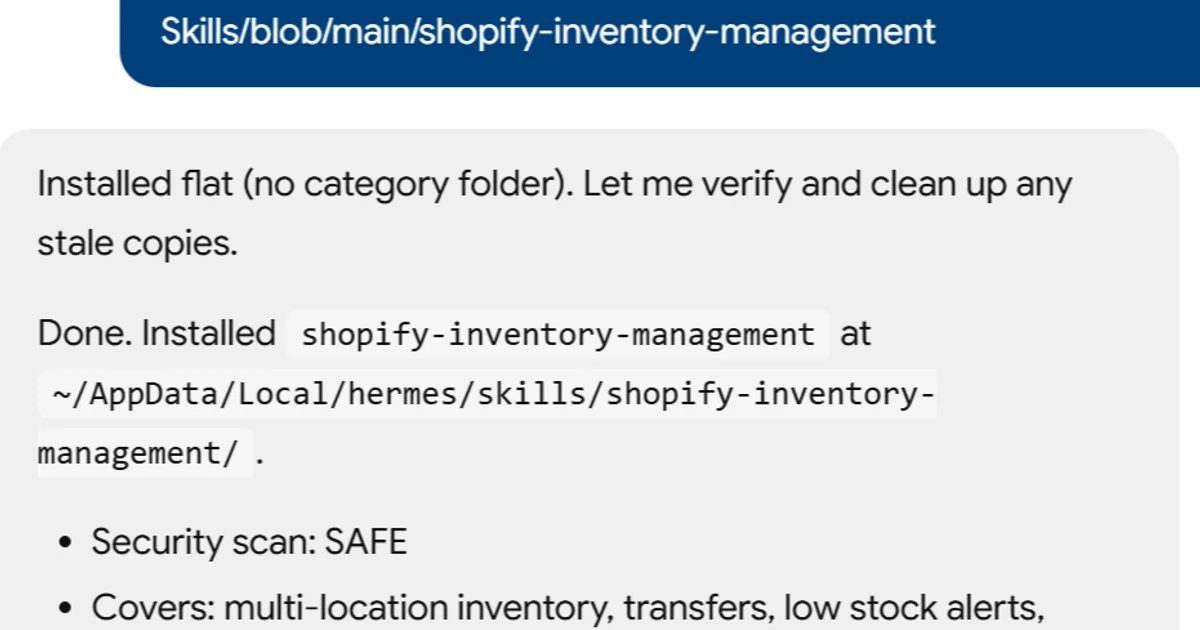
    Install

    Add the skill to your agent.

  2. a simple demonstration of the second step in using Shopify Inventory Management Skill
    02

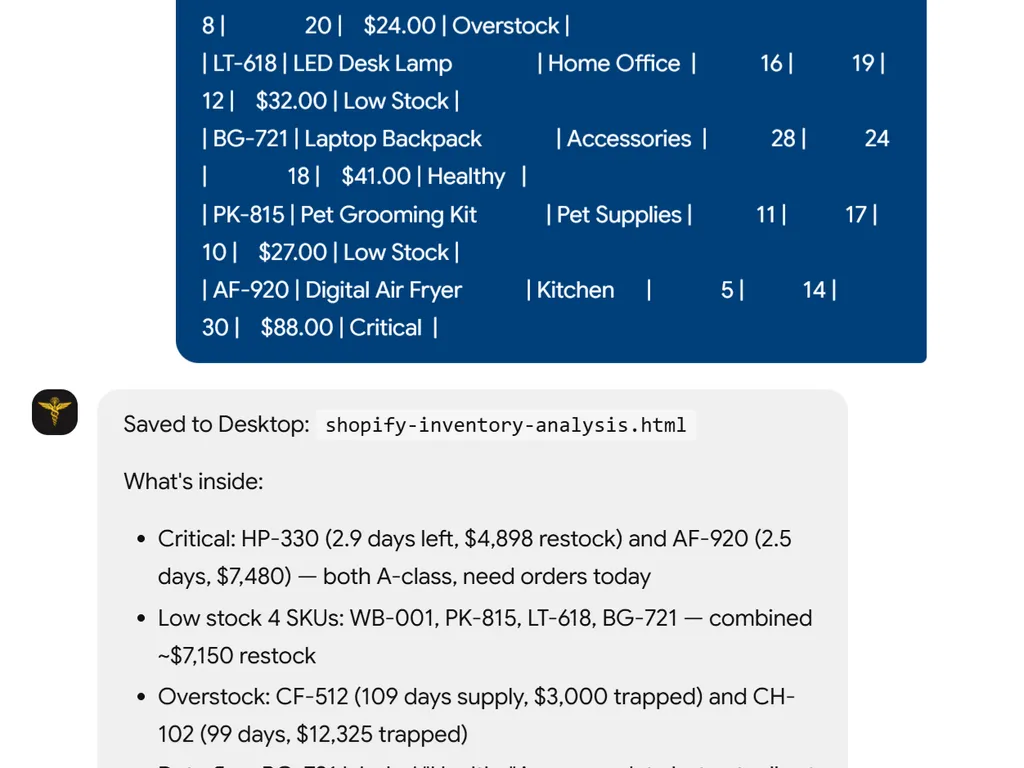
    Submit Inventory Data

    Provide your Shopify inventory or stock data.

  3. a simple demonstration of the third step in using Shopify Inventory Management Skill
    03

    Review Result

    Get inventory insights and stock optimization recommendations.

Install command

$ npx skills add https://github.com/nexscope-ai/eCommerce-Skills/blob/main/shopify-inventory-management

Installation signals

Installation activity

About

Shopify inventory management can quickly become overwhelming when you’re juggling multiple locations, seasonal demand swings, and hundreds of SKUs. This skill gives e‑commerce sellers a clear, structured way to assess their current setup, surface hidden inefficiencies, and build an actionable improvement plan—all through natural conversation with your AI assistant.

It covers everything from multi‑location transfers and low‑stock alerts to advanced techniques like demand forecasting, safety‑stock calculations, and ABC analysis. Instead of generic tips, you get data‑driven recommendations, tool‑versus‑tool comparisons with cost breakdowns, and a prioritized roadmap that moves from quick wins to long‑term optimizations.

Typical workflows include auditing a struggling store to pinpoint why stockouts keep happening, designing a safety‑stock strategy for a holiday rush, or comparing ShipStation vs. Skubana before committing to a paid plan. Because the skill lives inside your AI assistant, you can iterate on plans in real time and pull in fresh context whenever your inventory landscape changes.

Key features

What makes it powerful

  • Multi-location Inventory Transfers

    Easily manage stock movement across warehouses, stores, and fulfillment centers to prevent overselling and bottlenecks.

  • Intelligent Low Stock Alerts

    Configure threshold-based alerts so you never miss a restock deadline, even when monitoring hundreds of SKUs.

  • Demand Forecasting

    Leverage historical data and trends to predict future demand, reduce holding costs, and align purchasing with sales cycles.

  • Safety Stock Optimization

    Calculate optimal buffer levels to guard against supplier delays and demand spikes without tying up excess capital.

  • ABC Analysis

    Classify inventory by value and turnover to prioritize high-impact items and make smarter restocking decisions.

Use cases

When to reach for it

  • Audit your Shopify inventory setup

    Identify weak points, broken workflows, and missed opportunities in your current inventory processes—then get a prioritized action list.

  • Create a step‑by‑step optimization plan

    Receive a tailored roadmap with quick wins, tool recommendations, and an implementation timeline scaled to your business stage.

  • Compare inventory management tools

    Evaluate apps and strategies side‑by‑side with cost, feature, and integration pros/cons so you pick what actually fits your stack.

  • Forecast demand and set safety stock

    Use historical sales and lead‑time data to model reorder points, buffer quantities, and seasonal adjustments that protect revenue.

SKILL.md

Shopify Inventory Management

Multi-location inventory — transfers, low stock alerts, demand forecasting, safety stock, ABC analysis.

Status

🔶 Beta — This skill provides expert guidance and actionable frameworks for Shopify sellers.

Capabilities

  • Analyze your current Shopify store setup and identify optimization opportunities
  • Provide data-driven recommendations based on industry best practices
  • Generate step-by-step implementation plans tailored to your business stage
  • Compare tools, apps, and strategies with pros/cons analysis

Install

npx skills add nexscope-ai/eCommerce-Skills --skill shopify-inventory-management -g

Usage

After installation, ask your AI assistant about shopify inventory management topics. Example prompts:

  • "Help me with shopify inventory management for my Shopify store"
  • "What are the best practices for shopify inventory management?"
  • "Audit my current shopify inventory management setup and suggest improvements"
  • "Create a step-by-step shopify inventory management implementation plan"

Output

Structured analysis and recommendations including:

  • Current state assessment
  • Priority action items (quick wins → long-term)
  • Tool/app recommendations with cost comparison
  • Implementation timeline
  • KPIs to track

Limitations

  • Provides strategic guidance, not direct Shopify API integration
  • Recommendations based on general best practices — always validate with your specific store data
  • For real-time analytics and automated optimization, check out Nexscope

Built by Nexscope — AI-powered e-commerce tools for sellers worldwide.

FAQ