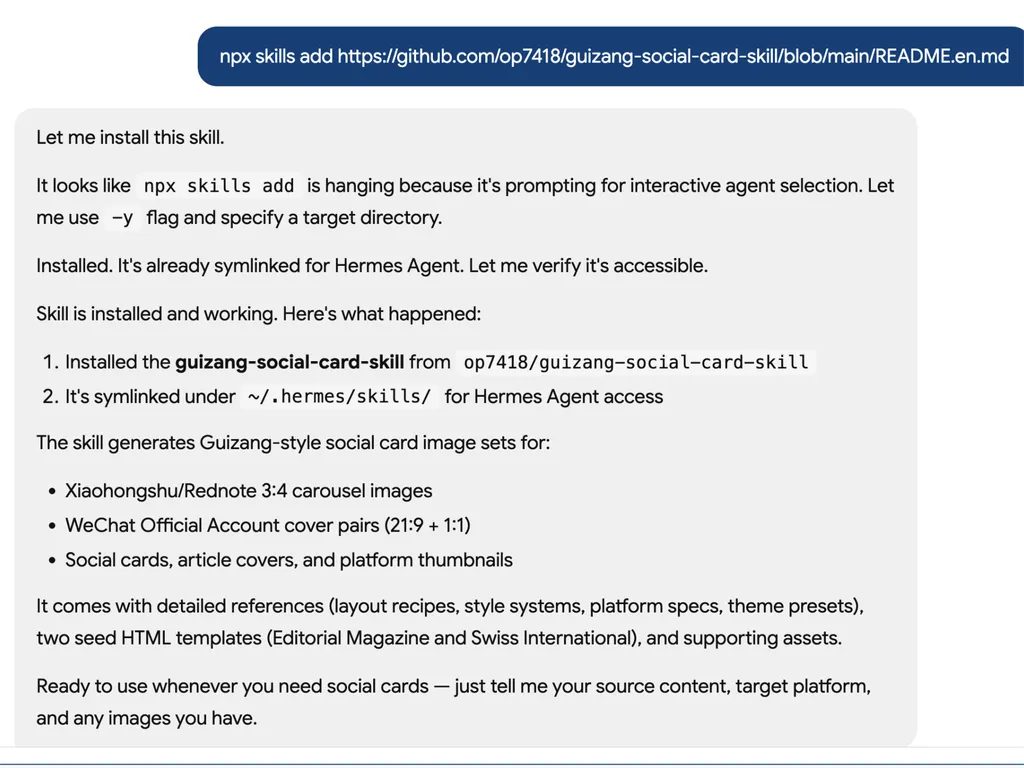
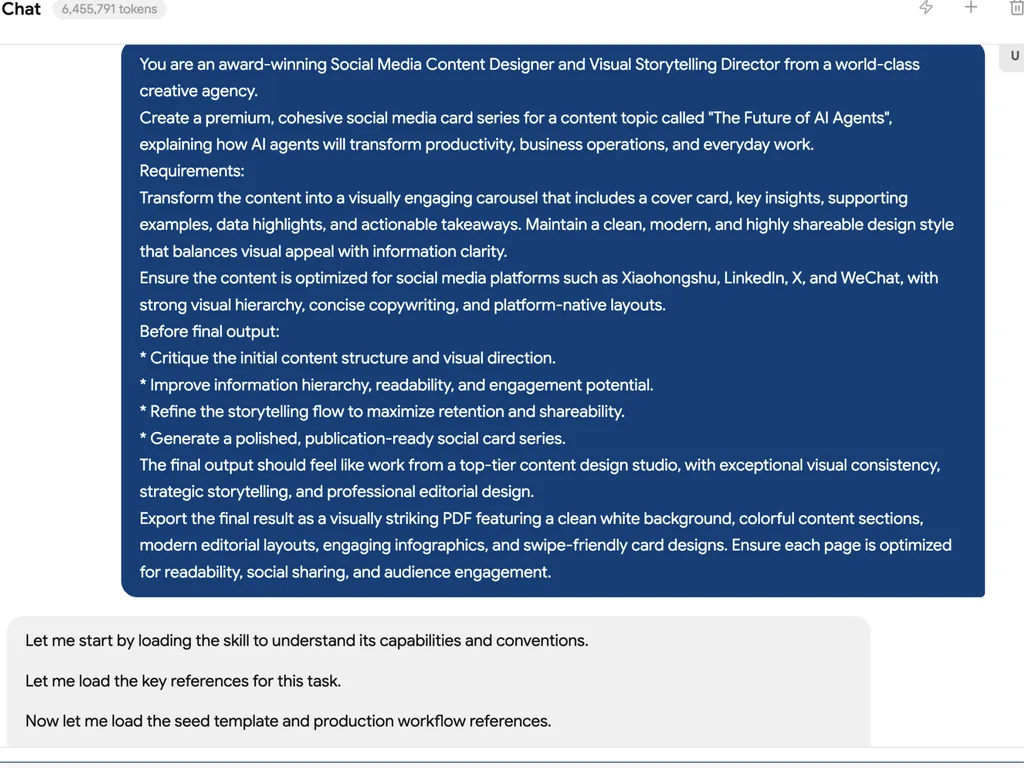

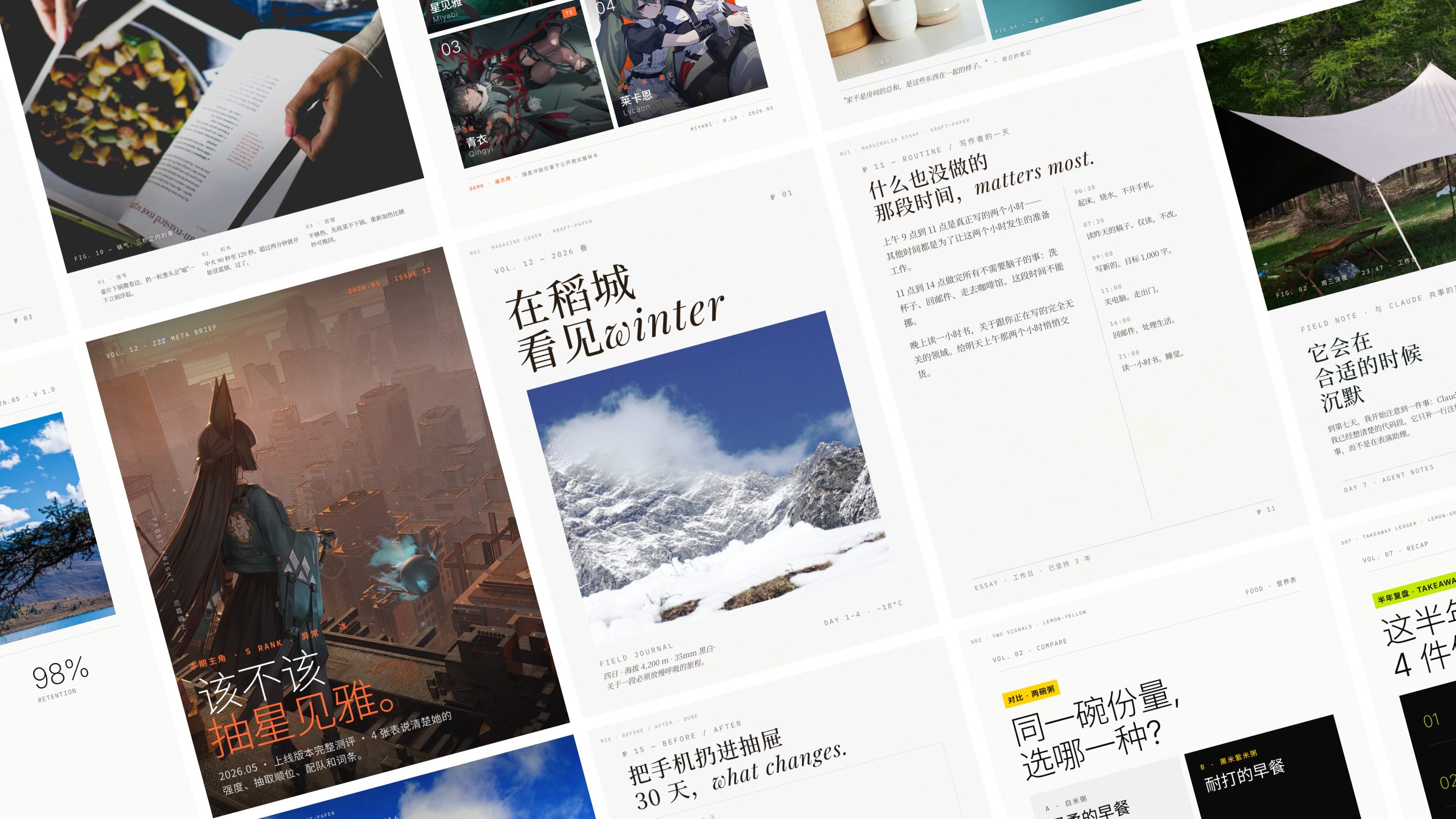
An agent skill for Claude Code, Codex, and similar coding-agent environments. It generates Xiaohongshu / Rednote carousel images and WeChat 21:9 + 1:1 cover pairs from articles, copy, screenshots, product notes, subtitles, or photos.
Two visual systems share one workflow:
- Editorial. Restrained layouts in the spirit of Monocle / Kinfolk / Cereal. Best for storytelling, lifestyle, travel, reading, film, and personal observation.
- Swiss International. Grid-first, single anchor color, sharp hairlines, extreme type contrast. Best for product reviews, data, frameworks, tutorials, and AI tools.
Sister project to guizang-ppt-skill. Shared visual language, separate maintenance. PPT solves "horizontal swipe talks"; this one solves "static feed images."
30-second start
npx skills add https://github.com/op7418/guizang-social-card-skill --skill guizang-social-card-skill
Or paste this to an AI agent with shell access:
Install guizang-social-card-skill for me. Clone https://github.com/op7418/guizang-social-card-skill into ~/.claude/skills/guizang-social-card-skill, then verify that SKILL.md, assets/, and references/ exist.
If you already installed it, update with:
Update guizang-social-card-skill for me. Go to ~/.claude/skills/guizang-social-card-skill, run git pull, then tell me the latest commit.
Then ask your agent:
Make me a Swiss-style Xiaohongshu carousel from this article, 5 cards, IKB blue.
Other useful prompts:
Make me a 3:4 Xiaohongshu set from this product review, with editorial-style titles.
Turn this article into a WeChat cover pair: 21:9 hero + 1:1 share card, visually consistent.
I have 3 camping photos — make me an image-led Xiaohongshu carousel.
Turn this game guide copy into a Xiaohongshu set; pull some game art from Wallhaven.
What you get
- 🖋 Two visual systems: Editorial for atmosphere and narrative, Swiss for facts and structure, sharing one workflow
- 📐 3 canvas sizes:
.poster.xhs1080×1440 (Xiaohongshu 3:4),.poster.wide2100×900 (WeChat 21:9),.poster.square1080×1080 (WeChat 1:1) - 🧩 28 layout skeletons: 16 Editorial (
M01-M16, including Image-Led Cover, Pipeline, Before/After) + 12 Swiss (S01-S12, including KPI Tower, H-Bar Chart, Matrix + Hero) - 🎨 10 theme presets: 6 Editorial (Ink Classic, Indigo Porcelain, Forest Ink, Kraft Paper, Dune, Midnight Ink dark) + 4 Swiss anchor colors (IKB Klein Blue, Lemon, Lemon Green, Safety Orange)
- 🖼 Image sourcing workflow: user images first; otherwise waterfall through Unsplash → Pexels → Flickr CC → Wallhaven → direct search, downloaded locally with auto-generated
SOURCES.md - 🌫 WebGL ink-flow background: editorial hero pages can ship a live ink animation; can be disabled for low-power devices or screenshot mode
- 🪧 Image overlay + face safety: full-bleed images must carry a mask; text drop zones must avoid the subject. Hard rules in
references/image-overlay.md - 🧰 Screenshot beautification assets: 9 real-texture WebP backgrounds (5 Editorial / 4 Swiss), paired with
.frame-shot/.device-browser/.device-phoneutilities - 🗺 Map component: MapLibre + OSM real tiles, multi-pin + connectors, made for travel guides
- ✅ Validator:
validate-social-deck.mjsauto-detects overflow, type cap violations, 4-band density gaps, and footer collisions - 📄 Single-file HTML + Playwright rendering: no frontend build pipeline;
node render.mjsoutputs PNG directly
Fits / Doesn't fit
✅ Fits: Xiaohongshu carousels / WeChat cover pairs / Moments covers / Channels covers / article visuals / tutorial pages / data recaps / travel guides / product reviews / screenshot explainers
❌ Doesn't fit: Horizontal swipe decks (use guizang-ppt-skill) / long-form video generation / pure photo retouching / plain-text editing without layout
11 Xiaohongshu categories
Tiered by "circle of competence" — see references/category-cookbook.md:
End-to-end strong (copy / structure / images all in scope):
- Travel, career, recommendations (after specifying a sub-genre)
Copy and structure strong, images depend on user or sourced art:
- Gaming, film, food (recipe-oriented), makeup (tutorial-oriented), fitness, home, fashion (curated picks)
Out of scope, declared upfront (won't force-fit):
- OOTD live shots / dreamcore / film-emulation grading / real skin-test makeup — anything heavily dependent on photography or post-production
Common scenarios
| Task | Recommended flow |
|---|---|
| Long article → Xiaohongshu carousel | Extract core takeaways; Editorial for narrative pacing, Swiss for data breakdowns |
| Product review / tool wrap-up | Swiss + IKB blue, prefer S09 KPI Tower / S10 H-Bar Chart |
| Travel / lifestyle | Editorial + Midnight Ink or Dune, M16 Image-Led Cover for full-bleed hero |
| WeChat cover pair | Render the same content twice: .poster.wide 21:9 + .poster.square 1:1, visually consistent |
| Screenshot tutorial / tool walkthrough | .frame-shot + .device-browser, prefer Swiss grid base |
| Game guide / film recap | Editorial + Midnight Ink, pull game art from Wallhaven for full-bleed hero |
| Data recap / year in review | Swiss + Lemon or Safety Orange, matrix + ledger combo |
Why single-file HTML to PNG
- Agent-friendly: HTML + CSS is text — agents can write, read, edit, and validate directly
- Layout precision: CSS Grid + strict type / margin / grid rules far exceed Markdown's layout reach
- Open image sourcing: hook into Unsplash / Pexels / Wallhaven / Mapbox / OSM / any web resource
- Verifiable quality:
validate-social-deck.mjsruns Playwright DOM measurement, not guesswork - Simple delivery:
output/*.pngships directly — no deploys, no export tools
Platform support
| Platform | Status | Notes |
|---|---|---|
| Claude Code | Supported | Native Skill workflow, ideal for generating + iterating cards |
| Codex | Supported | Good for long-form card generation, sourcing images, visual QA |
| Cursor / other local agents | Works | Requires filesystem read/write + shell execution |
| Plain chatbot | Not recommended | Without filesystem and rendering pipeline, can't reliably ship images |
Install
Option 1: One-line install (recommended)
npx skills add https://github.com/op7418/guizang-social-card-skill --skill guizang-social-card-skill
Option 2: Paste this to an AI
Install the
guizang-social-card-skillClaude Code skill for me. Steps:
- Make sure
~/.claude/skills/exists (create if not)- Run
git clone https://github.com/op7418/guizang-social-card-skill.git ~/.claude/skills/guizang-social-card-skill- Verify:
ls ~/.claude/skills/guizang-social-card-skill/should showSKILL.md,assets/,references/- Tell me when done. Later, saying things like "make me a Xiaohongshu carousel" will trigger this skill.
Paste the block above into Claude Code / Cursor / any AI agent with shell access.
Option 3: Manual CLI
git clone https://github.com/op7418/guizang-social-card-skill.git ~/.claude/skills/guizang-social-card-skill
How to trigger it
Once installed, Claude Code auto-detects the skill. Trigger phrases:
- "Make me a Xiaohongshu / Rednote carousel"
- "Make me Rednote cards"
- "Make a WeChat 21:9 hero + 1:1 share card"
- "Generate social cards / magazine-style social cards"
- "Turn this article into a tutorial carousel"
- "Make a Swiss-style Xiaohongshu review / IKB-style cards"
Workflow
The skill is a structured workflow. The agent walks through 7 steps:
- Intake — capture 4 things: target platform / style / source content / user images. When no images are available, present A/B/C once (shoot your own / AI generate / source online); don't re-pitch
- Style & Theme — pick Editorial or Swiss, then pick one of 10 theme presets. Custom hex values are not allowed
- Layout Selection — pick / paste / adapt copy from the 28 layout skeletons. 16 Editorial / 12 Swiss
- Asset Prep — source images (Unsplash / Pexels / Flickr CC / Wallhaven / direct search), download locally + write
SOURCES.md; ask whether to credit sources - Compose & Render — copy seed template → replace
<!-- POSTERS_HERE -->→node render.mjs - Deliver & Review — show PNGs first, ask "look at them yourself, or want me to run the validator?" — does not auto-validate
- Iterate — apply user feedback, tweak inline styles or swap layouts / images, re-render
Full spec in SKILL.md. Deep details in the matching references/*.md.
Validator
node validate-social-deck.mjs path/to/task-dir
6 rules, based on Playwright real-render measurement, not static scanning:
- R1 Overflow — any section overflowing
.posterfails immediately - R2 Type Caps —
.h-xl/.h-displaysize + weight combinations exceeding seed definitions - R3 Footer Collision — content pressing into the bottom footer / page-number
- R4 4-Band Density — 1440-tall canvas split into 4 horizontal bands; each must hold content or have a stated reason for whitespace
- R5 Frame Overflow —
.frame-img/.frame-shotchildren overflowing the frame - R6 Swiss Identity — Swiss templates with inline
font-weight >= 700warn (violates "bigger means thinner")
SKILL.md Step 7 explicitly states the validator does not auto-run — wait for the user to look at the images first, saving tens of seconds per round.
Theme presets
Pick from references/theme-presets.md. Custom hex values are not allowed — protecting the aesthetic matters more than freedom of choice.
Editorial (6)
| Theme | Tones | Best for |
|---|---|---|
| 🖋 Ink Classic | #0a0a0b / #f1efea | General default, commercial topics, when in doubt |
| 🌊 Indigo Porcelain | #0a1f3d / #f1f3f5 | Tech, research, AI, technical writing |
| 🌿 Forest Ink | #1a2e1f / #f5f1e8 | Nature, sustainability, outdoors, non-fiction |
| 🍂 Kraft Paper | #2a1e13 / #eedfc7 | Nostalgia, humanities, reading, literature |
| 🌙 Dune | #1f1a14 / #f0e6d2 | Art, design, creative, fashion |
| ⚫ Midnight Ink | #0e0d0c / #ece2cf / #d4a04a | Game key art / night scenes / cinematic covers / Black Myth · Elden Ring-style dark themes |
Swiss (4)
| Theme | Anchor | Best for |
|---|---|---|
| 🔵 IKB Klein Blue | #002FA7 | General default, commercial launches, AI products, frameworks |
| 🟡 Lemon | #FFD500 | Youth, sports, retail, consumer, Y2K |
| 🟢 Lemon Green | #C5E803 | Eco, health, Gen Z, green brands |
| 🟠 Safety Orange | #FF6B35 | Alerts, news, industrial, energetic themes |
To switch themes, just replace the <section class="poster" data-theme="..."> attribute on the seed template; all CSS resolves through var(--...).
Directory
guizang-social-card-skill/
├── SKILL.md                              ← Main skill file: 7-step workflow
├── README.md                             ← Chinese README
├── README.en.md                          ← This file
├── HANDOFF.md                            ← Handoff doc: facts + version history
├── PRODUCT.md                            ← Product doc: thinking + decisions + roadmap
├── validate-social-deck.mjs              ← Playwright layout validator
├── assets/
│   ├── template-editorial-card.html      ← Editorial seed (6 themes / 3 canvases)
│   ├── template-swiss-card.html          ← Swiss seed (4 accents / 3 canvases)
│   ├── magazine-bg-webgl.js              ← WebGL ink-flow background
│   └── screenshot-backgrounds/           ← 9 screenshot stage backgrounds (WebP)
│       ├── style-a/                      ←   5 Editorial
│       └── style-b/                      ←   4 Swiss
└── references/
    ├── platform-specs.md                 ← Platform × resolution × naming
    ├── style-system.md                   ← Hard rules and anti-patterns for both styles
    ├── theme-presets.md                  ← All 10 palettes in detail
    ├── layout-recipes.md                 ← 28 layout skeletons (M01-M16 + S01-S12)
    ├── components.md                     ← Type / cards / spacing / icons
    ├── background-systems.md             ← Ink flow / grid / paper layers
    ├── portrait-fill.md                  ← Whitespace strategy for the 3:4 board
    ├── content-planning.md               ← Hooks / page splits / copy compression
    ├── category-cookbook.md              ← 11 Xiaohongshu category routing table
    ├── image-overlay.md                  ← Full-bleed image mask + face safety rules
    ├── screenshot-treatment.md           ← `.frame-shot` utilities + screenshot beautification
    ├── map-component.md                  ← `.map-block` MapLibre map
    ├── title-shortener.md                ← Short-title strategy for the 1:1 cover
    ├── production-workflow.md            ← Playwright render pipeline
    └── qa-checklist.md                   ← Quality checklist
Core design principles
- Restraint over loudness — restrained palettes stand out in a saturated feed
- Structure over decoration — type / contrast / grid carries the hierarchy, not shadows or cards
- Layouts over freedom — pick first, adapt later; do not invent pages outside the 28 skeletons
- User images first — at intake, present A/B/C once; do not re-pitch shooting their own
- Mask + avoid — full-bleed images always carry a mask; text drop zones must clear the subject (faces / products / text-dense regions)
- Bigger means thinner — Swiss
.h-xlsize goes up → weight must come down. Editorial follows the same rule - No auto-validation — let the user look first, then ask before validating; saves tens of seconds per round
- A skill is a product, not a prompt — has PRODUCT.md, version numbers, CHANGELOG, capability boundaries
- Local tests stay out of git — all demos / smoke tests live under
local-tests/, gitignored
Visual references
- Monocle / Kinfolk / Cereal magazine layouts and letter spacing
- Massimo Vignelli / Helvetica Forever / Swiss International Typographic Style grid systems
- Apartamento / The Gentlewoman image-to-text ratios and human portraiture
- Restrained-wins-the-feed samples from Xiaohongshu / Rednote
- Guizang's social card practice
Roadmap
- More smoke tests for type-cap edge cases under long Editorial content
- More Swiss data layouts (additional chart skeletons)
- Post-image-generation: actively ask whether to do local fixes / regenerate the whole image
- More category-specific recommended layout packs (currently 7 of 11 are end-to-end strong)
- Marketplace-ready WorkBuddy version
Contributing
Bugs, layout issues, new layout requests — Issues and PRs welcome. Priorities for changes:
- When editing seed templates, also update
references/components.md's correspondence table (sizes / spacing / weights) - When adding layouts, add the full recipe to
references/layout-recipes.md(copy caps + minimum density) - When adding theme colors, also update the seed template's
[data-theme="..."]block +references/theme-presets.md - When adding Swiss rules, also update the matching rule in
validate-social-deck.mjs - Mistakes you've hit go into
references/qa-checklist.md - Tests and demos live under
local-tests/— do not pollute the skill root
License
AGPL-3.0 © 2026 op7418
This project is licensed under GNU AGPL-3.0. Key points:
- Attribution required — Retain the copyright notice
- Derivatives must be open-sourced — Any modified version, fork, or redistribution must be released under AGPL-3.0 (or a compatible license), with full source code made available
- Network use is distribution — Even if you only run a modified version as a SaaS / web service without distributing the code, you must still publish the source (this is what makes AGPL stricter than GPL)
- No closed-source, proprietary, or paid-only distribution
Full terms in LICENSE.