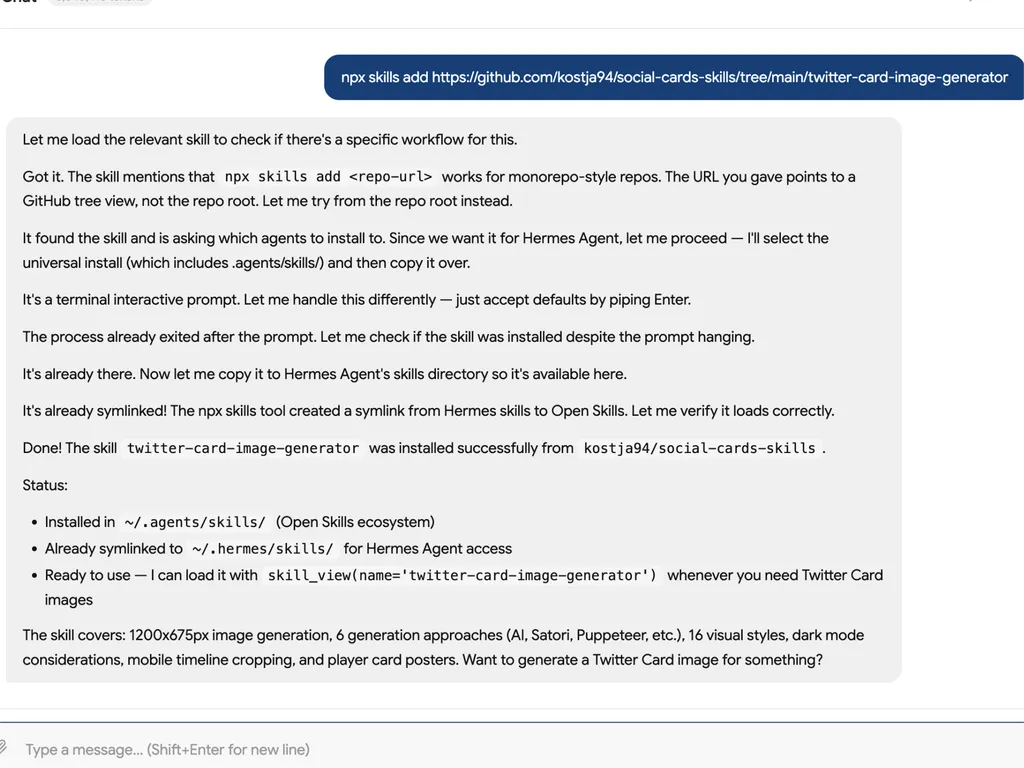

Twitter Card Image Generator
Generate images optimized for X (Twitter) link previews — the cards that appear in the timeline when someone shares a link. Twitter Cards have distinct image dimensions and rendering behavior that differ from standard Open Graph. This skill covers the complete generation pipeline adapted for Twitter's 2:1 aspect ratio and platform-specific quirks.
All six generation approaches and all six visual styles from og-image-generator apply here. The only differences are: output dimensions (1200x675 instead of 1200x630), X-specific design adaptations, timeline-safe zoning, and player card support.
When to Use
- User needs 1200×675px (2:1) images for X/Twitter link previews,
summary_large_image, or player card posters - User mentions
twitter:image, Twitter Card, X preview image, tweet preview, or timeline card design - User needs dark-mode-safe layouts, upper-60% content zones, or 20px edge masks for X's rounded-corner crop
- User already uses og-image-generator and wants the Twitter-adapted variant of the same styles and pipeline
When NOT to Use
- Generic OG images (1200×630, 1.91:1) for Facebook, LinkedIn, Slack, etc. — use og-image-generator instead
- Only setting HTML meta tags (not creating the image file) — use twitter-cards from marketing-skills
- SVG output — Twitter does not support SVG for card images; use PNG or JPG
- No-code visual editor or hosted API — use Oginify instead of running an agent pipeline
When invoking: On first use, open with 1–2 sentences on what this skill covers and why it matters, then provide the main output. On subsequent use or when the user asks to skip, go directly to the main output.
1. How Twitter Consumes Images
Twitter reads images in this priority order:
twitter:image— if explicitly set, used directlyog:image— falls back to OG image if no Twitter Card tags exist- No image — plain text link preview
Key insight: Facebook and LinkedIn do NOT read twitter:image. Twitter is the only platform that reads Twitter Card tags. This means you need BOTH image paths in your metadata, even though the actual rendering pipeline can be shared.
2. Twitter Image Specifications
| Property | Specification |
|---|---|
| Aspect ratio | 2:1 (official); Twitter renders at ~1.91:1 in practice |
| Recommended | 1200x675px (2:1); 1200x628px (cross-platform with OG) |
| Minimum | 300x157px |
| Maximum | 4096x4096px |
| File size | Under 5MB |
| Formats | JPG, PNG, WebP, GIF (first frame only); SVG not supported |
Card type determines image display:
| Card type | Image behavior |
|---|---|
summary_large_image | Full-width prominent image (recommended for most pages) |
summary | Small thumbnail (100x100px square) |
player | Video/audio embed; image is the poster frame before play |
app | App icon; image is the app icon + promotional image |
For most use cases, target summary_large_image at 1200x675px.
3. Six Generation Approaches (Twitter-adapted)
All six approaches from og-image-generator §1 work for Twitter images. The only difference is the output dimensions. This section covers Twitter-specific adaptations — see og-image-generator §1 for the full rendering pipeline documentation.
3.1 AI Image Generation (Core #1)
Same three-part prompt strategy as OG, but with Twitter-specific framing:
Part 1 — Visual description: background, composition, mood
Part 2 — Text specification: EXACT text, in quotes, with size hints
Part 3 — Twitter constraints: "1200x675px, 2:1 aspect ratio, key text in
         upper 60%, dark background preferred for dark mode"
Hybrid approach (recommended): AI generates the background/atmosphere; Satori overlays text. Critical for Chinese text where AI models still struggle — and Twitter's ~40% dark mode usage makes text accuracy even more visible.
See og-image-generator §1.1 for the full AI tools comparison table (GPT Image 2.0, Flux, Nano Banana, DALL-E 3, Midjourney).
3.2 Agent-Native Content-Aware Workflow (Core #2)
Same 6-step workflow as OG (§1.2): Read Content → Match Style → Extract Visual Elements → Select Generation → Generate → Validate. Twitter-specific additions at each step:
Step 2 (Match Style) — Twitter dark mode consideration: prefer dark-background styles (Terminal/CLI, Midnight Ink Magazine, Brutalist dark mode) or styles with dark variants for X.
Step 3 (Extract Visual Elements) — Twitter's timeline crop to ~1:1 on mobile means the most important visual element must work inside a square. A horizontal data ribbon that works at 1200x675 may be invisible in the square crop. Extract at least one element that reads well at 1:1.
Step 4 (Select Generation) — Same decision tree. For AI generation, add: "Will the text survive Twitter's ~260px mobile render width?"
Step 6 (Validate) — Run both OG checks AND Twitter-specific checks (§8).
3.3 Satori + resvg (Code-based)
Same pipeline as OG. Change height from 630 to 675. See og-image-generator §1.3 for full implementation.
// Shared endpoint serves both OG and Twitter:
export async function GET(req: Request) {
  const { searchParams } = new URL(req.url);
  const title = searchParams.get('title') ?? 'Default';
  const platform = searchParams.get('platform') ?? 'og'; // 'og' | 'twitter'

  const width = 1200;
  const height = platform === 'twitter' ? 675 : 630;

  return new ImageResponse(
    <OgTemplate title={title} height={height} />,
    { width, height },
  );
}
Then in page metadata:
const ogUrl = `/og?title=${encodeURIComponent(title)}`;
const twitterUrl = `/og?title=${encodeURIComponent(title)}&platform=twitter`;

export const metadata: Metadata = {
  openGraph: {
    images: [{ url: ogUrl, width: 1200, height: 630 }],
  },
  twitter: {
    card: 'summary_large_image',
    images: [twitterUrl],  // Twitter-specific 1200x675
  },
};
3.4 Puppeteer, Managed Services, JSON Config
Same as OG — set viewport/height to 675 instead of 630. See og-image-generator §1.4–1.6. For the v3 page priority system (S/A/B/C) and pipeline selection, see content-strategy.md and pipeline-guide.md.
4. X-Specific Design Considerations
Twitter renders images differently from Facebook/LinkedIn. Design with these in mind:
Dark mode (~40% of users): Images appear inline in the feed, surrounded by tweets. Dark backgrounds blend naturally; light backgrounds stand out but can look jarring in dark mode. Every template should have a dark variant or a dark-friendly default. Among the 6 styles, Terminal/CLI, Midnight Ink Magazine, and Brutalist (black bg) are naturally dark-mode-friendly. Swiss Minimal and Newspaper should ship with a dark mode alternate.
Timeline cropping (mobile): On mobile, summary_large_image images are cropped to ~1:1 in the timeline until the tweet is expanded. The full 2:1 image is visible only when tapped. Place the most important content (title, primary visual) in the top 60% of the image — the center square that survives cropping. Never put critical text in the bottom 20%.
Text legibility at small sizes: Timeline images display at ~260px wide on mobile feeds. Test your template at 1/4 scale (~300px wide) to ensure text remains readable. This is more stringent than OG's ~500px desktop feed size.
Edge mask: Twitter applies a subtle rounded corner mask to card images. Logos and critical elements placed within 20px of any edge risk being partially clipped.
Recommended template adaptations for Twitter (per style):
| OG template | Twitter adaptation |
|---|---|
| Terminal/CLI | Move window chrome lower (Twitter's rounded corners clip top-left dots); use the accent color for dark mode contrast |
| Magazine Editorial | Use Midnight Ink preset (dark variant designed for X); move photo well higher (top 50% instead of lower) |
| Swiss Minimal | Add dark mode variant: #0a0a0a background with accent intact, white text; data rows survive the 1:1 crop well |
| Pixel Retro | Naturally dark backgrounds — NES/Arcade/CGA presets are already X-ready; shrink HUD elements 10% to clear edge mask |
| Brutalist | Black bg variant is already dark-mode-native; the asymmetric title block stays in upper 60% zone by default |
| Newspaper | Add #1a1a1a background dark variant; the multi-section layout should stack vertically for the square crop zone |
5. Player Card Posters
For video/audio content, the player card type requires a poster image:
<meta name="twitter:card" content="player">
<meta name="twitter:player" content="https://example.com/player.html">
<meta name="twitter:player:width" content="480">
<meta name="twitter:player:height" content="480">
<meta name="twitter:image" content="https://example.com/poster.jpg">
The poster image is shown before the user taps play. Design it as a compelling thumbnail — include a play button overlay (centered triangle in a circle), the video title, and a frame from the content. Same 2:1 ratio recommendation applies. The play button should be the largest element in the center square zone.
For AI-generated posters: prompt for "video thumbnail with centered play button, title text in upper third, dark background, 1200x675px."
6. Style System (shared with OG — 16 styles)
Twitter images use the same 16 visual styles from og-image-generator §3 and references/style-system-v3.md. All templates work for Twitter — just change the canvas height to 675px.
| # | Style | Dark Mode | X CTR Potential | Template |
|---|---|---|---|---|
| 1 | Terminal / CLI | Always dark | ★★★★★ | terminal.tsx |
| 2 | Magazine Editorial | Midnight Ink | ★★★ | magazine.tsx |
| 3 | Swiss Minimal | Needs variant | ★★ | swiss.tsx |
| 4 | Pixel Retro | All dark | ★★★★ | pixel.tsx |
| 5 | Brutalist | Black bg | ★★★★★ | brutalist.tsx |
| 6 | Newspaper | Needs variant | ★★★ | newspaper.tsx |
| 7 | Neo-Brutalism | Yes | ★★★★★ | neo-brutalism.tsx |
| 8 | Bento Grid | Dark base | ★★★★ | bento-grid.tsx |
| 9 | Neo-Swiss Gradient | Light | ★★ | neo-swiss-gradient.tsx |
| 10 | Dark Gradient+Texture | Always dark | ★★★★★ | dark-gradient-texture.tsx |
| 11 | Text Overlay | Depends on bg | ★★★★ | text-overlay-hybrid.tsx |
| 12 | Cinematic | Dark-friendly | ★★★ | cinematic.tsx |
| 13 | Collage | Varies | ★★★★ | collage.tsx |
| 14 | Risograph | Paper base | ★★★ | risograph.tsx |
| 15 | Vaporwave | Dark neon | ★★★★★ | vaporwave.tsx |
| 16 | Grunge | Faded dark | ★★★★ | grunge.tsx |
X top performers: Terminal, Brutalist, Neo-Brutalism, Dark Gradient, Vaporwave — high contrast + dark background are optimal for X timeline. X avoid: overly corporate on-brand styles without dark variant; pure-white backgrounds in dark mode timeline.
7. Font & Typography
Same rules as OG. See og-image-generator references/typography.md.
Twitter-specific addition: because timeline images render at ~260px wide (vs OG's ~500px desktop feed), bump minimum font size by 4px — use 28px minimum instead of 24px.
8. Agent YAML Checks
checks:
  # P0 — must pass
  - id: dimensions-twitter
    description: twitter:image is 1200x675px (2:1) or 1200x628px (cross-platform)
  - id: card-type-match
    description: twitter:card is summary_large_image when using a large image
  - id: absolute-url
    description: twitter:image URL is absolute (https://) and publicly accessible
  - id: format
    description: Image format is PNG, JPG, or WebP (not SVG)

  # P1 — should pass
  - id: og-fallback
    description: og:image is also set (as fallback for platforms that don't read twitter:image)
  - id: timeline-safe-zone
    description: Critical text and primary visual anchor are in the top 60%; nothing critical in bottom 20%
  - id: square-crop-survival
    description: The most important visual element reads correctly in a 1:1 center crop (mobile timeline)
  - id: dark-mode
    description: Template includes a dark-background variant or uses a dark-friendly default style
  - id: edge-mask-clearance
    description: Logos and critical elements are ≥20px from all edges (Twitter rounded corner mask)

  # P2 — nice to have
  - id: cross-platform-compatible
    description: Same image at 1200x628px works for both OG and Twitter without separate generation
  - id: ai-text-validated
    description: If AI-generated, all text was validated against source — no hallucinated or misspelled text
  - id: player-poster
    description: Player card pages have a dedicated poster image with play button
  - id: content-aware-twitter
    description: Image reflects page-specific content, not just a title in a Twitter-sized template
9. Common Mistakes
- Wrong aspect ratio: Using OG's 1200x630 (1.91:1) without adjustment. While Twitter tolerates it, 1200x675 (2:1) fills the card better and avoids letterboxing.
- Missing
twitter:imagetag: Relying solely on OG fallback — without explicittwitter:image, you lose control over which image Twitter picks. - Text in the bottom 20%: Twitter crops images to ~1:1 on mobile. Critical text near the bottom gets cut off in the timeline.
- No dark mode consideration: Light-background images look harsh in Twitter's dark mode timeline, which ~40% of users have enabled.
- Using SVG: Twitter does not support SVG for card images. Always output PNG or JPG.
- GIF without static first frame: Twitter only shows the first frame of GIFs. Ensure frame 1 is a meaningful still image.
- AI text hallucination in the 260px view: AI-generated text that looks correct at full size may show garbled characters when rendered small. Validate at 1/4 scale.
- Logos touching edges: Twitter's rounded corner mask clips ~10px from edges. Keep logos ≥20px from edges.
10. Testing
- Card Validator: https://cards-dev.twitter.com/validator — shows exactly how the card will render. Paste any URL to preview.
- Manual test: Tweet a link from a test account, then check timeline + expanded views.
- Dark mode test: Check the card in both light and dark mode Twitter clients.
- Cache bust: Twitter caches card data aggressively (up to 7 days). After changes, use the Card Validator to force a re-scrape.
- Mobile crop test: Screenshot the card at 1:1 aspect ratio (crop to 675x675 center) to verify the square crop still communicates the page's content.
11. Related Skills
These skills are optional — this skill works standalone. Install them if you need additional capabilities:
Same repo (always installed together):
- og-image-generator: OG image generation (1200x630, 1.91:1) — the full rendering pipeline, all 6 styles, seed templates, typography guide, Satori constraints. This Twitter Card generator reuses its entire infrastructure.
Separate repos (may or may not be installed):
- twitter-cards (marketing-skills): HTML meta tag configuration for
twitter:card,twitter:site,twitter:creator, validation. Handles how to SET the tag; this skill handles how to CREATE the image. - open-graph (marketing-skills): HTML meta tag configuration for
og:title,og:image,og:url, platform testing tools - social-share-generator (marketing-skills): Share button UI that consumes Twitter Card data when users share links to X