10 Best Agent Skills for Codex to Improve Your Workflow
Discover the best Codex skills for planning projects, debugging failed CI pipelines, testing applications, implementing designs, deploying web projects, and streamlining everyday development workflows.
Introduction
Codex can already write code, explain unfamiliar repositories, fix bugs, and help developers move faster. But for most teams, the real bottleneck is not generating a few lines of code.
It is everything around the code.
Planning a feature before implementation. Understanding a failed CI run. Responding to pull request comments. Testing a user flow in a real browser. Cleaning a dataset. Writing documentation. Preparing a project for deployment.These are the repetitive workflows that quietly consume hours every week. That is where Agent Skills become useful.
Agent Skills give Codex a repeatable way to handle a specific type of task. Instead of re-explaining the same requirements in every prompt, you can equip Codex with structured instructions, supporting resources, and task-specific workflows. The result is not just faster output, but more consistent work across planning, development, testing, review, and delivery.
With the right skills, Codex becomes more than a coding assistant. It can work more like a focused teammate that knows how your team plans features, checks quality, analyzes data, and ships projects.
In this guide, we will look at the best Agent Skills for Codex in 2026, including skills for product planning, GitHub workflows, browser testing, data analysis, security reviews, design-to-code, deployment, and documentation.The goal is not to install every skill you can find. It is to identify the ones that remove the most repeated friction from your workflow.
At a Glance: The Best Agent Skills for Codex
Here is a quick look at the best Agent Skills for Codex and the workflows they are most useful for.
Quick Comparison: The Best Agent Skills for Codex
| Skill | Best For | What It Helps Codex Do | What You Need |
|---|---|---|---|
| Define Goal | Clear success criteria | Turns vague requests into measurable goals, scope boundaries, and verification steps | A task with unclear requirements or multiple possible outcomes |
| gh-fix-ci | Fixing failed CI checks | Investigates GitHub Actions failures, reviews logs, and proposes a focused repair plan | GitHub CLI access and a repository using GitHub Actions |
| gh-address-comments | PR review feedback | Collects review comments, summarizes requested changes, and helps address selected feedback | An open GitHub pull request and GitHub CLI access |
| Playwright | Browser testing and UI debugging | Opens a real browser, tests user flows, fills forms, clicks buttons, and captures screenshots | A web project plus a working Node.js and npm environment |
| Security Best Practices | Secure-by-default coding | Reviews code for common security risks and recommends safer implementation patterns | A supported codebase, such as Python, JavaScript/TypeScript, or Go |
| Figma Implement Design | Figma-to-code workflows | Converts Figma layouts, components, and design tokens into frontend implementation guidance | Figma MCP access and a Figma file, frame, or selected node |
| Jupyter Notebook | Data analysis and experiments | Creates and structures notebooks for research, analysis, tutorials, and reproducible workflows | A dataset, experiment, or analysis workflow |
| CLI Creator | Reusable internal tools | Builds durable command-line tools for recurring tasks, APIs, and internal automation | A repeated workflow worth turning into a shared tool |
| Vercel Deploy | Shipping preview deployments | Publishes a web project and generates a shareable preview URL for testing and feedback | A deployable web project and Vercel access |
| OpenAI Docs | Building with OpenAI products | Uses official OpenAI documentation for APIs, models, SDKs, migrations, and Codex workflows | An OpenAI-related development task |
Quick Picks by Use Case
- Start here if your requirements are vague: Define Goal
- Start here if GitHub workflows slow you down: gh-fix-ci or gh-address-comments
- Start here if you build web products: Playwright and Vercel Deploy
- Start here if you work closely with designers: Figma Implement Design
- Start here if you analyze research or business data: Jupyter Notebook
- Start here if your team repeats the same manual task: CLI Creator
- Start here if you are building AI features with OpenAI: OpenAI Docs
- Start here if you want safer development habits: Security Best Practices
The best choice depends on where your workflow slows down most. If you are building a new product, start with planning, testing, and deployment skills. If you work in GitHub every day, prioritize CI, pull request, and security workflows. If your work involves research or growth data, data-analysis and documentation skills may deliver more value.
Best Codex Agent Skills: Detailed Reviews
Our Evaluation Criteria
We evaluated these Codex skills based on five practical factors:
- Workflow impact: Does the skill remove a meaningful bottleneck from real development work?
- Setup friction: How much configuration, authentication, or external tooling does it require?
- Control and safety: Does the skill keep users in control before making code or deployment changes?
- Scope clarity: Is it clear when the skill should be used and when it should not?
- Reusability: Can the workflow help across multiple projects, repositories, or teams?
These are editorial assessments based on each skill’s documented workflow, prerequisites, and intended use cases. They are not benchmark scores or guarantees of output quality.
Define Goal: Best for Clear Success Criteria
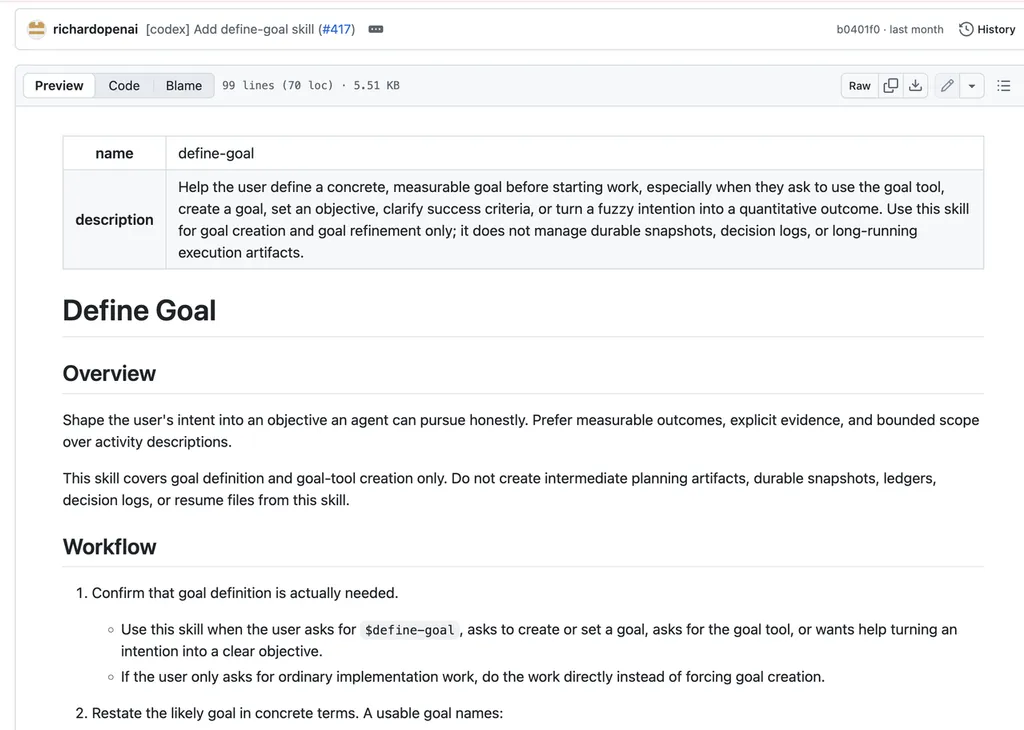
What it does:
Define Goal helps Codex turn broad requests into a concrete definition of success before implementation begins. Instead of treating a request like “improve the onboarding flow” as a simple coding task, it encourages the user and agent to clarify what needs to change, what is out of scope, how the result will be tested, and what conditions indicate that the work is complete.
Why it stands out:
A surprising number of development tasks fail because the target was never clearly defined. The code may work, but it may solve the wrong problem, miss an important edge case, or create another round of revisions. Define Goal gives Codex a stronger starting point by moving the conversation from vague activity to measurable outcomes.
It is particularly useful when a task involves multiple stakeholders, unclear product requirements, performance targets, migration work, or bug reports that need to be translated into testable acceptance criteria. By defining the finish line before coding begins, teams can reduce unnecessary back-and-forth and give Codex clearer guardrails for the work ahea
Sample Task:
“Improve the onboarding flow for new users. Define a measurable goal, clarify the target user action, identify what is in scope and out of scope, propose acceptance criteria, and explain how the final result should be verified before any implementation begins.”
Best for:
Product teams, developers, and technical leads handling ambiguous feature requests, bug fixes, migration tasks, or quality-sensitive workd
gh-fix-ci: Best for Fixing Failed CI Checks
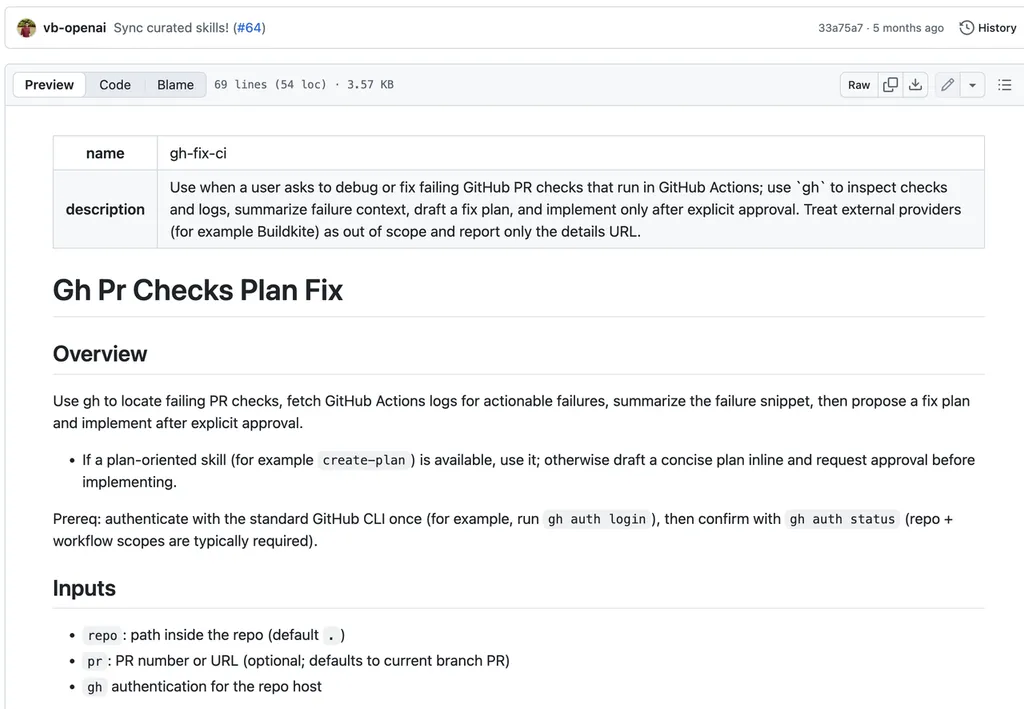
What it does:
gh-fix-ci helps Codex investigate failed GitHub Actions checks on a pull request. It can inspect workflow status, review failure logs, identify the most likely cause of the problem, and propose a focused repair plan before changes are made.
Why it stands out:
CI failures are one of the most common sources of friction in modern software development. A developer may need to jump between GitHub logs, local test output, dependency files, pull request changes, and workflow configuration just to understand why a build failed. gh-fix-ci gives Codex a structured way to gather that context and narrow the problem down.
The skill is especially valuable because it separates diagnosis from implementation. Rather than immediately making broad changes, Codex can first explain what failed, why it likely failed, and what should be checked next. This makes the workflow more transparent and gives developers a faster route from a red CI status to a verified fix
Sample Task:
“Inspect the failed GitHub Actions checks on this pull request. Summarize the likely root cause, identify the affected files or workflow steps, and propose the smallest safe repair plan before making any code changes.”
Best for:
Teams using GitHub Actions for tests, builds, linting, type checks, and pull request validation.
gh-address-comments: Best for PR Review Feedback
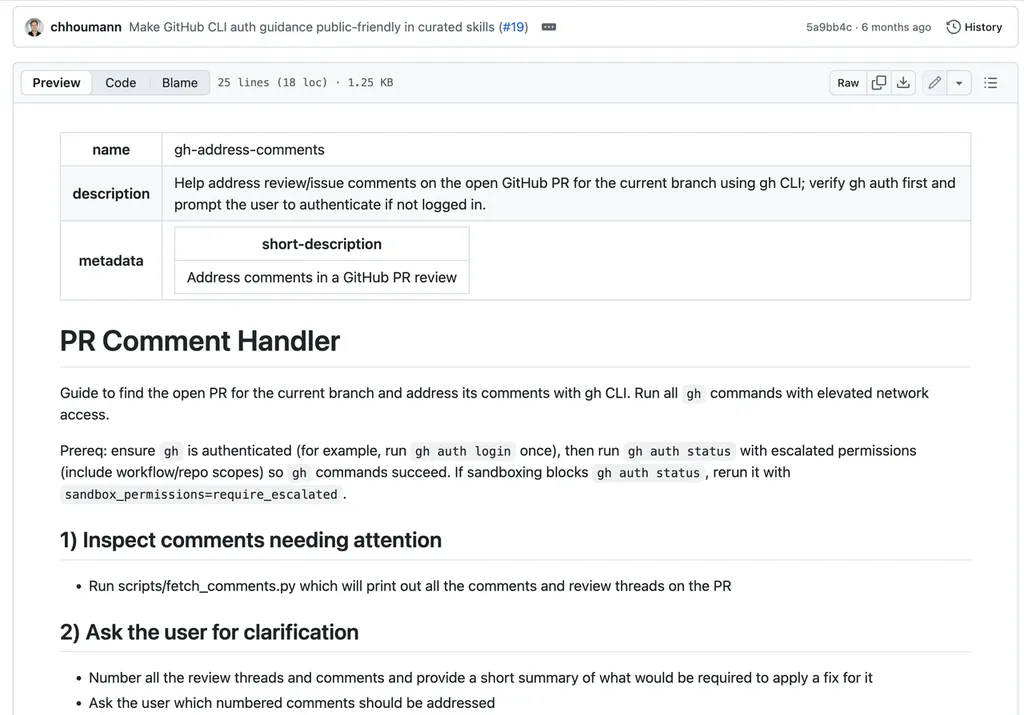
What it does:
gh-address-comments helps Codex collect and organize pull request review feedback. It can identify review threads, summarize what each comment requires, group related requests, and help users decide which comments should lead to code changes.
Why it stands out:
Code review is rarely difficult because of one comment. It becomes time-consuming when feedback is scattered across multiple reviewers, files, threads, and follow-up discussions. Developers often need to manually reread comments, decide which ones require action, understand the intent behind each request, and keep track of what has already been addressed.
This skill turns that fragmented process into a more manageable workflow. Instead of treating every review comment as equally urgent, Codex can help summarize the feedback, surface the actionable items, and make the revision process more deliberate. It is especially useful for larger pull requests, fast-moving teams, and developers who want to reduce context switching while still responding carefully to reviewer feedbac
Sample task:
“Review all unresolved comments on the current pull request. Group related feedback, summarize what each reviewer is asking for, identify which comments require code changes, and ask me to confirm the items you should address before editing the branch.”
Best for:
Developers working in collaborative GitHub repositories with frequent pull requests and multi-reviewer feedback.
Playwright: Best for Browser Testing and UI Debugging
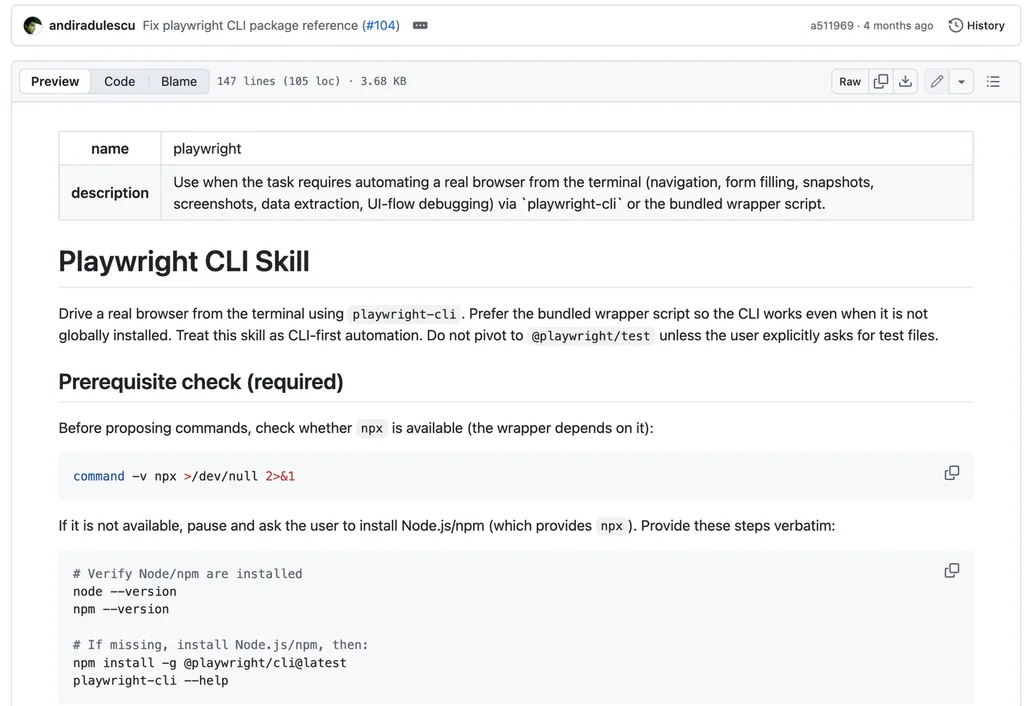
What it does:
Playwright gives Codex the ability to interact with a real browser from the terminal. It can open pages, navigate through user flows, fill forms, click buttons, inspect page state, capture screenshots, and help reproduce interface issues that are difficult to understand from code alone.
Why it stands out:
A feature can pass unit tests and still fail in the actual product experience. A form may submit incorrectly, a modal may not close, a button may be hidden on smaller screens, or a page may break only after a specific sequence of clicks. These are the kinds of issues that become obvious when someone interacts with the product as a user would.
Playwright helps Codex move beyond repository-level reasoning and validate visible behavior in a real browser environment. That makes it valuable for debugging UI regressions, checking onboarding flows, validating payments or sign-up paths, and confirming that a feature works from the user’s perspective rather than only in code.
Sample task:
“Run the local application and test the sign-up flow in a real browser. Create a test account, complete the required fields, verify that the confirmation screen appears, and capture a screenshot and trace if any step fails.”
Best for:
Frontend developers, SaaS teams, QA workflows, and anyone building browser-based products.
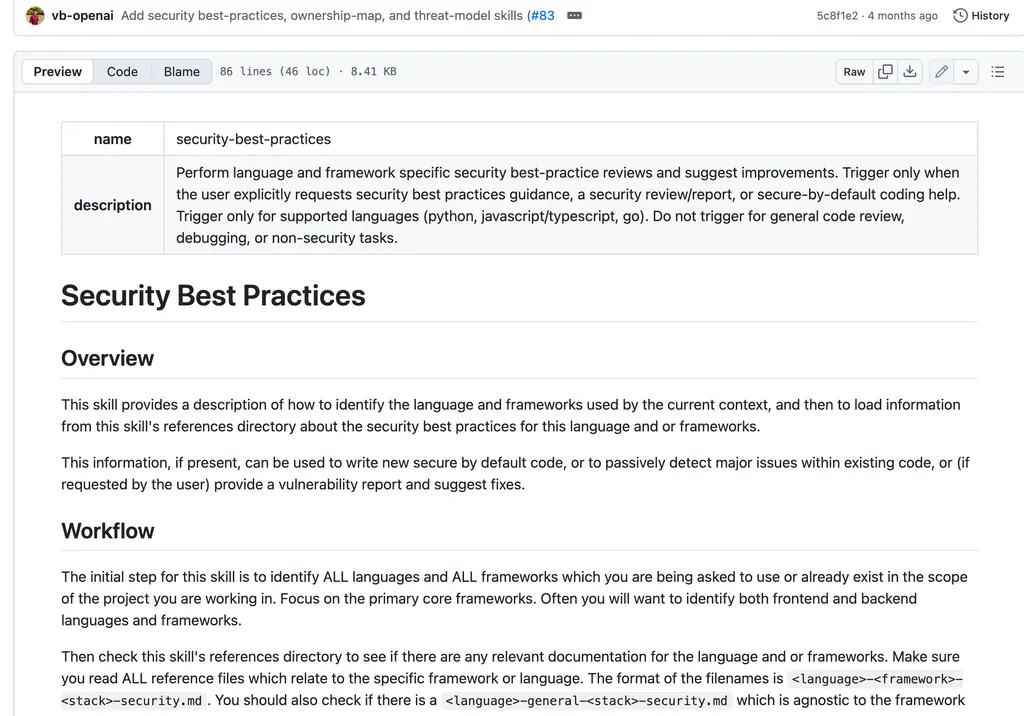
Security Best Practices: Best for Secure by Default Coding
What it does:
Security Best Practices helps Codex review code for common security risks and recommend safer implementation patterns. It can guide the agent to think more carefully about input validation, secrets handling, authentication, permissions, unsafe defaults, and common application-level vulnerabilities.
Why it stands out:
Security problems often begin with normal-looking development decisions: a missing authorization check, an exposed environment variable, weak input validation, an overly broad permission rule, or insecure handling of user data. These issues are easy to overlook when a team is focused on shipping features quickly.
This skill helps bring security thinking earlier into the development process. Rather than treating security as a final-stage checklist, Codex can use safer implementation patterns while code is being written or reviewed. It is especially useful for small teams that do not have a dedicated security engineer reviewing every pull request but still need stronger habits around secure-by-default development.
Sample task:
“Review the authentication and user-profile update flow in this application for common security risks. Check input validation, authorization, secret handling, session management, and unsafe defaults. Recommend secure-by-default changes with code-level examples.”
Best for:
Startups, full-stack developers, API builders, and teams working on customer-facing applications.
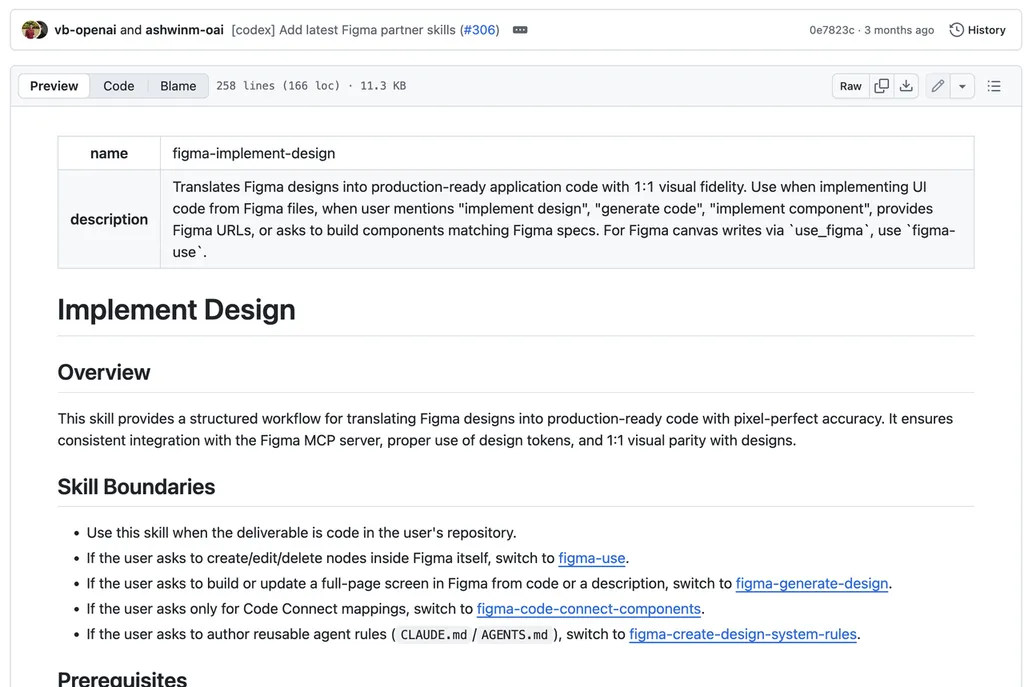
Figma Implement Design: Best for Figma to Code Workflows
What it does:
Figma Implement Design helps Codex translate Figma components, screens, layouts, design tokens, and visual references into production-ready frontend code. It gives the agent structured design context so that implementation decisions are based on the actual design rather than rough visual interpretation.
Why it stands out:
Design handoff is one of the biggest sources of friction between product design and frontend development. Developers need to understand spacing, typography, responsive behavior, iconography, components, states, and existing design-system conventions. Without clear context, implementation can drift away from the intended design or introduce inconsistent UI patterns.
This skill makes the handoff more systematic. It encourages Codex to reuse existing components and design tokens where possible, follow visual patterns more closely, and validate the final output against the original design. For teams that work in Figma every day, this can shorten the path from design approval to a more polished, consistent implementation.
Sample task:
“Use the selected Figma frame to implement this dashboard page in the existing frontend project. Reuse the current component library and design tokens where possible, match the layout and typography closely, support responsive behavior, and compare the final page against the Figma design.”
Best for:
Product teams, frontend developers, and designers working with Figma-based design systems.
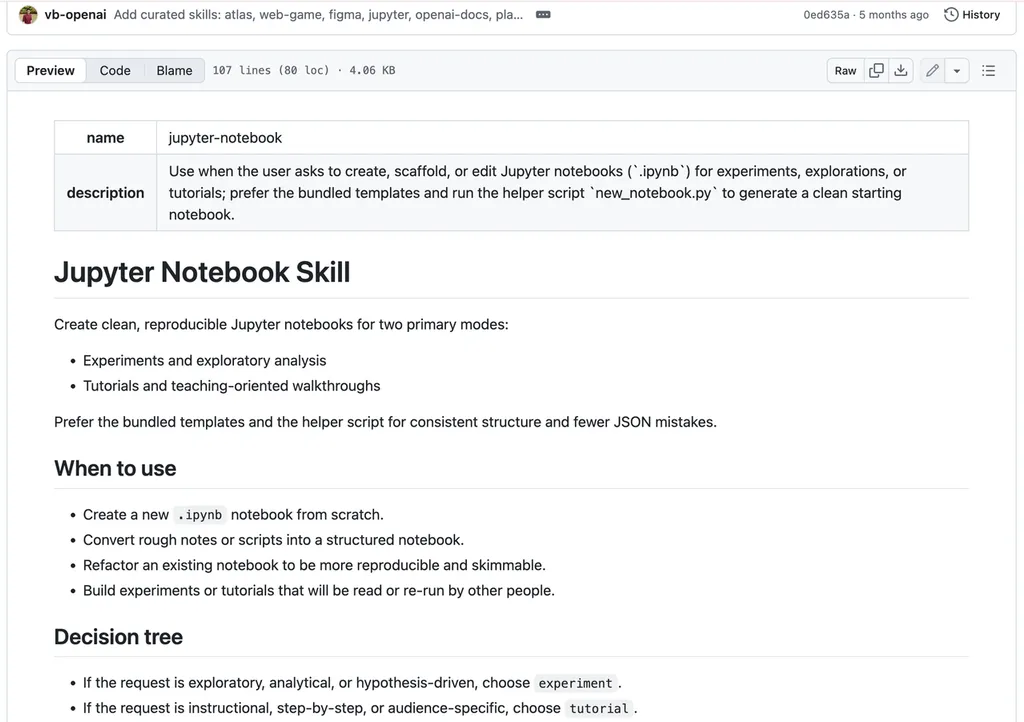
Jupyter Notebook: Best for Data Analysis and Experiments
What it does:
Jupyter Notebook helps Codex create, edit, organize, and refactor notebooks for data analysis, experiments, tutorials, and reproducible research workflows. It can support a clearer notebook structure with readable markdown explanations, logical code cells, and more deliberate analysis steps.
Why it stands out:
A notebook is not useful simply because it runs. A strong notebook should also be easy for someone else to understand, reproduce, and extend. In practice, many notebooks become difficult to follow because code, notes, temporary experiments, and results are mixed together without a clear structure.
This skill helps Codex build notebooks that are more than disposable scratchpads. It can support cleaner exploratory analysis, more understandable experiments, and better tutorial-style notebooks for teaching or sharing. That makes it valuable for researchers, analysts, growth teams, and anyone who needs to turn data work into a reusable artifact rather than a one-off script.
Sample task:
“Create a clean Jupyter notebook that analyzes this CSV dataset. Include data cleaning, descriptive statistics, visualizations, key findings, and markdown explanations for each step. Structure the notebook so another researcher can run it from top to bottom.”
Best for:
Researchers, analysts, educators, machine learning practitioners, and teams working with experiments or structured datasets.
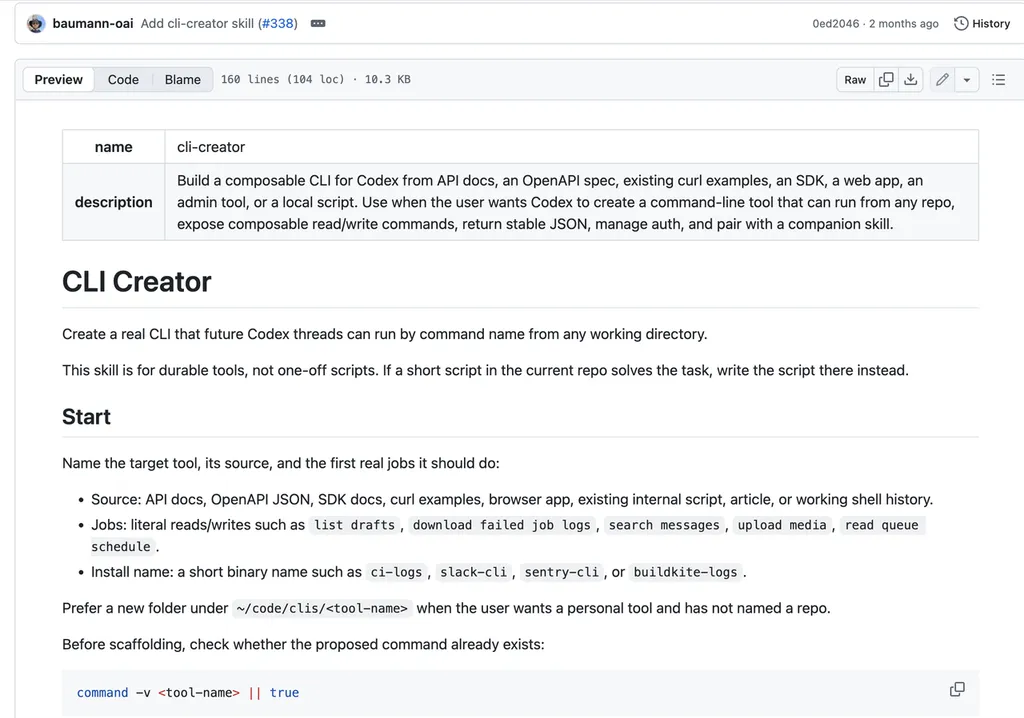
CLI Creator: Best for Reusable Internal Tools
What it does:
CLI Creator helps Codex build durable command-line tools for recurring workflows. These tools can support API interactions, local automations, internal operations, data retrieval, administrative tasks, and repeatable actions that would otherwise require manual browser work or one-off scripts.
Why it stands out:
Many teams repeatedly perform the same tasks: checking logs, exporting data, uploading files, querying internal systems, syncing information, or triggering safe operational actions. At first, these tasks are often handled through ad hoc scripts or a set of undocumented manual steps. Over time, that creates friction, inconsistency, and unnecessary dependency on individual team members.
CLI Creator helps turn repeated work into a cleaner internal product. Instead of solving the same problem every week, teams can create a reusable command-line interface with clearer commands, predictable output, safer authentication handling, and documentation that others can follow. It is one of the strongest skills for turning Codex from a one-time assistant into a tool-building partner.
Sample task:
“Build a reusable CLI tool that retrieves customer records from our internal API by email address. Include clear commands, help text, JSON output, environment-variable-based authentication, error handling, and a --dry-run mode for any write operation.”
Best for:
Engineering teams, platform teams, operations teams, and developers with recurring internal workflows.
Vercel Deploy: Best for Shipping Preview Deployments
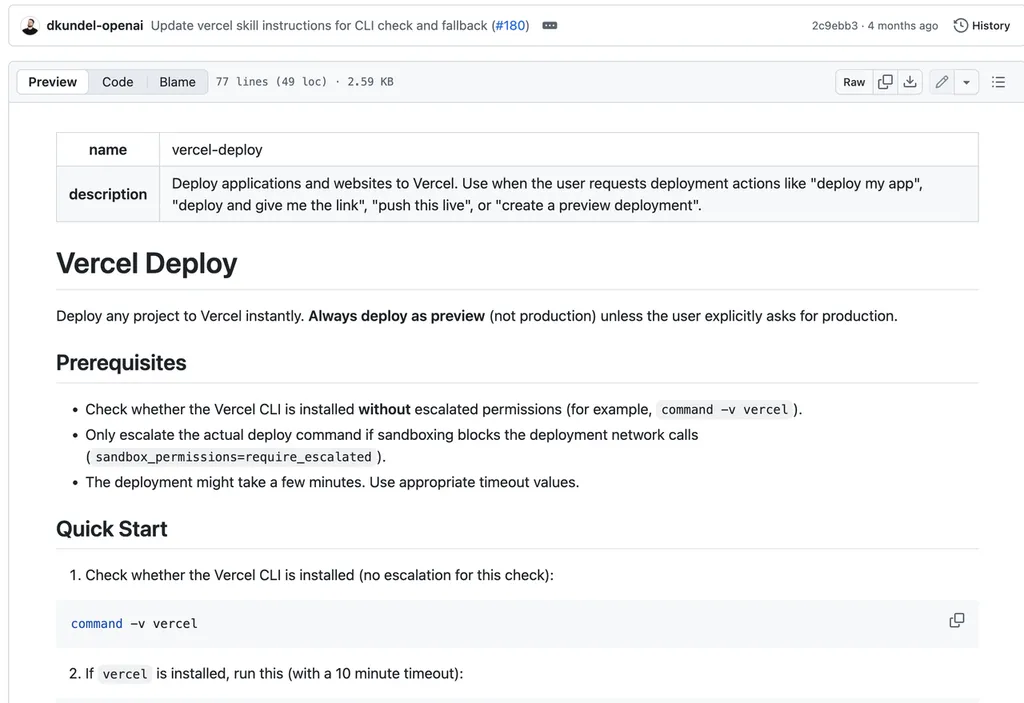
What it does:
Vercel Deploy helps Codex publish a web project to Vercel and generate a shareable preview deployment. This gives users a live URL that can be opened, reviewed, tested, and shared before a project is released to production.
Why it stands out:
A project becomes easier to evaluate the moment people can interact with it in a browser. Local development is useful for building, but preview deployments are what allow teammates, clients, designers, stakeholders, and early users to see the result in context.
This skill shortens the distance between “the code works on my machine” and “someone else can test it.” That makes it particularly useful for portfolios, landing pages, prototypes, internal dashboards, MVPs, and early SaaS experiments. It also supports a safer release rhythm by focusing on preview deployments, where teams can collect feedback and catch issues before moving toward a full production launch
Sample task:
“Deploy the current web project to Vercel as a preview deployment. Verify that the build succeeds, return the preview URL, and do not create or modify a production deployment.”
Best for:
Indie hackers, students, startup teams, product developers, and anyone who needs fast shareable preview links.
OpenAI Docs: Best for Building with OpenAI Products
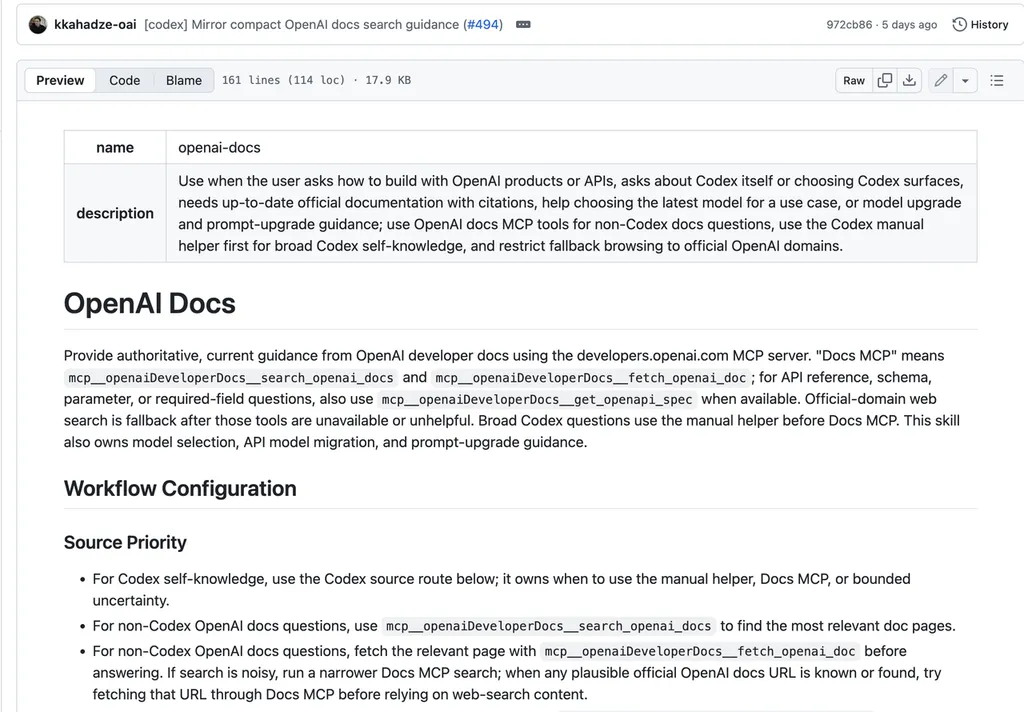
What it does:
OpenAI Docs helps Codex use official OpenAI documentation when working with OpenAI APIs, models, SDKs, migrations, Agents, and Codex-related workflows. It encourages implementation decisions that are grounded in current first-party documentation rather than outdated tutorials or unofficial examples.
Why it stands out:
AI development changes quickly. Model capabilities, API parameters, SDK patterns, migration guidance, and product recommendations can evolve faster than many third-party tutorials are updated. That creates a real risk for developers who copy examples from old blog posts or community snippets without checking whether the information is still current.
This skill gives Codex a more reliable source of truth when working with OpenAI products. It is especially useful for implementation questions that depend on current documentation, such as choosing the right API pattern, understanding supported features, handling migration changes, or following the latest guidance for Codex and agent workflows.
Sample task:
“Using official OpenAI documentation only, recommend the best current implementation approach for adding document-based Q&A to this application. Compare the relevant API options, list required setup steps, explain key parameters, and provide a minimal TypeScript example.”
Best for:
Developers building with OpenAI APIs, OpenAI models, Agents, Codex, or AI-powered product features.
Sample Codex Skill Workflows
Agent Skills are easier to evaluate when you can see how they change a real task. Rather than only listing features, the following example shows what happens when Codex receives a vague product request and uses a structured skill to turn it into a clearer, more verifiable outcome.
Workflow 1: Turning “Improve Onboarding” Into a Measurable Product Goal
Scenario:
A SaaS team notices that many new users create an account but leave before completing workspace setup. The initial request is simple: “Improve the onboarding flow.” However, the request does not define a target metric, deadline, scope, or clear way to prove that the work succeeded.
Skill used:
Define Goal
Prompt used:
“Improve the onboarding flow for new users. Define a measurable goal, clarify the target user action, identify what is in scope and out of scope, propose acceptance criteria, and explain how the final result should be verified before any implementation begins.”
Instead of immediately suggesting UI changes or writing code, Codex first reframed the request as a product objective. It defined a 30-day target, established baseline metrics, set measurable success criteria, and identified the evidence required to verify whether the work actually improved the onboarding experience.
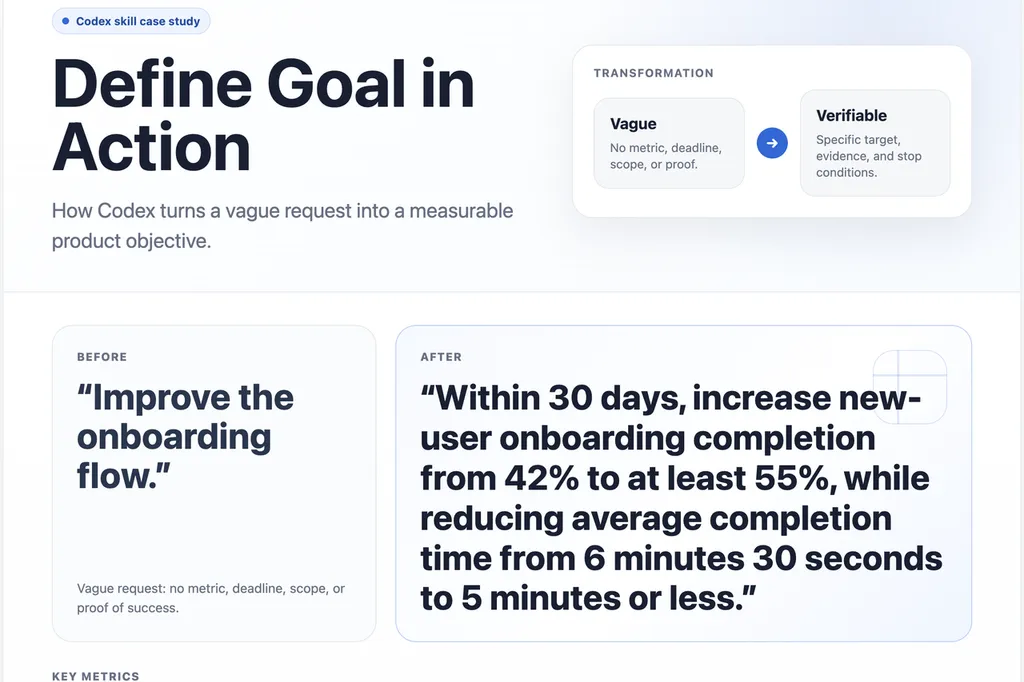
The original request contained no measurable definition of success. After applying Define Goal, Codex converted it into a specific outcome: increase onboarding completion from 42% to at least 55%, while reducing average completion time from 6 minutes 30 seconds to 5 minutes or less.
This is the key value of the skill. It moves the task from “make something better” to a goal that can be tested, measured, and reviewed after release.
Codex also added four elements that are often missing from loosely defined requests:
- Clear success criteria: what the team must achieve before the work can be considered successful.
- Defined scope: which part of the onboarding experience should be improved first.
- Verification evidence: the post-release analytics required to confirm the outcome.
- Stop-and-ask conditions: the situations where Codex should request clarification instead of making assumptions.
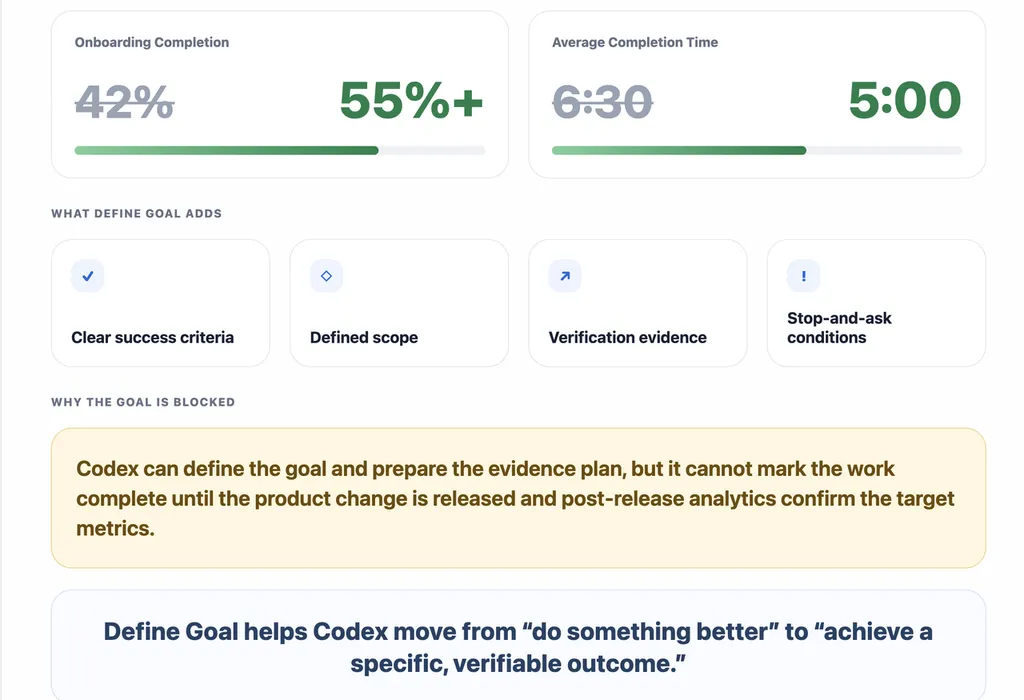
An important part of this workflow is that Codex did not mark the goal as complete. It correctly identified that the goal remained blocked until two things happened: the revised onboarding flow was released, and post-release analytics confirmed the target metrics using the same baseline event definitions.
That distinction matters. The skill can define the objective, prepare the validation plan, and create the supporting artifacts, but it should not claim success without real-world evidence.
Why this workflow matters:
Define Goal is most useful when a task begins with an ambiguous request, multiple stakeholders, or unclear success criteria. It gives Codex a more disciplined starting point and helps teams agree on what “done” actually means before implementation begins.
Workflow 2: From a Failed CI Check to a Focused Repair Plan
Scenario:
A pull request fails its automated test check after a small code change. The developer can see that the CI status is red, but still needs to determine what actually failed, whether the issue comes from the code or the test, and what the smallest safe fix should be.
In this example, the failing test expects an add(2, 2) function to return 5, while the actual result is 4. The important question is not simply how to make the check pass. It is whether the implementation is wrong, the test expectation is wrong, or the failure points to a broader issue.
Skill used:
gh-fix-ci
Sample prompt:
“Inspect the failed GitHub Actions checks for the pull request on the current branch. Summarize the failure context, identify the likely root cause, and propose the smallest safe repair plan. Do not edit code or rerun workflows until I explicitly approve the plan.”
Rather than immediately changing code, gh-fix-ci structures the task as a controlled diagnostic workflow. Codex first reviews the failed check and its available context, identifies the likely cause of the failure, and proposes a minimal repair plan. Only after the user confirms the plan should Codex make the change, run the relevant test, and verify that the pull request check returns green.
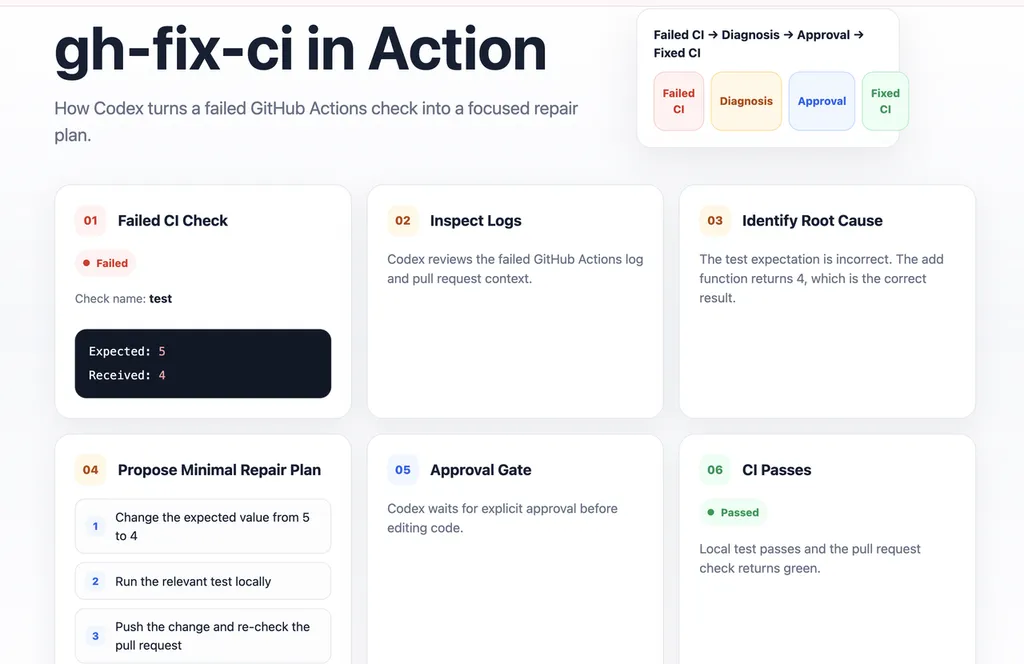
Figure 3. Illustrative workflow based on the gh-fix-ci Skill: Codex moves from a failed GitHub Actions check to a focused, reviewable repair plan.
In this example, the failure signal is clear. Codex would use that failure context to distinguish between an incorrect implementation and an incorrect test. Here, the add function returning 4 is correct. The root cause is the test expectation, which incorrectly expects the result to be 5.
The resulting repair plan is deliberately minimal:
- Change the expected value in the test from 5 to 4.
- Run the relevant test locally.
- Push the approved change and re-check the pull request status.
The most important step is the approval gate. gh-fix-ci is not designed to treat every failed check as permission to edit code automatically. It separates diagnosis from implementation: Codex explains the likely problem, presents a focused repair plan, and waits for explicit user approval before modifying the branch.
After approval, the expected final state is straightforward: the corrected test passes locally, and the pull request check returns green.
This workflow is useful because it makes CI repair more transparent and less reactive. Instead of asking Codex to “fix the error” and hoping for the best, developers can review the failure analysis, confirm the proposed scope of change, and keep a clear record of how the issue was resolved.
Why this workflow matters:
gh-fix-ci is most valuable for teams that use GitHub Actions as part of their pull request workflow. It helps Codex turn a failed check into a structured sequence of diagnosis, approval, implementation, and verification—rather than a black-box attempt to make the CI status pass.
Workflow 3: Testing and Verifying a Broken Signup Flow in a Browser
Scenario:
A signup page may look correct in code review while still failing at the moment that matters most: when a real user tries to complete the flow. A form can accept input, a button can appear clickable, and the frontend may show no obvious error—yet the expected confirmation state may never appear after submission.
In this illustrative scenario, a user opens a workspace signup page, enters a full name, work email, and workspace name, then clicks Create workspace. The expected outcome is a visible confirmation message: “Workspace created.” Instead, the flow appears to submit but does not render any confirmation state.
Workflow used:
Playwright-powered browser testing
Sample prompt:
“Open the workspace signup flow in a browser, complete the form with valid details, click Create workspace, and verify that a visible confirmation message appears. If the flow fails, capture the relevant browser evidence, identify the likely cause, and propose the smallest safe fix before editing code.”
Unlike a code-only review, browser testing checks what a user actually experiences. The workflow starts by reproducing the path from page load to form submission, then compares the visible result against the expected user-facing outcome.
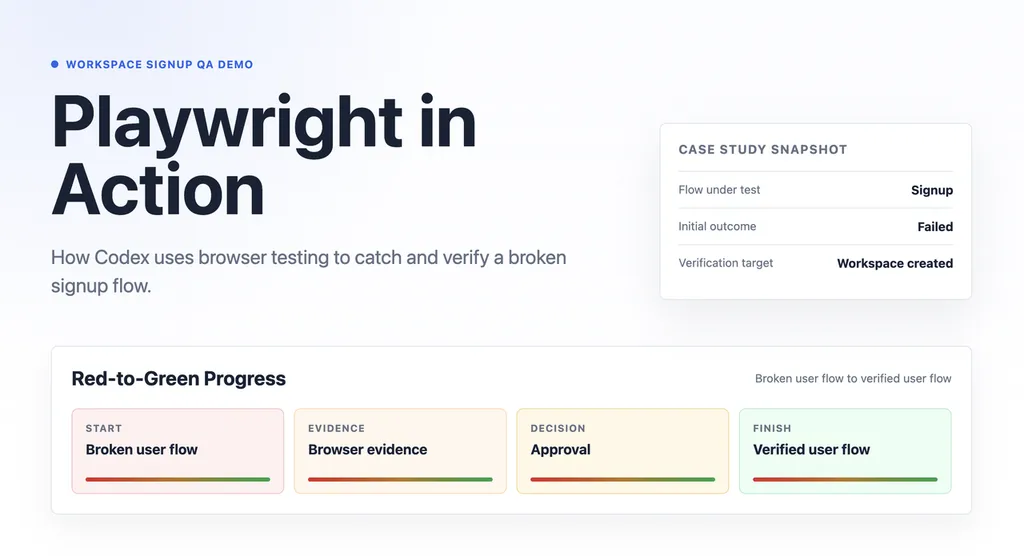
Figure 4. Illustrative Playwright-powered workflow: Codex moves from a broken signup flow to browser evidence, approval, and a verified user-flow outcome.
The initial failure is not a vague “something went wrong” message. The browser test has a clear, user-facing expectation: after the user submits valid signup details, the page should display the confirmation message “Workspace created.”
Instead, the observed result is that no confirmation state appears after submission. This gives Codex a specific failure condition to investigate rather than a generic instruction to “fix the signup page.”
That distinction matters. The issue is not necessarily that the form fields are broken or that the user’s data is invalid. Instead, the workflow suggests that the application accepts valid input but fails to render a success state after submission.
From there, Codex can structure the investigation into a controlled sequence: inspect the browser state, review the failure evidence, identify the likely missing UI behavior, and propose a minimal repair plan. In this case, the proposed fix is intentionally narrow: render a visible “Workspace created” confirmation state after valid form submission, while leaving the existing page layout and validation behavior unchanged.
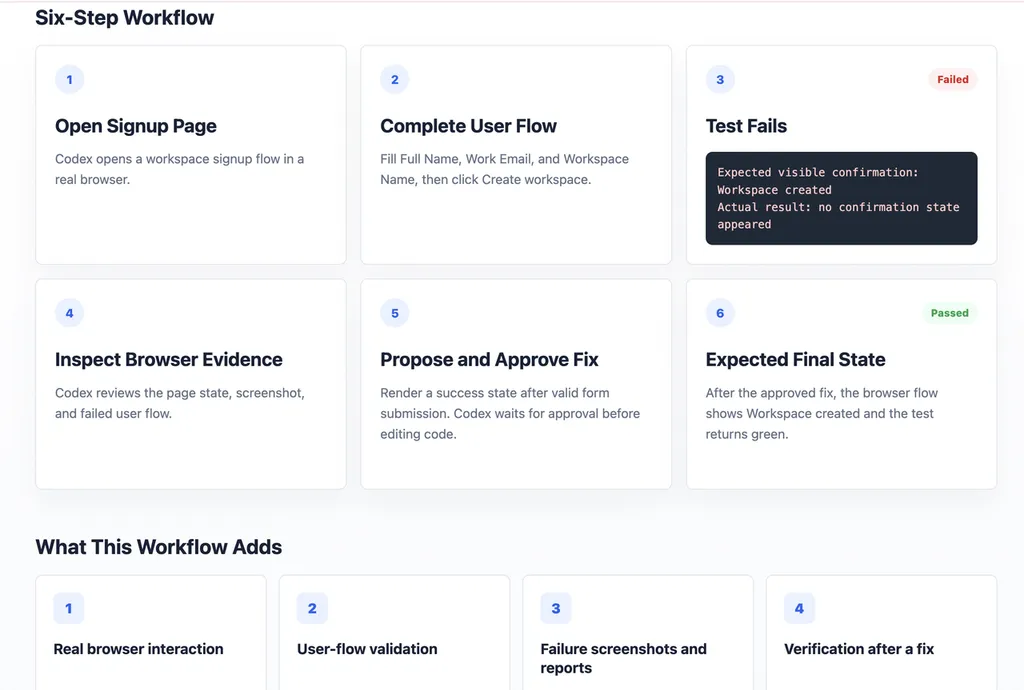
Figure 5. The six-step browser-testing workflow: open the flow, reproduce the issue, inspect browser evidence, propose a fix, obtain approval, and verify the expected final state.
The key step is the approval gate. Browser testing should not automatically become uncontrolled code editing. Codex can identify the failure and recommend the smallest change, but it should wait for user approval before modifying the implementation.
After the approved fix is applied, the expected final state is clear: the signup flow displays the confirmation message, and the browser test returns a passing result. This creates a more reliable development loop than simply asking an agent to “fix the signup page” without evidence of what failed or confirmation that the user flow now works.
This example is an illustrative workflow based on Playwright-style browser testing. It does not represent a production application or a completed live test run.
Why this workflow matters:
Playwright-powered workflows are especially valuable for frontend teams, SaaS products, and any project where the visible user experience matters as much as the code itself. They help Codex validate real interactions—such as clicks, form submissions, navigation, and confirmation states—rather than relying only on static code inspection. The result is a workflow that connects implementation decisions to what users actually see and do in the browser.
FAQs About Codex Skills
What are Codex Skills?
Codex Skills are reusable workflows that help Codex handle a specific type of task more consistently. A skill can include instructions, optional scripts, reference materials, and assets that guide Codex through a repeatable process.
For example, one skill may help Codex investigate failed CI checks, while another may help it turn a vague product request into a measurable goal. Instead of repeating the same long prompt in every new conversation, you can use a skill to preserve the workflow, preferred output format, and important rules.
How do I install a Codex Skill?
For curated skills, open Codex and use the built-in installer.
For example, you can type:
$skill-installer gh-fix-ci
Codex can then install the selected skill into your local setup. If the skill does not appear immediately after installation, restart Codex and try invoking it again.
You can also ask the installer to help you discover relevant skills. For example:
$skill-installer
Recommend skills for browser testing and GitHub workflows.
Once installed, you can explicitly invoke a skill by typing its name with a dollar sign, such as $gh-fix-ci or $define-goal.
Can I create my own Codex Skill?
Yes. In fact, custom skills are often more valuable than a large collection of generic skills.
A useful custom skill usually starts with a workflow you already repeat. It could be a release checklist, a code-review format, a browser QA routine, a documentation process, or an internal reporting task.
Codex includes a Skill Creator workflow that can help turn a useful thread, document, script, checklist, or example output into a reusable skill. A custom skill usually starts with a required SKILL.md file and can include optional references, scripts, or templates.
The best time to create a skill is after you have completed a task once and know exactly what a good result should look like.
What is the difference between a Codex Skill and AGENTS.md?
An AGENTS.md file contains persistent project guidance. It tells Codex how to behave whenever it works in a specific repository or folder.
For example, an AGENTS.md file might say:
- Run the test suite before opening a pull request.
- Do not add new dependencies without approval.
- Follow the existing component library.
- Document public API changes.
A Skill is different. It is a reusable workflow for a specific type of task.
For example:
- Use gh-fix-ci when a GitHub Actions check fails.
- Use a browser-testing skill when validating a signup flow.
- Use a documentation skill when preparing release notes.
A simple way to remember the difference is:
AGENTS.md defines the standing rules. Skills define repeatable jobs.
Which Codex Skill should beginners try first?
Start with the skill that solves the most repeated problem in your current workflow.
If your tasks often begin with unclear requirements, start with Define Goal. It helps turn broad requests into measurable outcomes, scope boundaries, and verification criteria.
If you spend a lot of time in GitHub pull requests, try gh-fix-ci or gh-address-comments.
If you build web products, browser-testing workflows such as Playwright are useful because they help validate what users actually see and do.
If you work with OpenAI APIs or models, OpenAI Docs can help Codex rely on current first-party documentation rather than outdated examples.
The best first skill is usually not the most advanced one. It is the one that removes a repeated source of friction from your work.
Are Codex Skills safe to install?
Skills should be treated like any other reusable automation or developer tool: install them from trusted sources, inspect what they are designed to do, and understand what access they require.
Before using a skill on a real project, check whether it can:
- Run commands in your local environment
- Access external tools or connected services
- Modify files
- Create commits or pull requests
- Trigger deployments
- Read project documentation or secrets-related configuration
For low-risk experimentation, start in a separate demo folder or test repository. When a skill proposes a meaningful change, review the plan before approving file edits, code changes, commits, or deployments.

Related Articles
A marketer-focused shortlist of the best Hermes Agent skills in 2026, plus a rubric to choose and maintain skills that ship real work.

Artificial intelligence has become unavoidable in academia. By 2026, almost every student, graduate researcher, and academic writer has experimented with tools like ChatGPT or Gemini. These models are fast, impressive, and surprisingly versatile.

Discover the best PDF agent skills for OCR, document parsing, and AI workflows. Compare top tools for extracting, converting, and processing PDFs.