7 Best Video Editing Agent Skills in 2026
Compare the 7 best AI agent skills for video editing in 2026—from AI editing assistants and workflow automation to subtitle generation, motion graphics, and transcript extraction.
Creating high-quality videos has never been easier—but editing them can still be one of the most time-consuming parts of the production process. From trimming raw footage and generating subtitles to creating motion graphics and repurposing long-form content, video editing often involves a series of repetitive tasks that slow down creators and production teams.
This is where AI agent skills come in. Unlike traditional editing software that relies on manual operations, AI agent skills are task-oriented capabilities that enable AI assistants to automate specific stages of the video production workflow. Some skills focus on editing footage, while others specialize in subtitle generation, transcript extraction, content analysis, or motion graphics. By combining multiple skills, creators can build an efficient, AI-powered workflow that significantly reduces post-production time.
In this article, we've selected seven of the best AI agent skills for video editing, covering everything from end-to-end editing assistants and workflow automation to subtitle generation, transcript downloading, motion graphics, and video content extraction. Whether you're a YouTube creator, marketer, educator, or content agency, these skills can help you produce polished videos faster and with less manual effort.
Quick Comparison Table
| Skill | Primary Focus | Best For |
|---|---|---|
| AI Video Editing Assistant | End-to-end AI video editing | YouTubers, marketers, educators |
| AI Video Editing Workflow | Automated editing pipelines and workflow orchestration | Agencies, developers, production teams |
| AI Video Production Assistant | Video planning, asset organization, and production assistance | Content creators, marketing teams |
| Frame Liquid BG Hero | Motion graphics and animated video templates | Motion designers, brand marketers |
| Video Content Extractor | Content analysis, highlight extraction, and video understanding | Podcast creators, content repurposing teams |
| Video Transcript Downloader | Video downloading, transcription, and subtitle extraction | Researchers, educators, YouTubers |
| VideoCaptioner | AI subtitle generation, translation, and localization | Global creators, agencies, online educators |
7 Best AI Agent Skills for Video Editing
The best AI video editing workflow isn't built around a single all-in-one tool—it's powered by specialized agent skills that excel at different stages of production. Some skills automate editing and post-production, while others focus on subtitle generation, transcript extraction, motion graphics, or video content analysis.
To help you choose the right solution, we've evaluated seven AI agent skills based on their capabilities, practical use cases, ease of integration, and overall value for creators and production teams. Whether you're looking to speed up editing, improve accessibility, or build a scalable AI-powered workflow, the following skills represent some of the most effective options available today.
AI Video Editing Assistant Skill
Overview
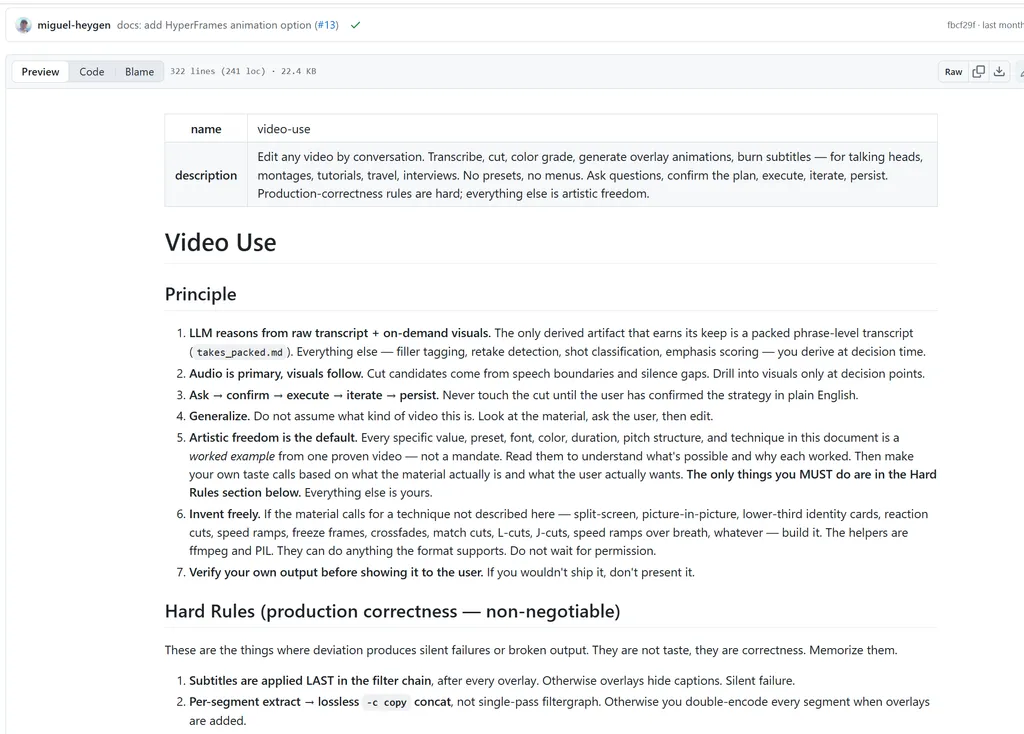
An AI-powered video editing skill that automates repetitive post-production tasks—from removing filler words and tightening pacing to color grading, subtitles, and final rendering—allowing creators to produce polished videos with minimal manual editing.
What It Does
Video Editing transforms raw footage into a production-ready video through an AI-driven workflow. Instead of manually trimming clips on a timeline, users upload their footage, describe the desired edits, and let the agent handle repetitive editing tasks such as removing pauses and filler words, applying color grading, smoothing audio transitions, and burning subtitles. It also performs a self-review of the rendered output to catch common editing issues before generating the final video, making it well suited for creators who want to accelerate post-production without sacrificing consistency.
Best For
- YouTube creators producing talking-head videos
- Content marketers creating promotional videos
- Social media creators repurposing long-form content into short clips
- Agencies handling high-volume video production
- Educators and course creators editing tutorials and presentations
Example Use Cases
- Clean up interview footage by removing filler words and awkward pauses.
- Turn a product demo into a polished marketing video with subtitles and color grading.
- Edit tutorial videos with consistent pacing and readable captions.
- Produce short-form social media clips from longer recordings.
- Batch-edit recurring video content with a repeatable AI-powered workflow.
Final Verdict
Video Editing stands out by automating the most time-consuming parts of post-production rather than simply generating effects. Its ability to combine transcript-based editing, automated enhancements, and quality checks makes it a practical choice for creators and marketing teams that publish videos regularly. While it won't replace creative storytelling, it can significantly reduce editing time for routine production workflows.
AI Video Editing Workflow Skill
Overview
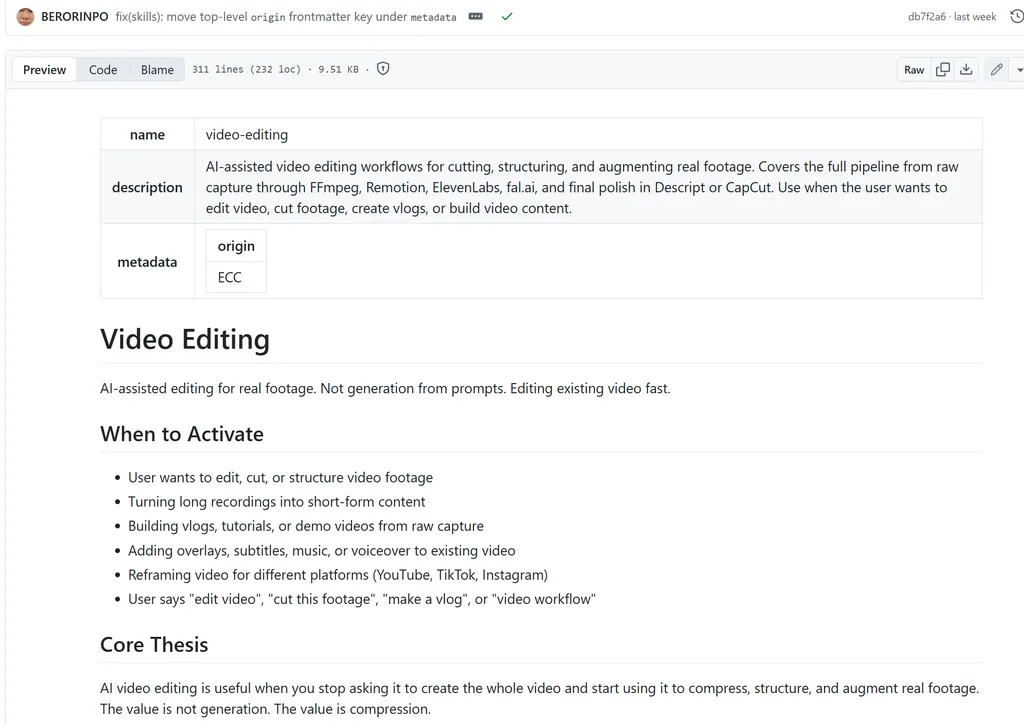
A workflow-driven AI skill that transforms video editing into a structured production pipeline. Instead of replacing professional editing software, it orchestrates specialized tools like FFmpeg, Remotion, ElevenLabs, and Descript to automate repetitive editing tasks while keeping creators in control of the final creative decisions.
What It Does
Unlike many AI video tools that focus on generating videos from text prompts, this skill is designed to edit real footage efficiently. It helps AI agents analyze recordings, identify key moments, generate edit plans, automate cutting with FFmpeg, create motion graphics through Remotion, add AI-generated voiceovers or sound effects, and optimize videos for platforms like YouTube, TikTok, and Instagram. Its core philosophy is to compress, structure, and enhance existing content, making it particularly effective for turning long recordings into polished, platform-ready videos.
Best For
- YouTube creators producing tutorials, vlogs, or long-form content
- Developers creating product demos or coding walkthroughs
- Content teams repurposing videos across multiple platforms
- Agencies managing high-volume video production
- Creators looking to automate technical editing while maintaining creative control
Example Use Cases
- Convert a one-hour webinar into multiple short-form social media clips.
- Automatically generate subtitles, overlays, and voiceovers for tutorial videos.
- Reframe horizontal videos into vertical formats for TikTok, Instagram Reels, and YouTube Shorts.
- Build reusable editing workflows with FFmpeg and Remotion for recurring content.
- Organize raw footage into a structured edit before applying final polish in Descript or CapCut.
Final Verdict
This Video Editing skill stands out for its pipeline-first approach rather than relying solely on AI-generated video. By combining AI planning with professional editing tools, it streamlines complex post-production workflows while preserving creative flexibility. It's an excellent choice for creators and teams who regularly edit real footage and want to scale production without sacrificing quality.
AI Video Production Assistant Skill
Overview
A modular AI video editing skill that acts as an intelligent production assistant rather than a standalone editor. It helps AI agents plan edits, organize assets, recommend the right tools, and automate repetitive production tasks across the entire editing workflow.
What It Does
Instead of focusing on a single editing feature, this skill provides a structured workflow for video production. It enables an AI agent to understand project requirements, analyze source footage, recommend suitable editing techniques, and leverage industry-standard tools for tasks such as trimming clips, generating captions, creating motion graphics, enhancing audio, and exporting videos for different platforms. Its modular design makes it flexible enough to integrate into existing editing pipelines rather than replacing professional editing software, making it a strong option for creators who want AI assistance throughout the production process.
Best For
- Content creators building repeatable editing workflows
- YouTube creators producing educational or long-form videos
- Marketing teams creating cross-platform video campaigns
- Developers integrating AI-powered video editing into their own agents
- Agencies managing scalable video production
Example Use Cases
- Generate a complete editing plan before opening Premiere Pro or DaVinci Resolve.
- Convert long-form videos into YouTube Shorts, TikTok, and Instagram Reels.
- Automatically create subtitles, chapter markers, and platform-specific exports.
- Organize raw footage and editing assets into a structured production workflow.
- Build AI-powered video editing pipelines that combine multiple editing tools and automation services.
Final Verdict
This Video Editing skill is best viewed as an AI workflow orchestrator rather than an automatic video editor. Its modular architecture and emphasis on structured production make it particularly valuable for creators and development teams looking to automate complex editing pipelines while retaining full creative control over the final output.
Frame Liquid BG Hero Skill
Overview
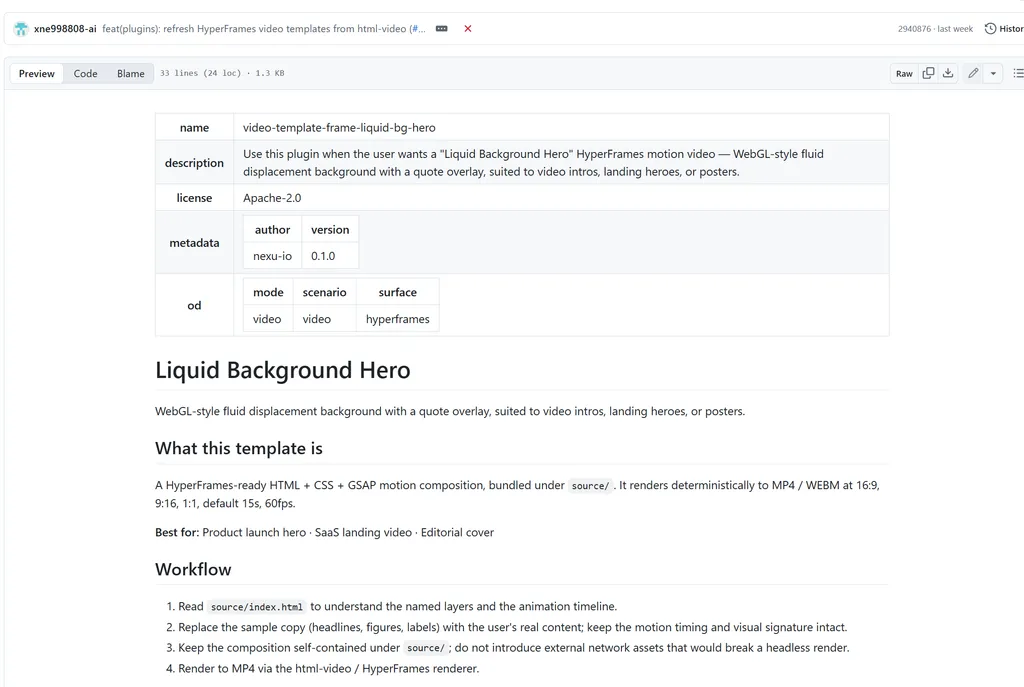
A specialized AI design skill that generates cinematic animated hero scenes with liquid backgrounds and dynamic text overlays. Rather than editing footage, it creates visually engaging opening sequences and motion graphics that can be integrated into video productions.
What It Does
Frame Liquid BG Hero focuses on motion design instead of timeline editing. It enables AI agents to generate full-screen animated backgrounds using CSS, Canvas, or WebGL, complete with centered text, smooth transitions, and carefully designed color palettes. The generated scenes can serve as intros, title cards, promotional slides, or branded hero animations for YouTube videos, presentations, and social media content. Because everything is rendered in HTML rather than traditional video software, creators can quickly customize colors, typography, and animations without relying on After Effects or similar motion graphics tools.
Best For
- YouTube creators designing professional video intros
- Marketing teams creating branded promotional videos
- Motion designers prototyping animated hero scenes
- Social media creators producing visually engaging title sequences
- Developers generating reusable HTML-based motion graphics
Example Use Cases
- Create a cinematic intro for a YouTube video.
- Generate animated title cards for educational content.
- Design branded opening scenes for product launch videos.
- Produce social media motion graphics without using After Effects.
- Build reusable animated background templates for recurring video projects.
Final Verdict
Frame Liquid BG Hero is not a traditional video editing skill, but a motion graphics generator that complements modern editing workflows. Its HTML-based approach makes it fast, lightweight, and highly customizable, making it an excellent addition for creators who want polished intros, animated backgrounds, or branded visual elements without the complexity of professional motion design software.
Video Content Extractor Skill
Overview
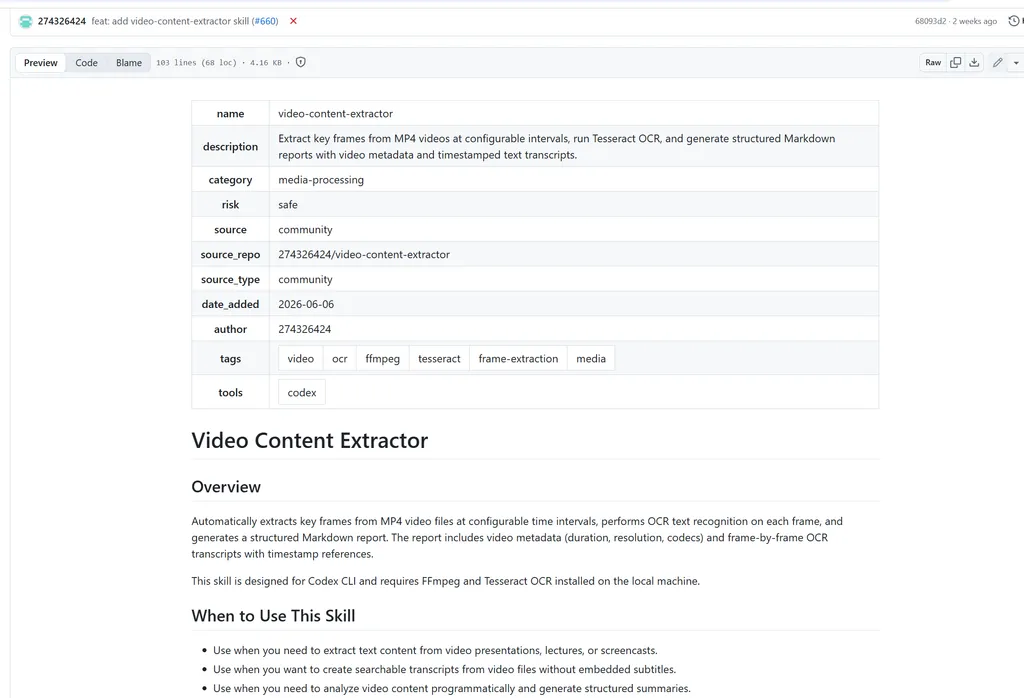
A specialized AI skill that analyzes video content and extracts meaningful information, such as transcripts, key moments, timestamps, and visual context. Instead of editing footage directly, it prepares videos for faster editing, repurposing, and content discovery.
What It Does
Video Content Extractor serves as an intelligent preprocessing tool for video production workflows. It enables AI agents to examine video files, identify important scenes, generate structured transcripts, detect chapter breaks, and summarize content before editing begins. By converting unstructured footage into searchable and organized data, it helps creators quickly locate highlights, build editing plans, and repurpose long-form videos into multiple content formats. This makes it especially valuable for creators who work with interviews, webinars, podcasts, tutorials, or recorded meetings where manually reviewing hours of footage would be time-consuming.
Best For
- Podcast creators repurposing long-form recordings
- YouTube creators editing interviews and tutorials
- Marketing teams producing highlight reels
- Content agencies handling large video libraries
- AI-powered video production pipelines
Example Use Cases
- Extract key moments from a one-hour webinar before editing.
- Generate transcripts and timestamps for YouTube chapters.
- Identify highlight clips for Shorts, Reels, and TikTok.
- Summarize recorded meetings into concise video recaps.
- Organize large collections of video assets for faster post-production.
Final Verdict
Video Content Extractor is an excellent companion to AI video editing rather than a replacement for it. By transforming raw footage into structured, searchable content, it dramatically reduces the time spent reviewing videos and makes downstream editing, clipping, and repurposing much more efficient. It's particularly valuable for creators and teams working with large volumes of long-form video.
Video Transcript Downloader Skill
Overview
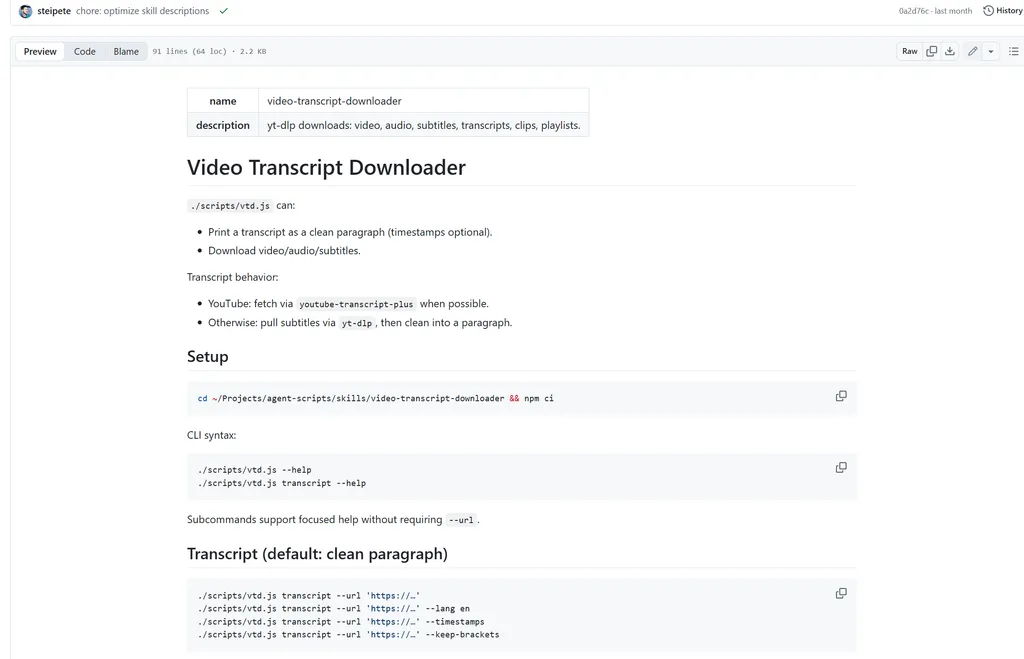
A specialized AI skill that downloads videos, audio, subtitles, and clean transcripts from YouTube and other platforms supported by yt-dlp. It streamlines content acquisition and transcription, making it easier to prepare videos for editing, summarization, and repurposing.
What It Does
Video Transcript Downloader focuses on one of the earliest stages of the video production workflow: acquiring source media and converting spoken content into structured text. The skill can download videos, extract audio tracks, retrieve subtitle files, and generate readable transcripts with or without timestamps. For YouTube videos, it attempts to fetch native transcripts first, then falls back to subtitle extraction via yt-dlp when necessary. It also supports selecting download formats and exporting media for downstream editing, making it a practical utility for creators, researchers, and AI-powered production pipelines.
Best For
- YouTube creators preparing videos for editing
- Podcast producers generating transcripts and subtitles
- Content marketers repurposing video content into blogs or social posts
- Researchers analyzing video-based information
- AI agents building automated video processing workflows
Example Use Cases
- Download a YouTube video and extract a clean transcript for blog writing.
- Retrieve subtitle files for translation or localization.
- Extract audio from a webinar for podcast production.
- Download videos in specific formats before importing them into editing software.
- Generate timestamped transcripts to accelerate highlight clipping and chapter creation.
Final Verdict
Video Transcript Downloader is an excellent supporting skill for AI-powered video production. While it doesn't edit footage directly, it removes the friction of collecting media assets and producing high-quality transcripts, providing a solid foundation for caption generation, content analysis, highlight extraction, and other downstream editing tasks. It's especially valuable for creators and teams managing large volumes of online video content.
Video Captioner Skill
Overview
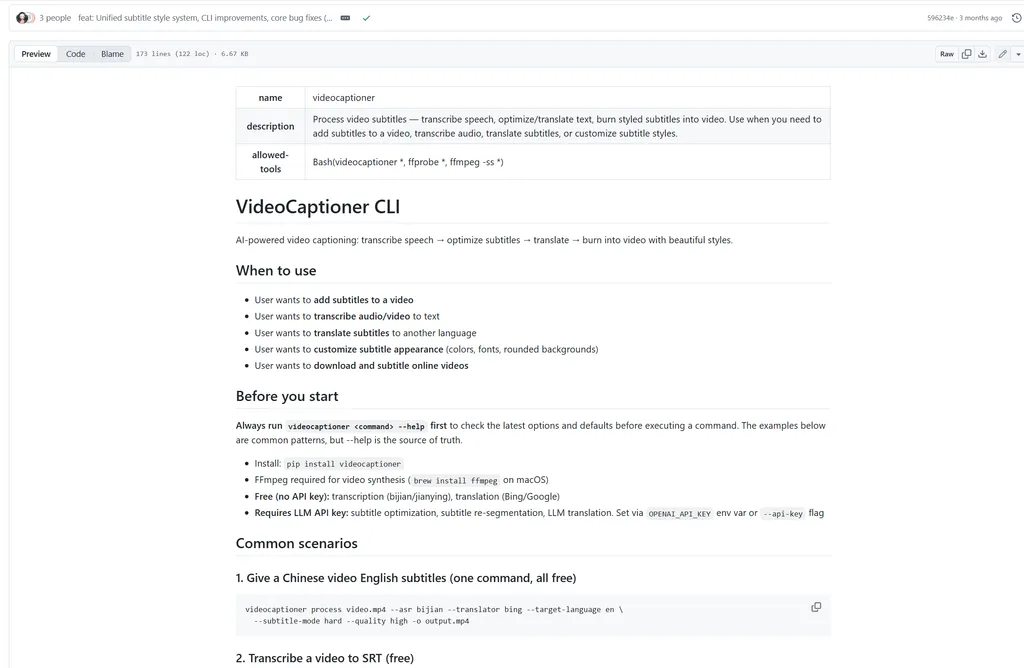
An AI-powered subtitle production skill that automates the entire captioning workflow—from speech transcription and subtitle optimization to multilingual translation and subtitle embedding. It helps creators produce polished, accessible videos with minimal manual editing.
What It Does
VideoCaptioner is designed to handle every stage of subtitle creation in a single workflow. It can transcribe speech into subtitles using multiple ASR engines, intelligently refine sentence segmentation with large language models, translate subtitles into dozens of languages, and burn customized hard or soft subtitles directly into videos. Unlike basic transcription tools, it also supports subtitle styling, batch processing, and multiple export formats such as SRT, ASS, and VTT, making it suitable for both individual creators and professional production teams. Its support for free transcription and translation engines, alongside optional LLM-powered optimization, provides a flexible balance between cost and quality.
Best For
- YouTube creators publishing multilingual videos
- Content creators producing tutorials and educational content
- Marketing teams localizing promotional videos
- Video editors adding professional subtitles to client projects
- Agencies processing subtitles for high-volume video production
Example Use Cases
- Generate accurate subtitles for YouTube videos in minutes.
- Translate existing subtitles into multiple languages for global audiences.
- Burn beautifully styled captions directly into marketing videos.
- Batch-process subtitles for an entire video series.
- Improve automatically generated subtitles using AI-powered sentence refinement and error correction.
Final Verdict
VideoCaptioner is one of the most comprehensive AI subtitle skills available for modern video production. Rather than simply generating transcripts, it delivers a complete subtitle workflow that combines transcription, editing, translation, styling, and video synthesis. For creators who frequently publish multilingual or accessibility-focused content, it can significantly reduce post-production time while producing more polished and professional captions.
Best AI Agent Skills by Use Case
Not every AI agent skill is designed for the same purpose. Some specialize in end-to-end editing, while others focus on captions, content extraction, or motion graphics. Here's a quick guide to help you choose the right skill based on your video production needs.
Best Overall Video Editing
AI Video Editing Assistant
If you're looking for a well-rounded skill that automates common post-production tasks such as trimming footage, removing filler words, generating subtitles, and enhancing video quality, AI Video Editing Assistant is the strongest all-around choice for everyday creators.
Best for Workflow Automation
AI Video Editing Workflow Skill
Designed for production teams and developers, this skill excels at orchestrating complex editing pipelines with tools like FFmpeg, Remotion, and AI services, making it ideal for scalable video production.
Best for Production Planning
AI Video Production Assistant Skill
This skill helps organize footage, recommend editing strategies, and structure production workflows before editing begins. It's best suited for creators who want AI guidance throughout the production process.
Best for Motion Graphics
Frame Liquid BG Hero Skill
For creators who want professional intros, animated title cards, or branded motion graphics, this skill offers an efficient way to generate visually engaging assets without traditional motion design software.
Best for Video Content Analysis
Video Content Extractor Skill
If your workflow starts with long-form videos such as webinars, interviews, or podcasts, this skill can automatically identify key moments, generate summaries, and prepare content for faster editing and repurposing.
Best for Transcript Extraction
Video Transcript Downloader Skill
This is the ideal choice for downloading videos, extracting subtitles, and generating clean transcripts before editing. It's particularly useful for researchers, educators, and content repurposing workflows.
Best for Subtitle Generation
Video Captioner Skill
When accessibility and multilingual publishing are priorities, VideoCaptioner provides a complete subtitle workflow, including transcription, translation, subtitle styling, and video embedding.
How to Choose the Right Video Editing Agent Skill
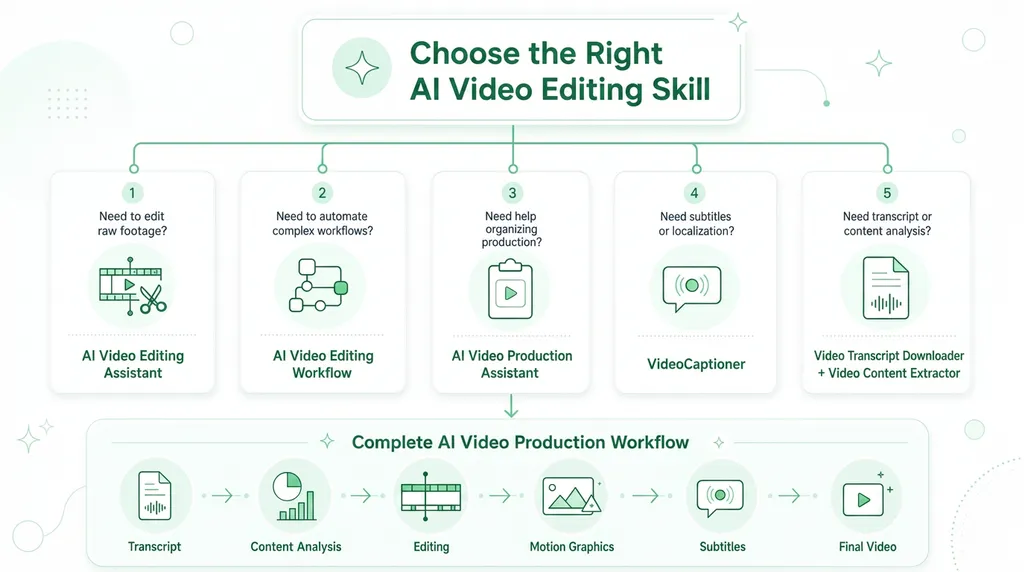
The best video editing agent skill depends on where AI can save you the most time. Some skills automate the editing process, while others specialize in subtitles, content extraction, or workflow orchestration. Before choosing a skill, consider how it fits into your existing video production process.
Identify Your Biggest Workflow Bottleneck
Start by asking which part of your workflow consumes the most time.
- If editing raw footage is your biggest challenge, choose an AI Video Editing Assistant.
- If you manage complex production pipelines, an AI Video Editing Workflow is a better fit.
- If you spend hours reviewing long videos before editing, a Video Content Extractor can significantly speed up the process.
- If your focus is accessibility or multilingual content, Video Captioner is the strongest choice.
Matching the skill to your biggest bottleneck will deliver the greatest productivity gains.
Decide Between General-Purpose and Specialized Skills
General-purpose skills can automate multiple editing tasks in a single workflow, making them ideal for everyday content creation. Specialized skills, on the other hand, focus on solving one problem exceptionally well, such as transcript generation, subtitle localization, or motion graphics.
For most creators, combining one general editing skill with one or two specialized skills creates a more efficient workflow than relying on a single all-in-one solution.
Consider Integration with Your Existing Workflow
A good agent skill should complement the tools you already use rather than replace them. If your workflow includes software like Premiere Pro, DaVinci Resolve, FFmpeg, or Remotion, look for skills that integrate smoothly with those tools and can automate repetitive tasks without disrupting your production process.
Think About Scalability
If you publish videos occasionally, a simple editing assistant may be all you need. However, creators, agencies, and marketing teams producing content at scale should prioritize skills that support automation, batch processing, and reusable workflows. These capabilities can dramatically reduce production time as your content volume grows.
Build a Complete AI Video Production Stack
The most effective AI workflows combine multiple specialized skills instead of relying on a single solution. For example, you might use Video Transcript Downloader to acquire transcripts, Video Content Extractor to identify highlights, AI Video Editing Assistant to edit footage, Frame Liquid BG Hero to create animated intros, and VideoCaptioner to generate multilingual subtitles. By selecting complementary skills, you can build a streamlined production pipeline that automates every stage of video creation.
FAQ
What are AI agent skills for video editing?
AI agent skills are specialized capabilities that enable AI assistants to perform specific video production tasks. Unlike traditional video editing software, each skill focuses on a particular function-such as editing footage, generating subtitles, extracting transcripts, creating motion graphics, or analyzing video content. Multiple skills can be combined to automate an entire video production workflow.
Can AI agent skills replace professional video editing software?
Not entirely. Most AI agent skills are designed to complement professional editing tools rather than replace them. They automate repetitive tasks like trimming footage, generating captions, extracting highlights, or organizing assets, while editors still have full control over creative decisions and final refinements.
Which AI agent skill is best for YouTube creators?
It depends on your workflow. If you're looking for an all-around editing solution, AI Video Editing Assistant is the best choice. If subtitles are a priority, VideoCaptioner is ideal. For creators who frequently repurpose long-form videos into Shorts or clips, combining Video Content Extractor with an editing skill provides the most efficient workflow.
Can I use multiple AI agent skills together?
Yes. In fact, combining specialized skills often delivers better results than relying on a single all-in-one solution. For example, you can use one skill to download transcripts, another to identify key moments, another to edit the video, and a final one to generate subtitles or motion graphics.
Are AI video editing agent skills suitable for beginners?
Absolutely. Many AI agent skills are designed to simplify complex editing tasks through natural language instructions and workflow automation. Beginners can use them to reduce manual work, while experienced editors can integrate them into existing production pipelines to improve efficiency.
How do I choose the right video editing agent skill?
Start by identifying the biggest bottleneck in your workflow. If editing takes the most time, choose a general-purpose editing skill. If you struggle with subtitles, transcript generation, or motion graphics, a specialized skill will provide greater value. The best choice is the one that solves your most repetitive and time-consuming tasks.

Related Articles
Discover the best Excel agent skills for data analysis, spreadsheet automation, reporting, and workflow optimization across business use cases.
A marketer-focused shortlist of the best Hermes Agent skills in 2026, plus a rubric to choose and maintain skills that ship real work.
Managing PR campaigns manually can quickly become overwhelming, especially for teams handling media outreach, monitoring, reporting, and social media at the same time.